


My Logitech G Pro X2 Superstrike gaming mouse review isn't one I want to rush, as this is a true game-changer
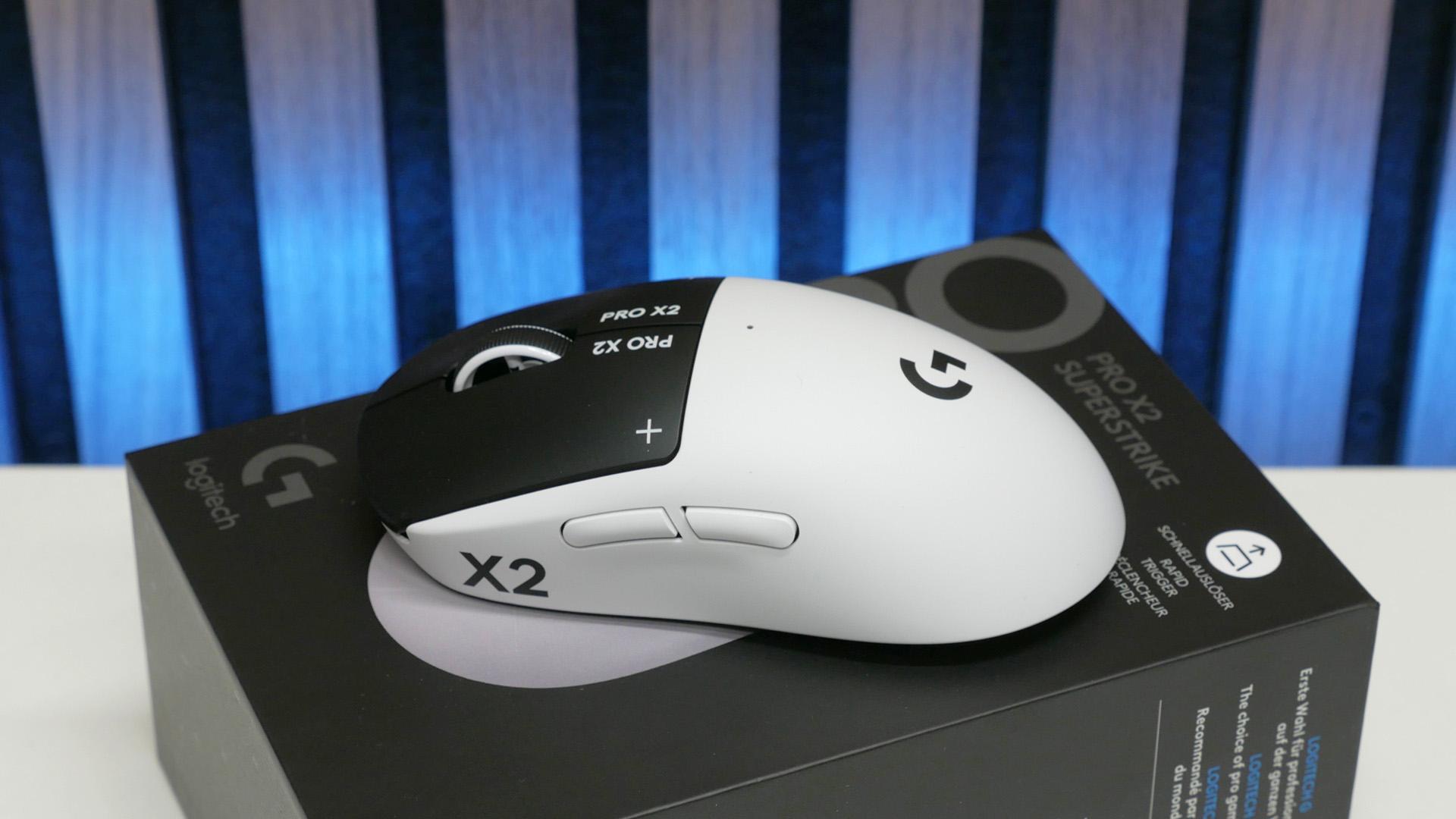
My Logitech G Pro X2 Superstrike gaming mouse review isn't one I want to rush, as this is a true game-changer
The Logitech G Pro X2 Superstrike is now available to buy, and like many tech reviewers around the world, I've had my hands on the new mouse for a few days, having attended a deep dive showcase of the tech at Logitech's HQ last week. However, while many reviewers have rushed out a quick review to hit today's official launch, this mouse is one I want to take my time with.
Inside the G Pro X2 Superstrike is a potentially revolutionary new technology that completely replaces the normal switches that sit under the left and right buttons of a mouse. As Logitech revealed when it first announced the Superstrike, it uses movement sensors and haptic feedback to offer an adjustable 'click' position and intensity. Plus, it has allowed the company to include rapid trigger for mouse clicks. This allows for far faster clicks than any other mouse can achieve. It's really interesting stuff, and the increase in speed is immediately perceptible, but whether this mouse deserves a place on our best gaming mouse guide is going to take longer than usual to decide.
At least part of the reason for that is that the G Pro X2 Superstrike is a very expensive mouse, at $179.99. Plenty of other top-tier mice hit around the $150 mark, but $180 is another step up again.
Also a crucial factor is that this isn't a particularly light mouse. Logitech is aiming it directly at esports fans wanting a competitive advantage, and generally we've seen the trend for these sorts of mice move to ever lighter weights. The Superstrike, though, is 61g. That's still light - in fact, thanks to tweaks such as switching from steel to titanium screws, it's 4g lighter than the prototype I tried at this mouse's initial launch event - but it's a gram heavier than the G Pro Superlight 2 and pales in comparison to, for instance, the 36g of the Corsair Sabre V2 Pro Ultralight.

The biggest factor, though, is that the tech in this mouse is just so different to normal mice, and its benefits aren't going to be transformative for all players. The sensors under each of the left and right buttons can be adjusted so that only the tiniest movement triggers a button click (when set to one) or a much larger movement is required (when set to ten). Meanwhile, the intensity of the haptic click response can also be adjusted, from the lightest tingle to a much more pronounced clunk.

By default, Logitech is shipping the mouse with both the trigger response and haptic feel set to five, which offers a feel that's similar to a typical mouse button, so it initially feels quite familiar. It's when you start adjusting these settings, though, that the mouse feels very different.

Set the sensor and haptics to their lowest, and this mouse's buttons feel incredibly light and responsive, in a way that Logitech hope will see hordes of pro gamers immediately wanting to switch to this ultra-sensitive mouse. However, it might not be a sensation that all gamers enjoy.
As for rapid trigger, like on keyboards, this allows for the buttons to be re-pressed the moment the sensor detects that your finger is releasing pressure, rather than needing the button to lift fully back to its top position, like with a normal switch. This allows for incredibly fast button presses. Using the mouse with its haptics and sensor set to the highest, I could jitter-click at a rate of 7.5 clicks per second (cps), while switching to the shortest travel and lowest haptic response immediately increased this to 7.8cps. With rapid trigger, though, this jumped to 8.9cps.

Those are hardly pro League of Legends click rates, but the advantage is plain to see. In fact, this brings me to the crux of where it will take a lot more testing to see if this is really a technology most gamers will want to pay a premium for.
In its presentation, Logitech focused a lot on the advantage of faster clicks and how LoL players immediately would see the benefit, and while it did have a pro Valorant player endorse the mouse as well (using it with the sensor and haptics set to their lowest values), the most obvious boon suggested was for the click speed required for LoL, rather than the precision required for most other games.
If you do want to just go ahead and grab the new mouse, you can get it on Logitech's website here. But, if you want to get a little more grounded buying advice, check back in a week or two for my full and final thoughts.

 English
 Arabic
 French
 Spanish
 Portuguese
 Deutsch
 Turkish
 Dutch
Dutch
 Italiano
 Romaian
 Portuguese (Brazil)
 Greek
Greek