


The best WoW addons July 2026

The best WoW addons July 2026
What are the best WoW addons? Blizzard's critically acclaimed MMORPG hides a lot of useful data it collects, and picking up a mod that offers a peek behind the curtain can be a literal game-changer when going up against deadly bosses. Of course, the best World of Warcraft addons aren't just aimed at avid raiders. Some are more focused on utility and freshening up the MMO's UI, while others help track material nodes for professions, décor pieces to be collected for your player home, or adds a GPS-style navigation tool to help you move around Azeroth and beyond.
With so many options, it's tough to know which WoW addons are worth your time - or even work following Blizzard's controversial mod crackdown for the Midnight expansion. We've dug deep and tracked down the best of the bunch for general, all-purpose use in one of the best PC games of all time. These must-have World of Warcraft addons will make your experience much more pleasant, whether you're a raider, trader, or simply keen to level up fast.
WoW Midnight addons
Before we dive in, our list of WoW addons comes with a big caveat. Some addons that track real-time combat data, such as WeakAuras, no longer work following Midnight's launch. While it's typical for older and abandoned addons to be incompatible after new expansions drop, this 'addon purge' was a concerted effort from Blizzard to introduce new in-house tools and "level the playing field" for its players.
Here are the best WoW addons:

ElvUI
One of the most popular all-in-one addon collections, ElvUI earned its unique status as one of the best WoW addons. It provides a sleek revamp of the entire default WoW user interface, combining many of the most popular improvements to spell bar placement, inventory view, portraits, and basic utility. It automatically configures your display based on your role, and provides easy options for changing configurations, moving windows, binding keys, and a host of other tweaks to display and function.
Text windows are helpfully divided between chat channels, loot, and other screen-scrolling information. At the bottom of those windows and your mini-map, tiny configurable status displays tell you everything, including your resources, durability, and bag space. They can also give one-click access to your bags, your guild, or your friends list.
ElvUI is updated ridiculously often. Unlike most WoW addons, this package can't be added to the Curse client; instead, you'll need to update separately. There's a paid client to do that automatically, but the ElvUI collection is available to install manually for free.

Waypoint UI
Bumper packs are all well and good, but sometimes, the best WoW addon is the one that points you in the right direction without any of the extra bells and whistles. Waypoint UI does just that, spawning a beam of light at the location of your tracked objective. As minimalist as it seems, there's a ton of built-in customization and toggleable information, including sound effects, icons, contextual descriptions, and estimated arrival times.
And if you're looking for an alternative, TomTom is another great choice, allowing you to also enter coordinates into the chat window (like those in our Decor Treasure Hunt riddle solutions guide), instantly spawning a location tracker for you to follow.

Home Bound
Home Bound is a relatively new addon that's surged in popularity in WoW leading up to and following on from the release of Midnight, with over 4.9 million downloads as of July 2026. If player housing is something that's right up your street and you're looking to collect as many pieces of décor that you possibly can, this addon is it.
Providing handy 3D models of each individual item, as well as giving details on exactly what needs to be done to get it, you're able to hide completed achievements easily to focus on what you've got left to do, as well as tracking additional items available through vendors, professions, and drops. With this one in tow, you'll have the best decorated house your neighborhood has ever seen.

Plumber
Plumber is the QoL addon pack you've always wanted, extending WoW's UI functions beyond the base game's capabilities. With this mod installed, you can track items by adding them to the backpack currency counter bar, convert talking head frames to clean subtitles, create drawer macros to group spells together, enjoy seamless auto-loot, and more. Be warned: once you enable Plumber, you won't be able to go back.
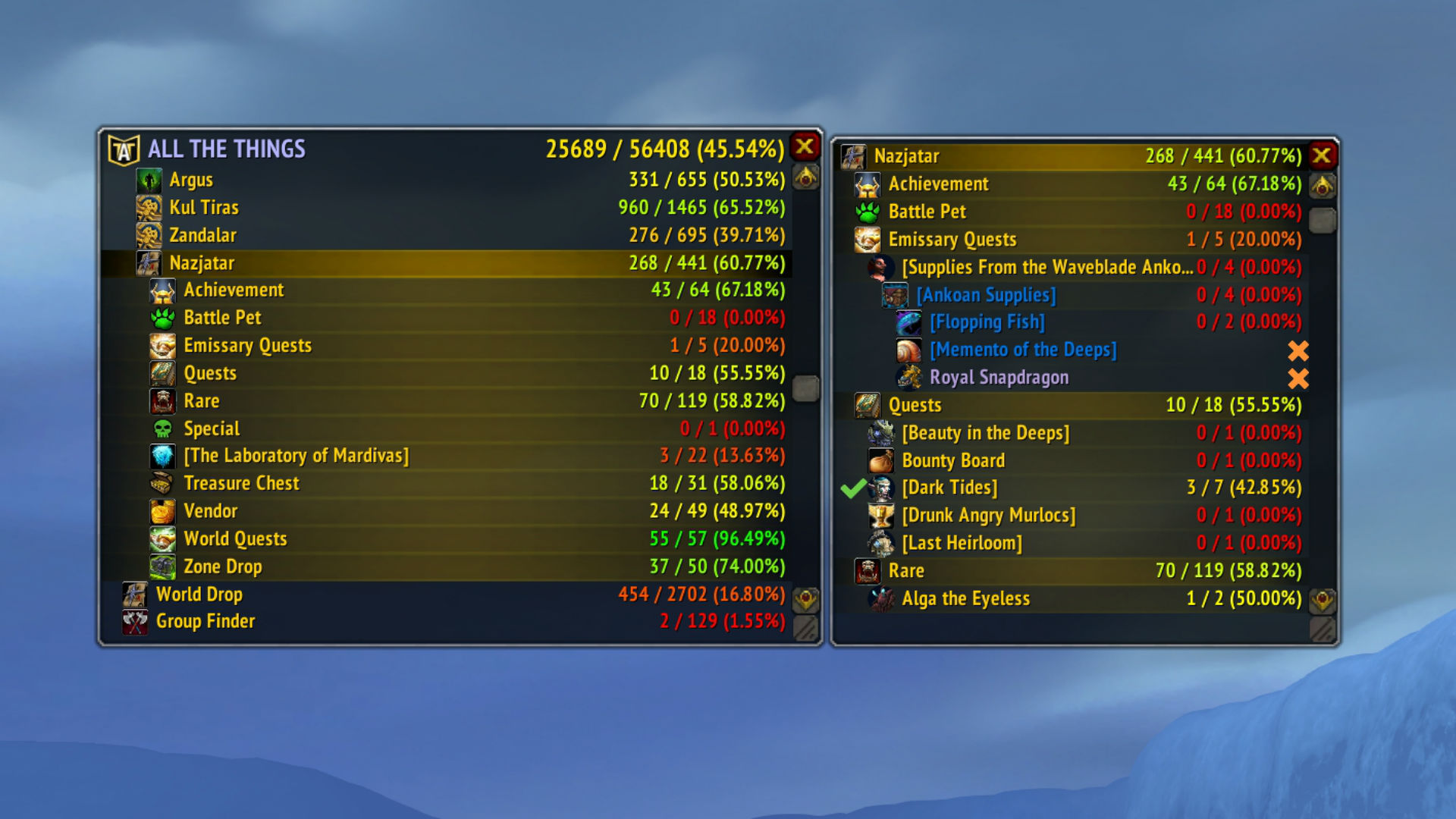
All The Things
Want to track those achievements, rare kills, items, treasures, pets, transmogs - or anything else you're missing - and display them by the zone or area you're in? The All The Things WoW addon has come to your rescue. It identifies everything you're missing and presents them to you in one simple interface, allowing you to feed your inner Warcraft completionist obsession.
The mod gives you a nice heads-up for game content you might be missing and also provides extra tooltip information about the things you're collecting. A fanfare of chimes announces when you've collected or lost new appearances, pets, or items. All The Things is a must for Warcraft collectors and a fun addon for most players.
Separate databases keep All The Things from slowing down your gameplay, too.
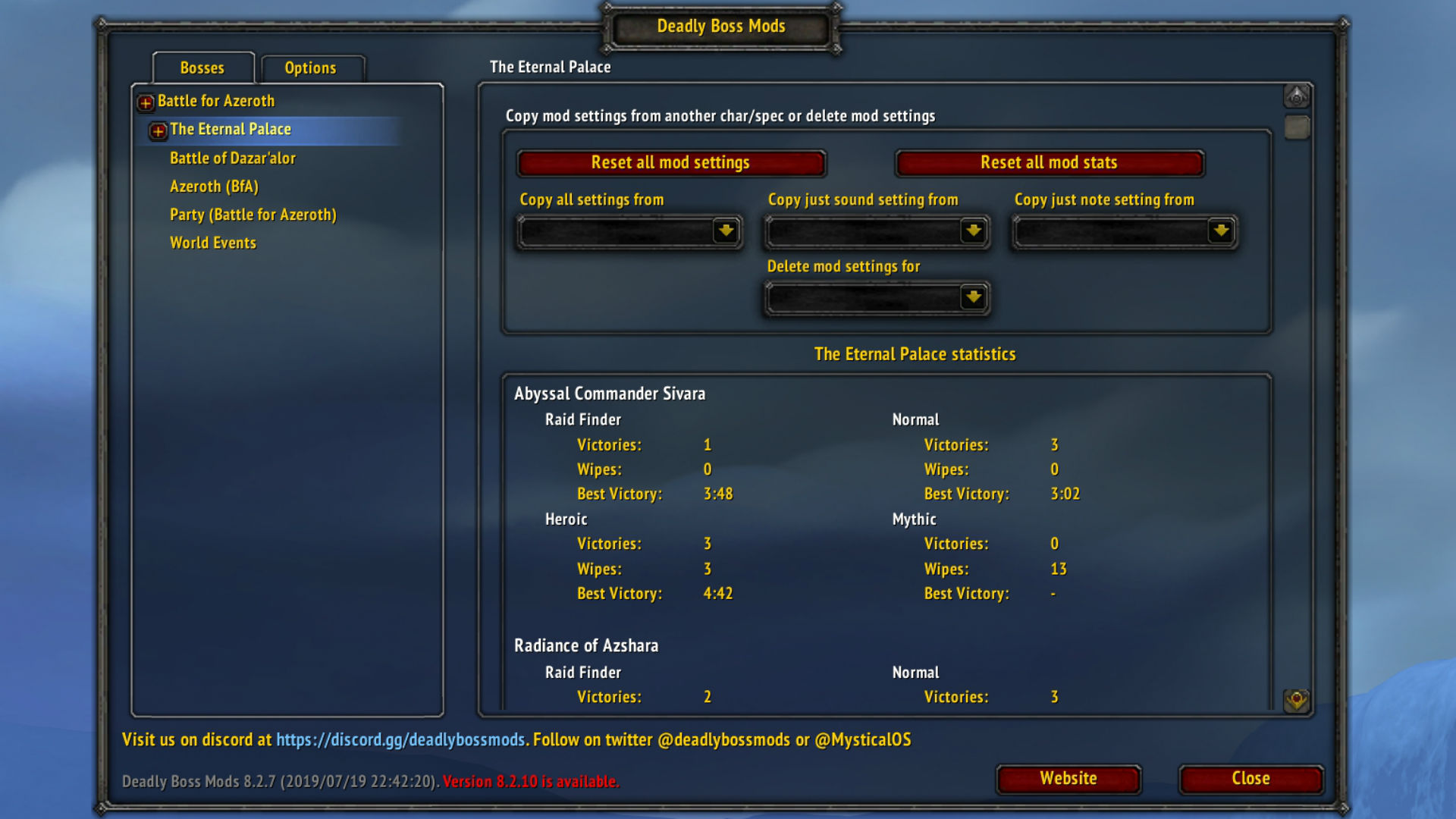
Deadly Boss Mods
For five-man dungeons, Deadly Boss Mods is a great quality of life improvement, giving you warnings about important things - the boss is about to use a spell, you need to interrupt that mob's cast to save your buddy - and generally acting as your gameplay guide.
For raids, DBM is essential, helping you to navigate tricky boss mechanics, giving you timers for when important events are coming in a fight, and generally giving you advance notice about all the things you need to do to keep your groupmates from yelling at you.
DBM is our choice because of the funny choices in its sound files; for example, a mechanic that makes you scatter from your teammates is typically accompanied by Karazhan's Big Bad Wolf yelling at you to "Run away, little girl, run away!" If you find that obnoxious, BigWigs Bossmods is another solid choice with less whimsy.
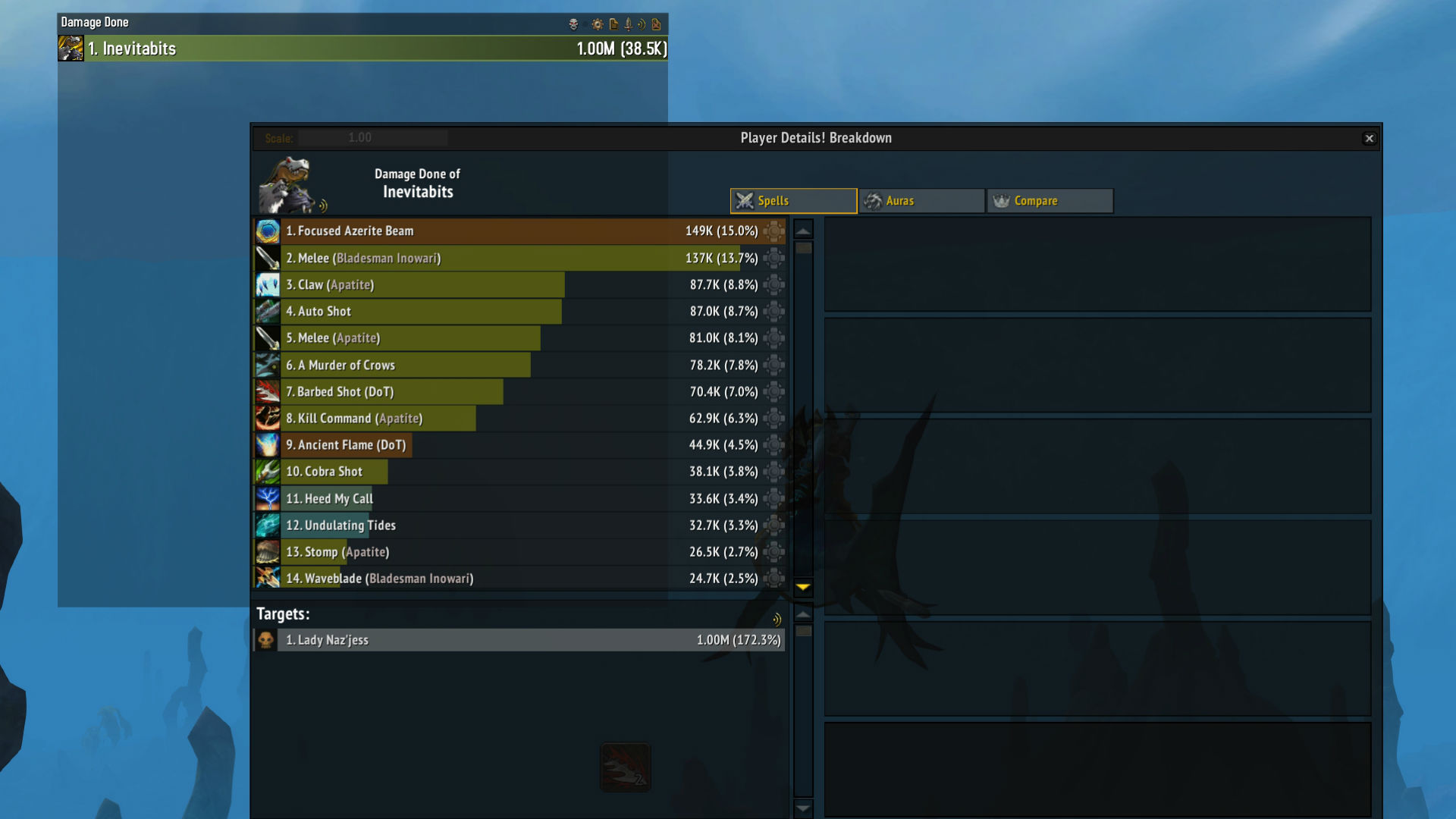
Details!
There are plenty of damage and healing counters out there, but Details! is our favorite for its flexible displays, intuitive handling of things like pet damage, and lightweight installation. This mod allows you to track your damage or healing output (including absorbs like shields) based on the spells you cast and the abilities you use, how they hit your opponents, and how you compare against your group.
We especially like the ability to mouse over individual players to quickly glance at what they're casting and why they're doing bigger numbers than you are. You can easily see segments like a single boss fight, or totals for an entire dungeon.
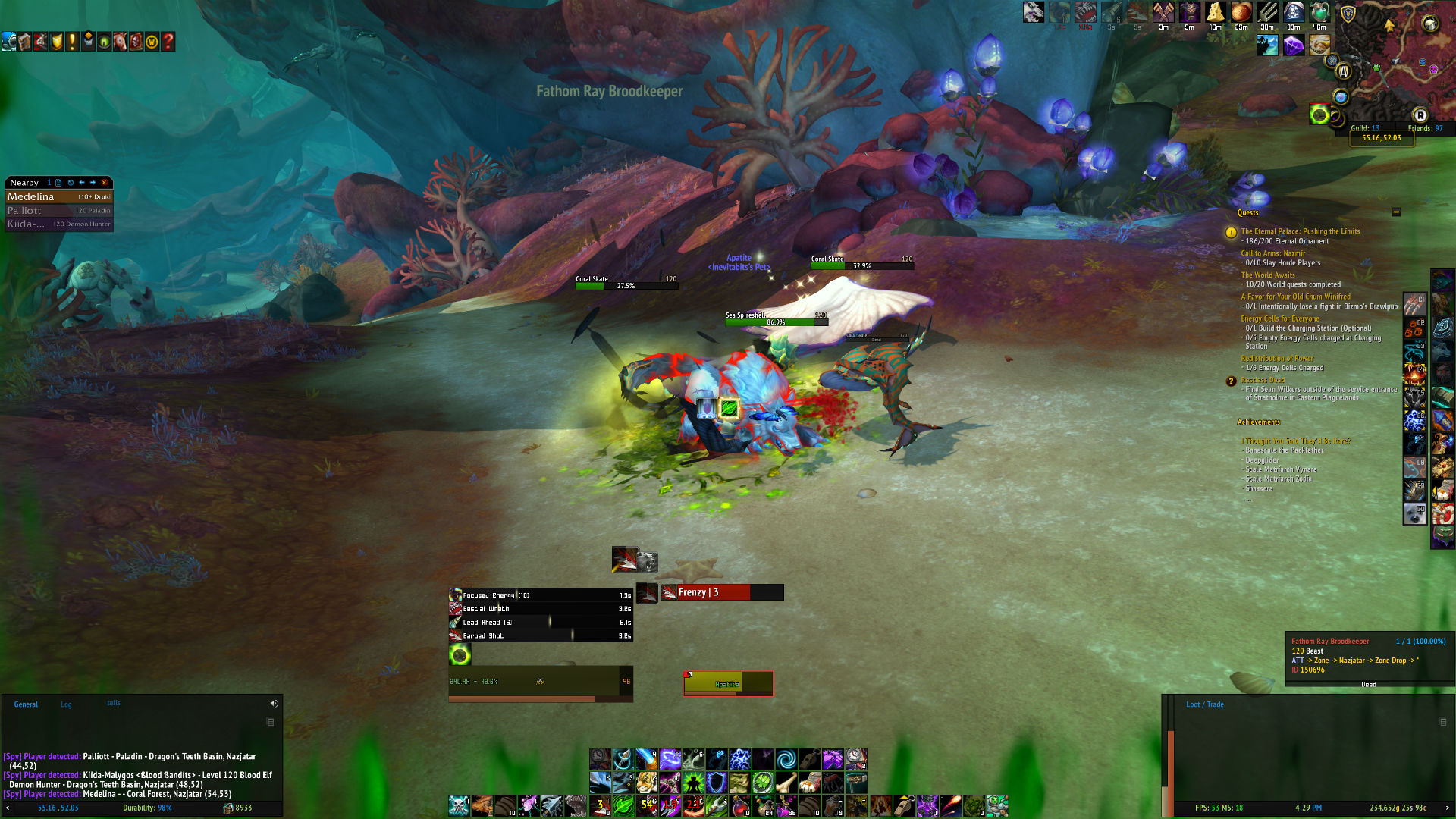
GTFO
This simple WoW addon does one thing: bark at you when you're standing in something awful. A lifesaver for hectic boss fights, GTFO sounds a blaring alarm when you're standing in fire and a warning tone when you've been hit by a single ability you could have avoided.
Simple, lightweight, and a shortcut to looking very smart in groups. This is largely an audio addon that is now ostensibly only usable in boss encounters post-Midnight. Nonetheless, it's still very handy.
Auctioneer
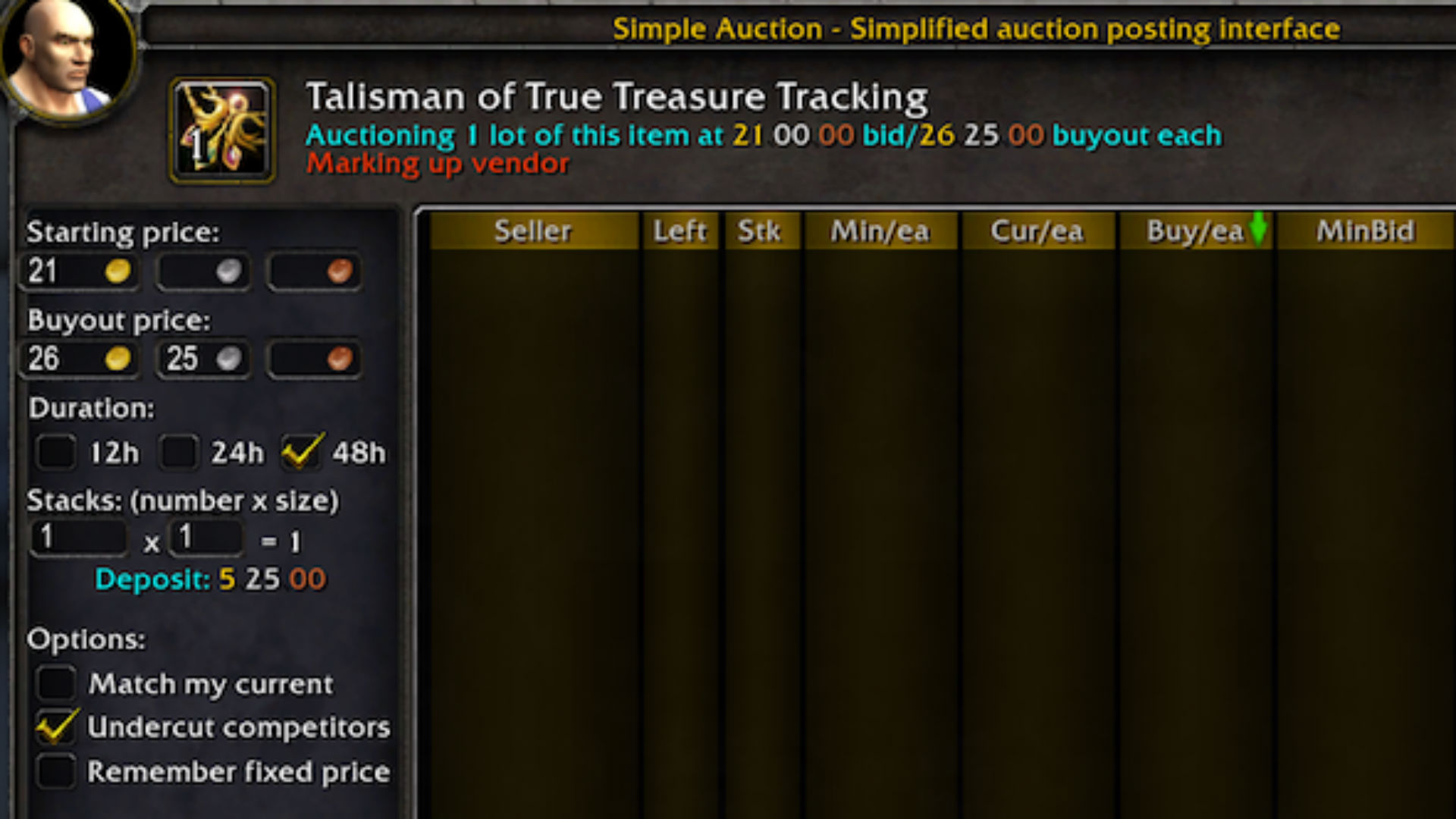
There's a lot of money to be made via the WoW auction house - if you know what you're doing. Auctioneer goes some way to streamline the process. This addon for WoW effectively appraises items, providing you with an intelligent price to sell a product for, making it easy to undercut others in the auction house.
It doesn't stop there, though. The Auctioneer suite also tracks your bidding, postings, and mail, making it a breeze to list plenty of items at once. There's also extensive support for enchanting, with figures available for disenchanting as well as selling enchantments. Used correctly, it's quite the moneymaker while saving you the effort of completing market analysis yourself.
Auctioneer boasts a truly impressive toolset, but it can be overwhelming if you use the Auction House on a more casual basis. If you find that many of the options available through Auctioneer are surplus to requirements, Auctionator is a lightweight alternative that's guaranteed to fit the bill.
That said, if you really want to feed your inner goblin, TradeSkill Master is the state-of-the-art for tracking and placing auctions, undercutting, combining raw materials from the auction house into items that sell for more, and the like. It comes with its own desktop app for maximum gold-making analysis and requires a separate download. It'll identify good deals currently posted for sale and tell you what things should be worth. Using TSM correctly is a skill in itself, so we don't recommend it for beginners.
Bagnon
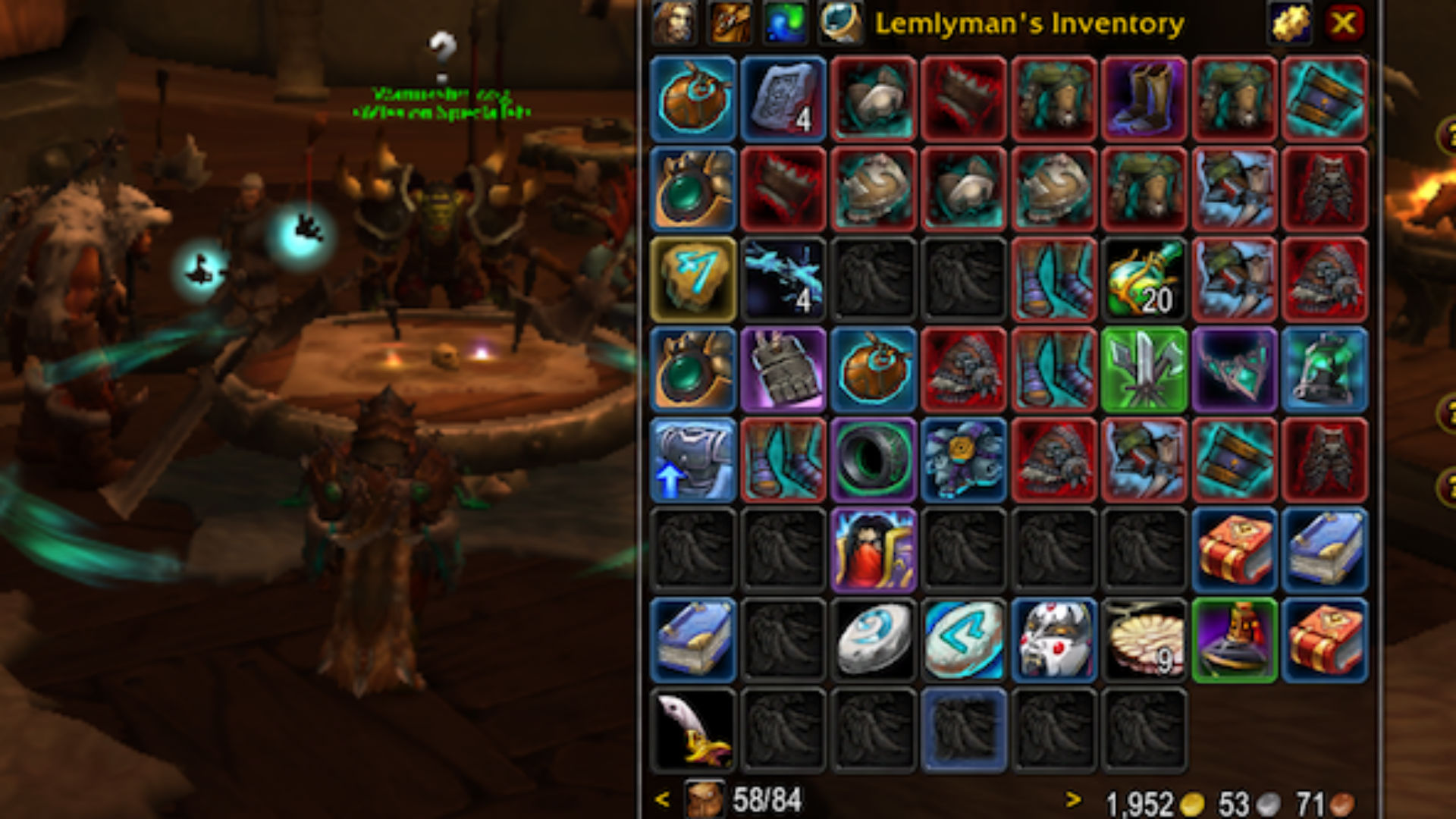
Keeping an eye on your inventory is a complex business once you own a few large bags, or you have multiple characters. Bagnon is a lifesaver in this context. Instead of having to view items bag by bag, it collates all your items together in one simple-to-view inventory screen.
Each item has a different color assigned to it, depending on item quality, and there's an intelligent search engine, too. This means you can see at a glance what's going on inside your bags and that makes it easier for you to tidy them up.
Going one step further, the WoW addon also shows what all your characters possess, from how much gold they own to if certain items are duplicated across multiple characters. If you're trying to move possessions from your main to an alt, it's the perfect way to keep on top of everything.

Mythic Dungeon Tools
Mythic dungeons are WoW's equivalent to military operations. They demand careful planning and forethought to complete, and going in unprepared can result in a quick wipe. If you'd prefer to skip homework, the Mythic Dungeon Tools mod is the ideal addon. This extensive dungeon planner maps out all NPCs on interactive map, which you can use to build a dungeon route to share with your party members. It even has a note system to let you communicate more complex strategies, too.
Rarity
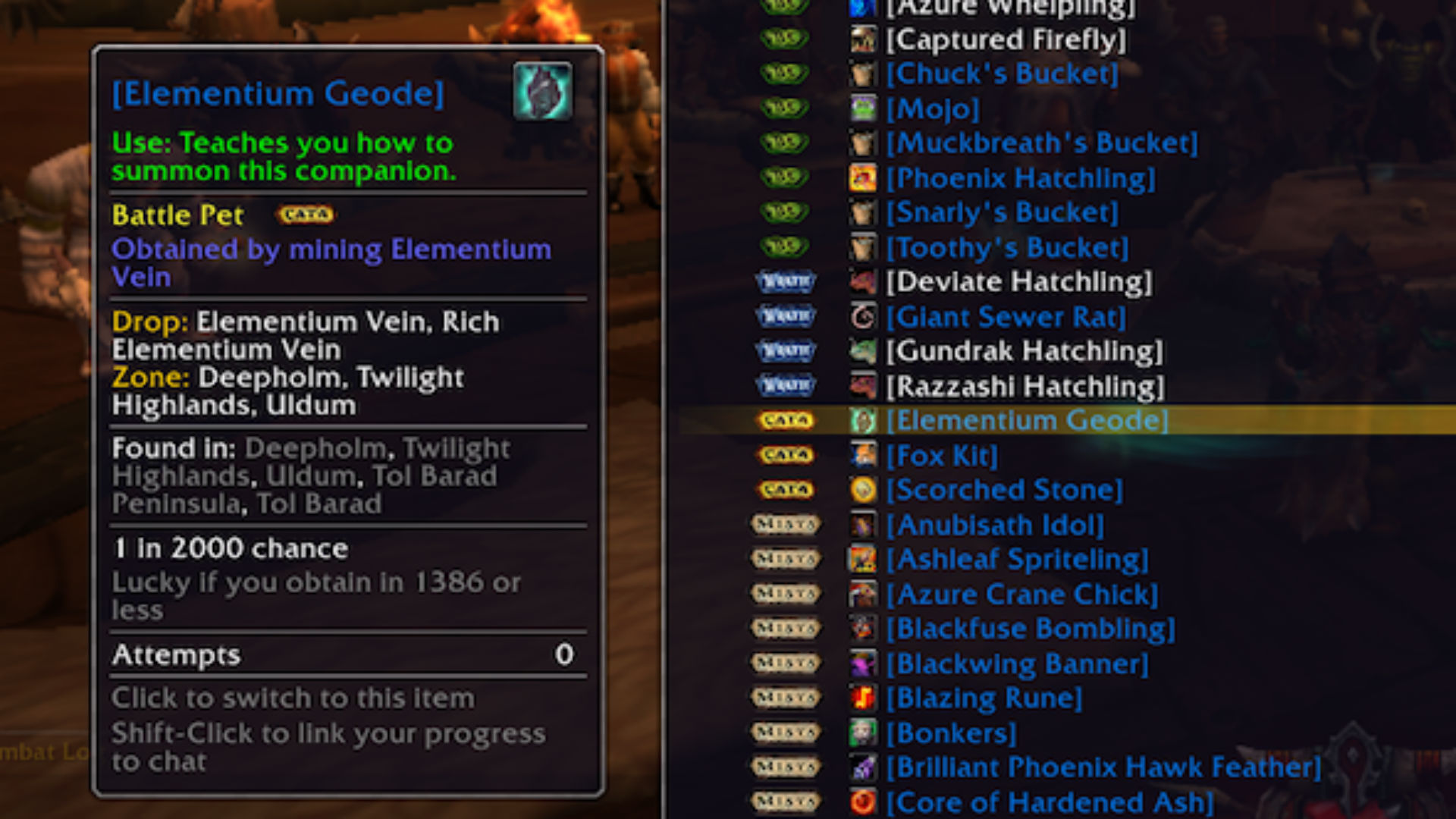
Finding a rare item drop is immensely satisfying, but often it can be quite frustrating, too. The Rarity addon for WoW acknowledges that you want to know what the odds are of getting a good drop, tracking how many times you've tried to obtain everything from mounts to toys and battle pets.
In each case, it tells you how likely you are to obtain the item, tracks how long you've been trying, and determines how lucky you've been so far. No longer will you have to question whether you're making progress or not, as you'll have a proper idea of your chances through statistical analysis. Basically, it'll keep you sane.
Due to a change in the way Warcraft handles looting, Rarity does poorly at tracking items that drop from mobs that come in groups or drop nothing at all. If they drop gold, you'll get the correct count; if they don't, that 'attempt' won't register. Still, it's a useful tool.

HandyNotes
World of Warcraft's map is fairly good at showing you where you need to go, but it's not perfect. HandyNotes fills an important gap in the form of being able to add notes as you go along. A quick alt-right click on the world map lets you type in whatever you need to remember. More importantly, published collections of HandyNotes allow you to keep track of everything from the locations of treasure chests in Battle for Azeroth to the location (and whether you've killed them!) of rare creatures in Nazjatar or Mechagon.
As a result, HandyNotes is great for keeping track of locations such as secret entrances or even particularly scenic spots for light roleplaying. Prepackaged HandyNotes collections are their own WoW addons, but they all require HandyNotes to run. Alongside the Midnight HandyNotes, we highly recommend the Battle for Azeroth Treasures collection, and Nazjatar or Mechagon by TomCat's Tours.
Angrier World Quests
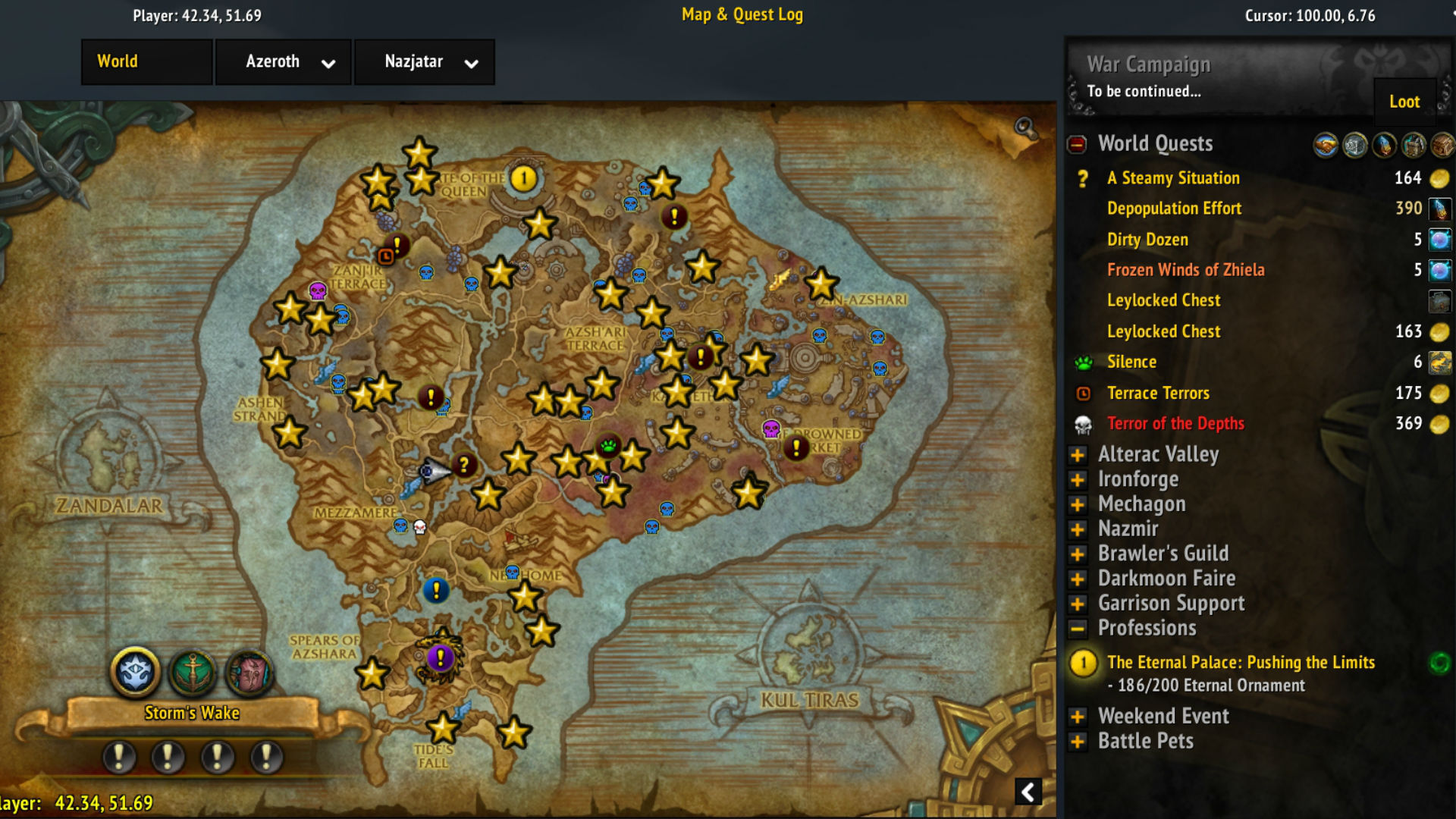
WoW Legion brought with it World Quests: special daily and weekly quests for maximum-level characters. The problem was that World of Warcraft's UI did a poor job of highlighting them and making them easy to track. Angrier World Quests does the job for Blizzard, tracking quests in previous zones as well as those in Battle for Azeroth.
It lists quests directly on the world map, showing what the rewards will be and allowing easy filtering for quests that fulfill today's emissary requirements and those that award gold, Azerite power, loot, or War Resources.
While the original Angry World Quests has been effectively abandoned since 2018, Angrier World Quests is a worthy successor that continues to implement fixes and received regular updates into The War Within. However, if you're looking for an alternative, we'd recommend World Quests List or World Quest Tracker, both of which offer similar functionality.
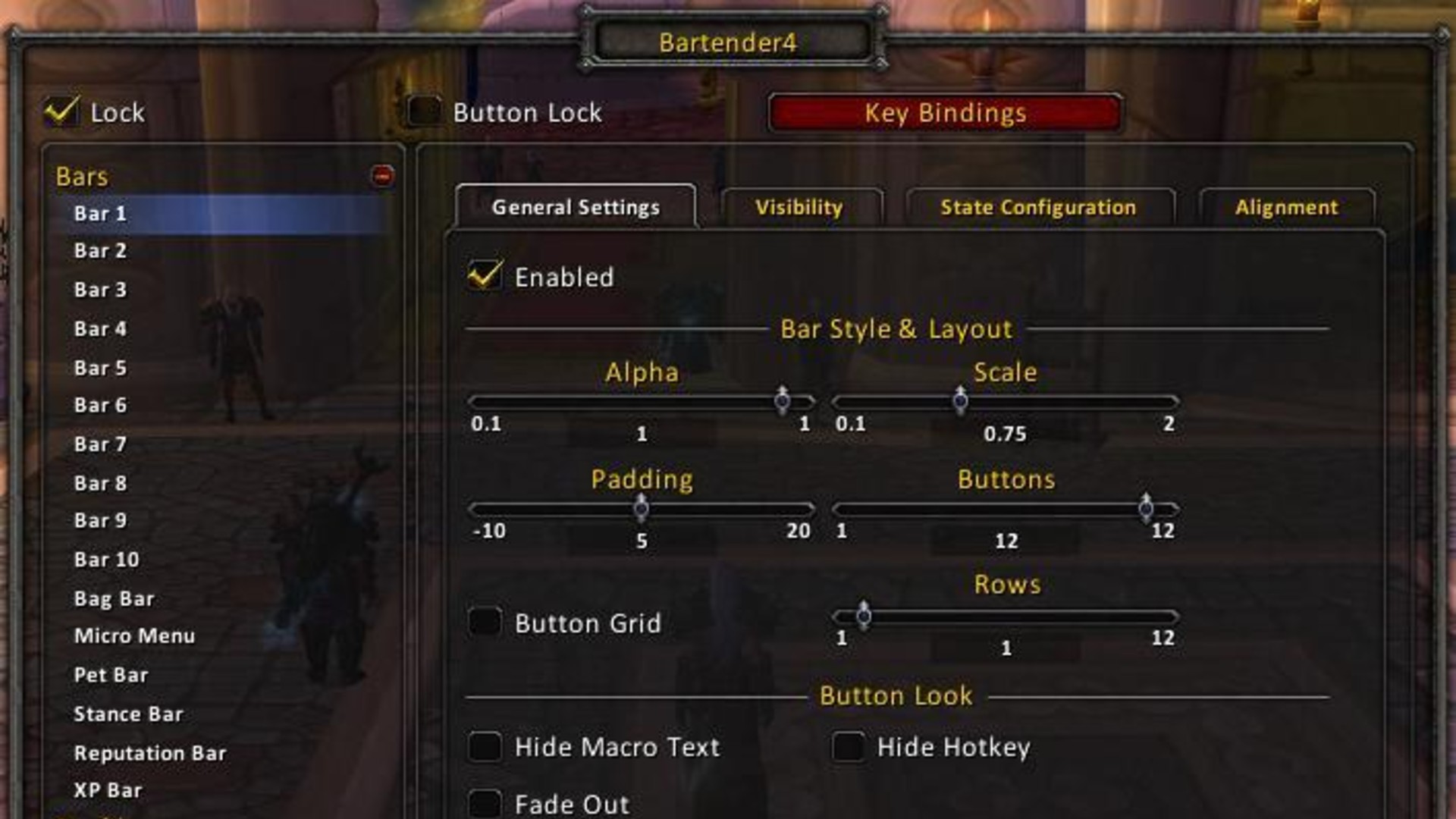
Bartender 4
Bartender 4 is a very useful mod that allows you to customize your action bars. It gives you full control over ten action bars, allowing you to customize their scale, position, fade-out settings, and more.
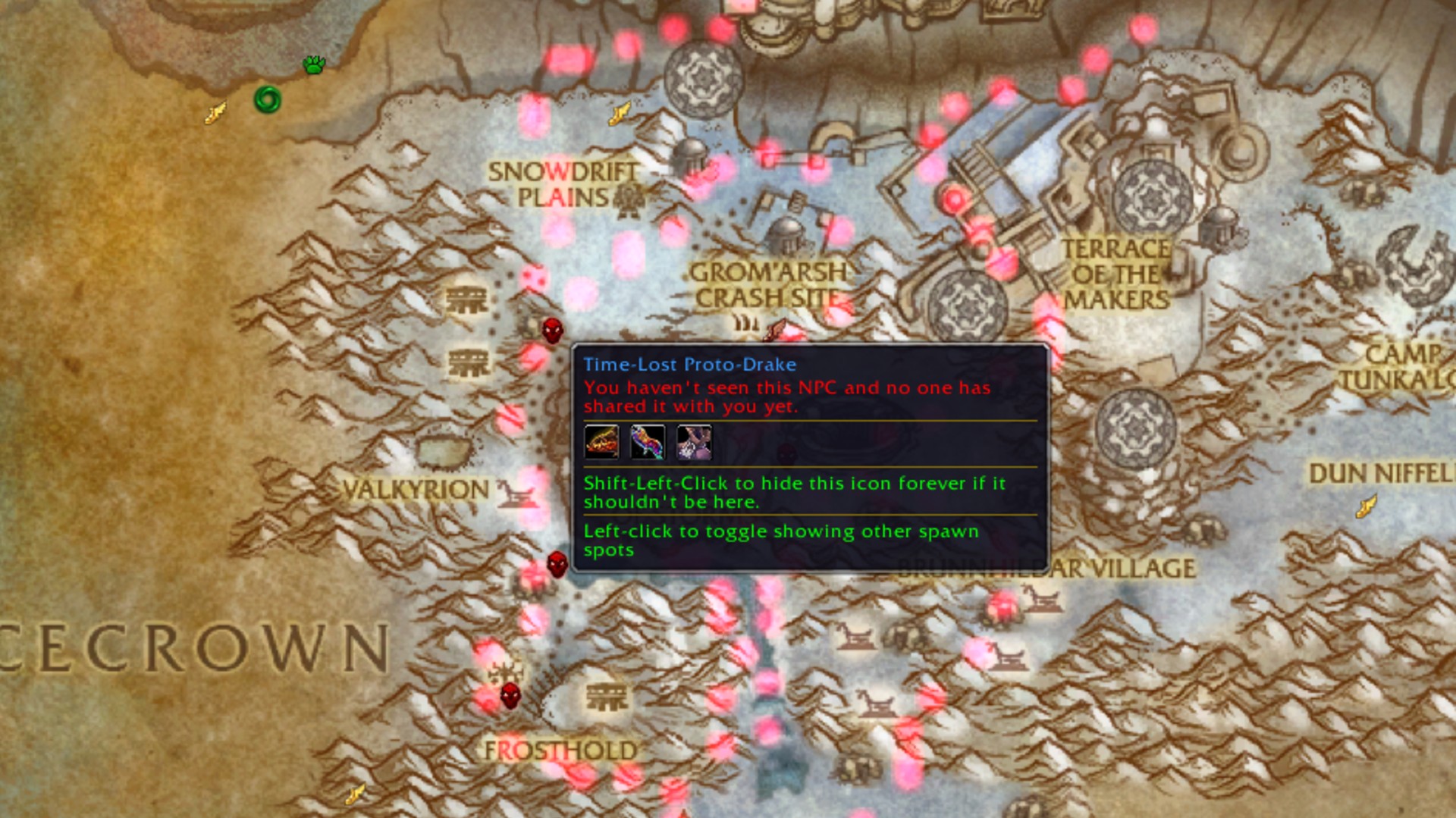
RareScanner
Never miss a nearby rare enemy again - RareScanner triumphantly announces rare monsters, treasures, and events in your immediate vicinity. Whenever a 'vignette' appears on the minimap - a star that denotes a rare, an event, or a treasure - an alert will sound, and a button will appear in the middle of your screen with the rare's name and the loot that it drops. If you want to go after it, click the button, and a skull will appear over the NPC so you can track it down. RareScanner also adds icons for everything rare you discover and will show extra information about it on a tooltip.

BugGrabber / BugSack
If you're a WoW addon fiend, odds are you've encountered the dreaded LUA error pop-up. This error usually occurs when one of your addons requires an update, and often appears at the most inopportune moments. BugGrabber and BugSack work together to catch these LUA pop-ups before they happen and produce a bug report to pass on to your favorite WoW addon creators. The more addons you have installed, the more likely you are to run into a bug, so these two are well worth picking up if you'd rather not have to deal with a pesky pop-up while you're on the cusp of a raid wipe.

LiteMount
LiteMount is the best WoW addon for avid mount collectors, offering smart customization that outstrips WoW's own mount randomizer button. Instead, LiteMount lets you summon rarer mounts more often, and can even identify the most thematically appropriate mounts to summon based on your location, faction, and class. It even takes into account druid travel forms, as well as item and journal mounts, so you can experience the full scope of your stable as you play.

Plater Nameplates
Plater Nameplates are an OP tool in World of Warcraft. With the game's default UI, all you'll see is an enemy's health bar. However, once you've slapped Plater Nameplates on you'll gain access to a world of information, including debuff tracking, enemy cast bars, and more. This is incredibly important if you're whittling away at M+ or are looking to make a name for yourself in your raid group, as it'll help you perfect your timings and understand AI behavior better. You can also color-code your plates, which is great when you need to quickly mark priority targets on a pull for your own reference.

Immersion
Immersion is the ideal WoW addon for players who find it difficult to parse the constant walls of text that appear when taking on quests or picking through lore. Instead, Immersion breaks it into bite-sized paragraphs you can click through at leisure. It also splits WoW's bulky, old-fashioned quest frame into individual frames, complete with talking heads and dialogue selection buttons, allowing you to take in your surroundings (and the words on the screen) without sacrificing your immersion. If you prefer a clean UI that gets right to the heart of any matter in Azeroth, then Immersion is a must-have mod.
If you're looking for an alternative in the same vein as Immersion but still want something feeling similar to vanilla WoW, DialogueUI adds a beautiful, modern-feeling parchment-paper replacement for the default quest window and Azeroth's many books. It also adds a swooping camera the pulls in towards you and an NPC as you chat to them for that familiar RPG feel.


 English
 Arabic
 French
 Portuguese
 Deutsch
 Turkish
 Dutch
Dutch
 Italiano
 Russian
 Romaian
 Portuguese (Brazil)
 Greek
Greek