



Table of Contents
Kindle users might be the most passionate sect of BookTok, coming up with hacks to maximize the device's potential, through page turners or Stuff Your Kindle Day events. And we get it, they're the best e-readers out there. In 2024, Amazon released a new lineup of Kindles that improved upon the previous generation, which we already loved.
I've tested the Kindle Paperwhite, and spoiler alert, I do think it's a better value than the Signature Edition. However, the SE isn't without its merits. Let's get into the Kindle Paperwhite Signature Edition 12th generation, and whether you should buy it over the basic Kindle or Kindle Paperwhite.
Plus, I've now been using the Kindle Paperwhite Signature Edition for 18 months — do I still like it?
It has all the perks of the Paperwhite and more

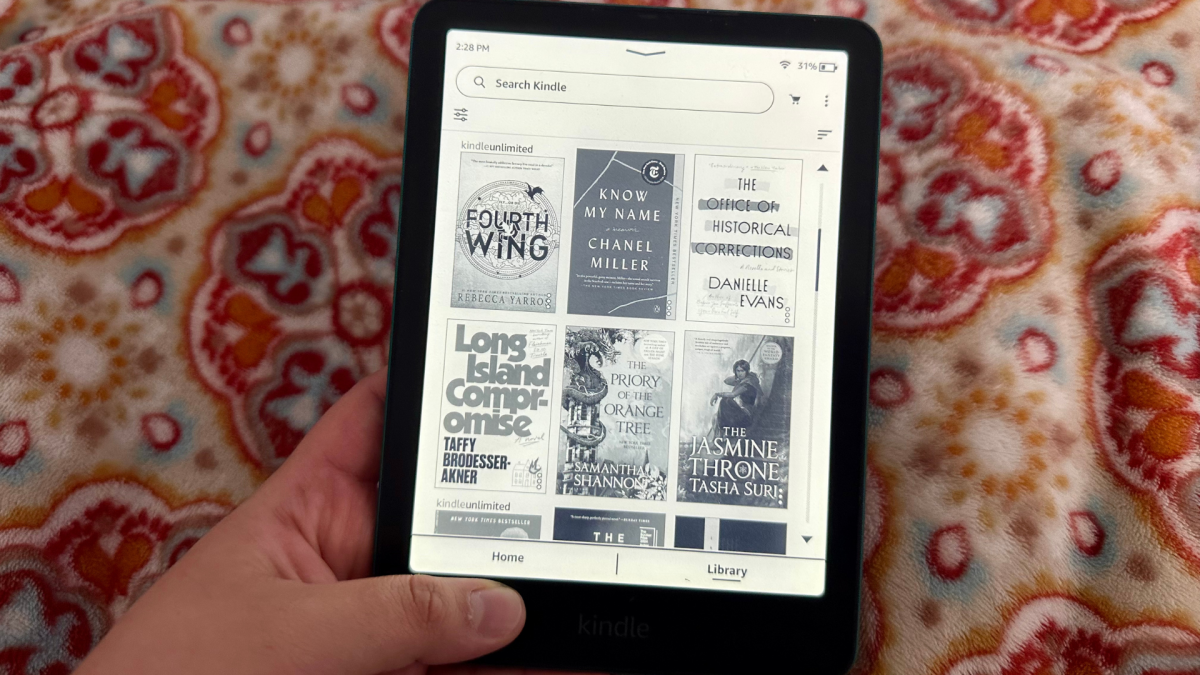
It's nearly impossible to tell the difference between the Kindle Paperwhite and Paperwhite Signature Edition. Credit: Samantha Mangino / Mashable
The Kindle Paperwhite and Paperwhite Signature Edition are essentially the same device; the Signature Edition just has the addition of a few special features. You can read all the in-depth details about why we like the Paperwhite in my review, but here's the TL;DR.
The 2024 Kindle Paperwhite Signature Edition is lightning fast. In comparison to the 2021 edition, the difference is noticeable, with no hesitation when flipping through pages. However, the biggest improvement comes when switching between books in your library, as it zips through tasks.
With a 7-inch screen, the SE got a slight size increase, while the resolution of 300 ppi and maximum brightness of 94 nits remain the same between generations. That being said, the display on this generation looks higher contrast, making it sharper and easier to read. Plus, it remains waterproof, perfect for taking along to the bathtub, beach, or pool.
Not to mention it comes with 32GB of storage. If you're thinking in terms of phones or tablets, that amount of storage might seem small, but keep in mind that 32GB has the potential to hold up to 32,000 e-books.
You get all of these great features in both the Kindle Paperwhite and Paperwhite Signature Edition, so what makes the SE unique?
The same great battery life as the Kindle Paperwhite
Kindles are unbeatable on one front: battery life. The Kindle Paperwhite and Signature Edition boast the same battery life of up to 12 weeks. The Signature Edition can go months without charging, but it doesn't have a longer life than the standard Paperwhite. The only battery life bonus you get with the Signature Edition is its wireless charging capabilities.
The Paperwhite Signature Edition has several added features that come with its $40 increase in price. For $199.99, it comes with an ad-free lock screen, 32GB of storage, auto-adjusting brightness, and wireless charging. Plus, it comes in metallic versions of the Kindle Paperwhite's black, jade, and raspberry.

The Kindle Paperwhite Signature Edition offers a more vibrant twist on jade. Credit: Samantha Mangino / Mashable
No lockscreen ads
Among the added features, the lock screen is the biggest draw. On a standard Kindle, ads pop up on the lock screen, forcing Amazon's recommendations on you. Not necessarily a dealbreaker, but still plenty annoying. So the Signature Edition does away with the ads, freeing you from the chains of capitalism (sort of). However, this does come with one catch. The ad-free lock screen tends to unlock easily when tossing it into a bag since there's no 'swipe to unlock' mechanism that the ad-enabled devices have. So if you're going to get the Signature Edition, make sure to get a case with a cover.
Auto-adjusting brightness
In terms of the other features, I didn't think they were anything to write home about. The auto-adjusting brightness didn't work consistently, even when I went from reading next to a lamp to turning off the lights; the auto-adjustment didn't kick in, and I always had to manually turn the brightness down.
Wireless charging
The wireless charging, while nice, didn't feel like the most necessary addition since you need to charge the device every three months. Plus, with most devices using USB-C these days, I'm never in short supply of chargers.

Magsafe chargers even work on the Paperwhite Signature Edition. Credit: Samantha Mangino / Mashable
32GB of storage — is it necessary?
Now let's address the 32GB in the room. For an e-reader, that is an exorbitant amount of storage. It's double the amount of the standard Kindle Paperwhite, and again, 32,000 books' worth of storage. That is a lot of books. Is that much necessary? In my professional opinion, no, especially when you can remove downloaded books from your device and redownload from the Kindle cloud at any time. So if you think you need all that storage, you probably don't, and it's not worth splurging an extra $40 on it.
Differences between the Kindle Paperwhite Signature Edition 12th generation and 11th generation
If you already have the Kindle Paperwhite Signature Edition 11th generation, you may be wondering if it's worth it to upgrade to the next generation. Short answer: Absolutely not. Unless your 11th-gen Signature Edition has kicked the bucket, the differences between the 11th generation and 12th generation are negligible. Both devices have all the premium features of 32GB of storage, wireless charging, auto-adjusting brightness, and no lockscreen ads.
The main differences between the two devices are faster processing and a slightly larger screen. Having used both devices, the processing speeds are extremely similar, but the 12th generation's extra speed is admittedly hard to notice. The larger screen size is nice, but it's only a difference of .2-inches.
All that to say, don't run to upgrade unless your old device is on its last leg.
Do I still use the Amazon Kindle Paperwhite Signature Edition?
I first published this review in December 2024, so more than 18 months later, what do I think of the Paperwhite Signature Edition? Well, I use it every day. After a year and a half of use, the SE still has impressive performance, quickly maneuvering through pages and loading new downloads quickly. It has slowed down some; I noticed it particularly when turning on the device, but it's pretty negligible. What hasn't faltered? The battery life, which lasts for months at a time.
I'm lucky enough to have the whole Kindle lineup at my disposal, so why is the Signature Edition the one I keep reaching for? Lack of ads on the lockscreen is a big one, although the standard Paperwhite can be ad-free for just $20 more. What keeps me coming back to the Signature Edition is its 32GB of storage.
Many of the books I read are downloaded directly to my Kindle, and currently, I have 175 books on my SE. Those books take up only 674MB of storage, and I still have 24.8GB (or 24,800MB) available. Doing just a little math, that means I have room for over 6,000 more downloads. Do I think I'll ever actually have over 6,000 books on my Kindle? Probably not, but it's nice to not have to think twice about adding a new book to my device.
Is the Amazon Kindle Paperwhite Signature Edition worth it?

Is 32GB worth the $200 price tag? We're unconvinced. Credit: Samantha Mangino / Mashable
For the average user, I don't think the Signature Edition is a worthy upgrade. The Kindle Paperwhite is far better bang for your buck, packed with everything you need for the ultimate reading experience. It might be worth the splurge if you do have storage concerns — maybe you've maxed out on 16GB on previous Kindle models. Otherwise, 16GB will be fine. And if you're really put off by lock screen ads, then the Signature Edition is going to be your preferred device.
Plus, it has some real longevity. I've been using it for 18 months, and it's barely slowed down. So even if it's an investment, you won't be buying a new one for years.


 Arabic
 French
 Spanish
 Portuguese
 Deutsch
 Turkish
 Dutch
Dutch
 Italiano
 Russian
 Romaian
 Portuguese (Brazil)
 Greek
Greek