


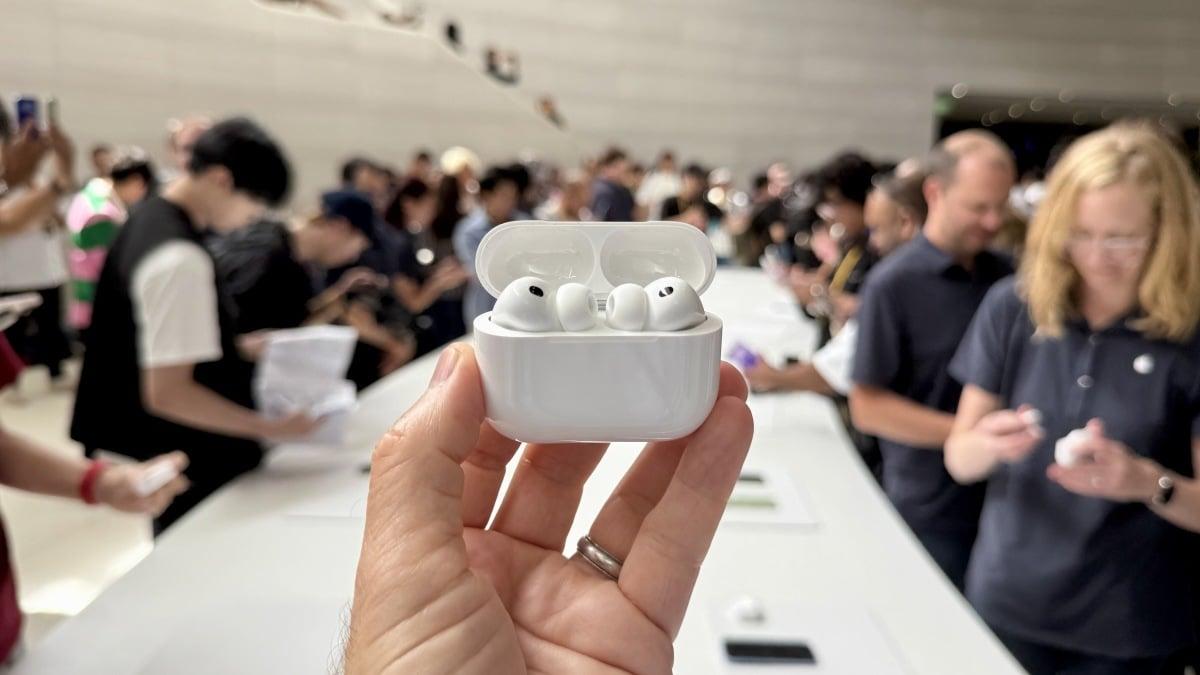
From live translation to gesture control, here’s how to maximize Apple’s flagship buds.
By

Alex Bracetti
Freelance reviewer
Alex Bracetti is a freelance product reviewer and journalist covering gadgets and men's grooming products. An experienced consumer tech writer, he has bylines at Mashable, Complex, SPY.com, Thrillist, AskMen, CNN Underscored, and Tom's Guide. In addition to writing about the latest tech trends and gadgets, he's also covered men's fashion, sports, and gaming. For Mashable, he primarily covers headphones/wireless earbuds, party speakers, smartphones, and mobile accessories.
on
All products featured here are independently selected by our editors and writers. If you buy something through links on our site, Mashable may earn an affiliate commission.

Credit: CNET / MASHABLE
Mastering the AirPods is easy work. Most core features can be activated directly on the wireless earbuds or through Siri voice assistance. Apple’s ecosystem also places shortcuts on your iPhone, iPad, and Mac for instant access to prime functions.
The critically acclaimed AirPods Pro 3 expand on the series’ true wireless capabilities, while strengthening popular hallmarks (e.g., Adaptive EQ, noise cancellation). Apple users already know about headline features like Hearing Aid, heart-rate monitoring, and Personalized Spatial Audio. It turns out there are numerous other perks waiting to be unlocked – upgrades that fully optimize these buds for all Apple platforms: iOS, macOS, tvOS, visionOS, and watchOS.

$247.76
at Walmart
$249
Save $1.24
So, as a professional headphone tester who loves his job, here are 10 ways to make the AirPods Pro 3 even better.
1. Live Translation
Bridging language barriers is simple, thanks to Apple’s Live Translation feature. It provides seamless, hands-free communication in real time for over 10 languages: English, French, German, Italian, Portuguese, Spanish, Chinese, Japanese, Korean, and Vietnamese. An Apple Intelligence-enabled iPhone (iPhone 15 or later) running iOS 26 is required.
Settings > tap AirPods model > Translation > Languages
Open the Translate app and select Live or press and hold both stems simultaneously to launch Live Translation
2. Head Gestures
Simple head movements can be used to control calls and notifications. Nod to accept a call or reply to a message. Shake your head to decline or dismiss. Gestures can also be used to enable playback and Siri commands.
Settings > tap AirPods model > Head Gestures
3. Camera Remote
The AirPods Pro 3 double as a camera shutter for your iPhone. It’s not a new industry feature, but it’s convenient — especially for group photos or tripod shots. Don’t forget that the Apple Watch lets you do the same as well.
Mashable Light Speed
Settings > tap AirPods model > Camera Remote
4. Headphone Accommodations
Adaptive EQ, Adaptive Audio, and Personalized Spatial Audio are all great for boosting sound quality. However, the AirPods’ real sonic-tuning power can be found in the Headphone Accommodations setting. You can manually adjust the balanced tone, brightness, or vocal range to reveal more nuance in professional recordings.
Settings > Accessibility > Audio/Visual > Headphone Accommodations
5. The macOS AirPods menu
There’s a hidden AirPods control panel in macOS. Once enabled, the headphone icon will appear in the menu bar to toggle through listening modes: Adaptive, Noise Cancellation, Transparency, and Conversation Awareness.
System Settings > Control Center > Sound > Always Show in Menu Bar
6. Voice Isolation
You’ll want to turn on Voice Isolation before jumping into a FaceTime chat. The feature minimizes background noise and prioritizes your voice for clearer communication.
Control Center (during a call) > tap Mic Mode > Voice Isolation [iOS]
Microphone/video icon in menu bar (during a call) > Mic Mode > Voice Isolation [macOS]
7. The Ear Tip Fit Test
People forget that Apple’s Ear Tip Fit Test is more than just a tool for achieving a proper, comfortable seal. It also improves audio quality and noise cancellation by creating a sound profile tailored to your hearing. Be sure to clean the tips and buds for accurate testing.
Settings > tap AirPods model > Acoustic Seal Test (or Ear Tip Fit Test)
8. Create your own sportier AirPods
The AirPods Pro 3 are solid workout-ready buds with built-in heart rate sensors for tracking metrics and IP57-rated dust/sweat resistance. However, they could be sportier. A pair of attachable earhooks basically turn these buds into the Beats Powerbeats Pro 2, which are considered inferior to their porcelain brethren. Another recommendation is swapping out Apple’s ear tips for memory foam tips with enhanced durability, moisture resistance, and on-ear stability.
Here are two of my favorite AirPods Pro 3 add-ons:
Wicked Cushions Over-Ear Hooks — $15.95
Comply Premium Memory Foam Ear Tips — $32.99
9. Live Listen
This sneaky listening mode turns your iPhone into a remote microphone that streams audio directly to your AirPods. Place your iPhone in a desired location and hear what’s happening from a distance.
Settings > Control Center > Hearing > Live Listen
10. Sleep Detection
Sleep Detection was introduced with iOS 26 and automatically pauses media on the AirPods Pro 3 when you doze off. Apple’s motion and accelerometer sensors sense when motion decreases, which then triggers the feature. It’s clutch for preserving battery life when the buds are inactive.
Settings > tap AirPods model > Pause Media When Falling Asleep

Alex Bracetti is a freelance product reviewer and journalist covering gadgets and men's grooming products. An experienced consumer tech writer, he has bylines at Mashable, Complex, SPY.com, Thrillist, AskMen, CNN Underscored, and Tom's Guide. In addition to writing about the latest tech trends and gadgets, he's also covered men's fashion, sports, and gaming. For Mashable, he primarily covers headphones/wireless earbuds, party speakers, smartphones, and mobile accessories.


 English
 Arabic
 French
 Spanish
 Portuguese
 Deutsch
 Turkish
 Italiano
 Russian
 Romaian
 Portuguese (Brazil)
 Greek
Greek