


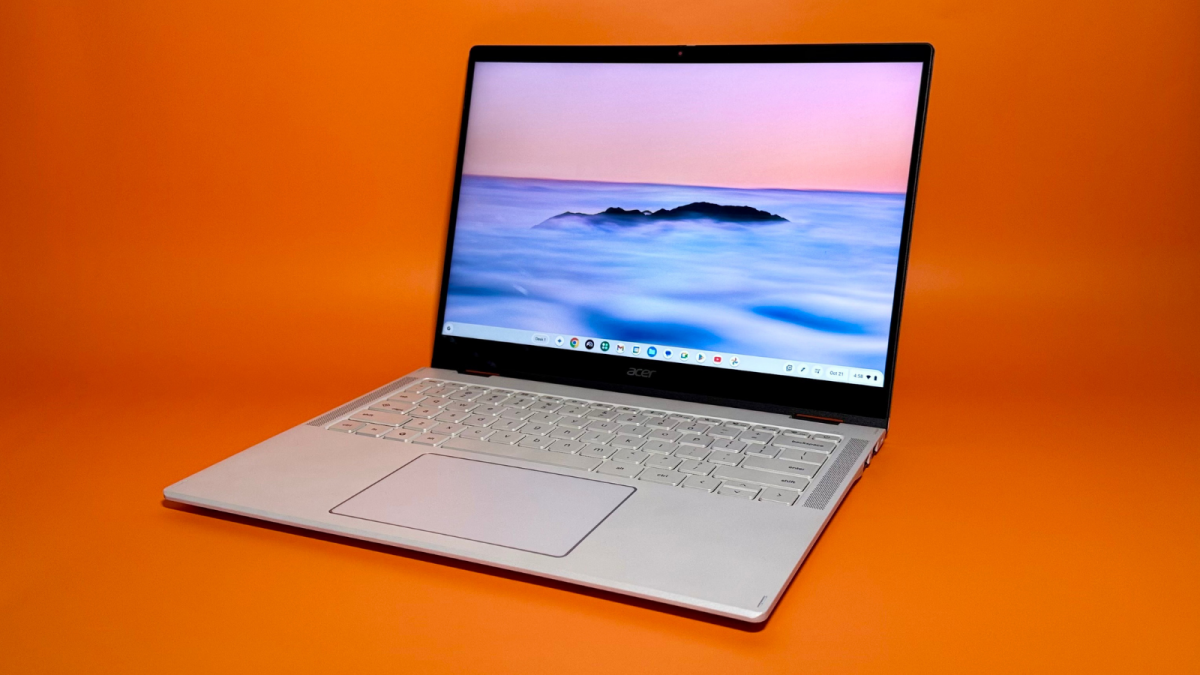
We've tried nearly a dozen models over the past year. These three are the cream of the Chromebook crop.
By

Haley Henschel
Senior Shopping Reporter
Haley Henschel is a Chicago-based Senior Shopping Reporter at Mashable who reviews and finds deals on popular tech, from laptops to gaming consoles and VPNs. She has years of experience covering shopping holidays and can tell you what’s actually worth buying on Black Friday and Amazon Prime Day. Her work has also explored the driving forces behind digital trends within the shopping sphere, from dupes to 12-foot skeletons.
on
All products featured here are independently selected by our editors and writers. If you buy something through links on our site, Mashable may earn an affiliate commission.

Credit: Haley Henschel / Mashable
Apple's MacBook Neo reigns supreme in the budget laptop space (for now). But if you want a no-fuss device at a potentially even lower price, the best Chromebooks might be the answer.
A Chromebook is a type of laptop that runs on ChromeOS (as opposed to Windows or macOS). They're designed for simple workloads and come with several layers of built-in security, including automatic software updates, making them good picks for younger students, kids, and other casual users.
Mashable staff and contributors have tested nearly a dozen popular Chromebooks over the course of the past two years, and as of mid-2026, there are three I recommend in particular.
Overview

These are the tech, tools, and products — from laptops to e-readers, from earbuds to robovacs, and more — that Mashable ranks best in class.
Table of Contents
My top pick for most people is the Acer Chromebook Plus 516, a mid-range model with a large 1200p display, great battery life, and enough power for any basic everyday task. It's not the nicest Chromebook you can buy, but it meets the needs of the average Chromebook user for just $479 (or less — it's almost always on sale).
My complete guide to the best Chromebooks includes other picks for splurgers and kids, so keep scrolling. If you aren't sure whether a Chromebook is right for you, check out my explainer on how they're different from regular Windows laptops and MacBooks.
Our Pick

The Good & The Bad
- Great battery life
- Big, bright-enough display
- Decent mid-level performance
- Comes with a protective sleeve
- Often on sale for as little as $299
- Not super portable (but on the lighter side for a 16-incher)
- Tinny speakers
Who it's for
This 16-inch clamshell model is the best Chromebook for the average casual user, delivering the primo Chromebook Plus experience under $500 (and as little as $300 when it's on sale). It's also a solid big-screen option, if you're looking for a good amount of screen real estate for watching movies.
Why we picked this
Out of all the Chromebook and Chromebook Plus models that are available for under $500 as of mid-2026, the Acer Chromebook Plus 516 has the best overall specs.
Performance: It's powered by an Intel Core i3-1315U processor that offers decent everyday performance for the money. (It falls right in the middle of the pack among the Chromebooks in our current testing database.) It's 21 percent slower than Acer's premium Chromebook Plus Spin 514, which costs $270 more, but 27 percent faster than the entry-level Acer Chromebook Spin 312, which is $30 less. On the low end, that's a sizable bump for a small chunk of cash.
Like all Chromebook Plus models, this device supports a suite of AI features you won't find on regular Chromebooks. This includes generative wallpapers and video call backgrounds, Live Translate, Google Photos' Magic Eraser in Google Photos, Help me read/write, and a built-in Gemini chatbot. Google also throws in free trials of Google AI Pro, Adobe Express Premium, and Luminar (a photo editing app) with every Chromebook Plus.
Battery life: The Chromebook Plus 516 will get you through a full work- or school day with battery life to spare. It held out for 14 hours and 7 minutes in our testing, making it the third-longest-lasting Chromebook we've tried. For reference, our current median for the Chromebook category is just 10 hours.
Design: The Chromebook Plus 516 has a durable all-plastic build that weighs in at 3.75 pounds. While that's heavy for a Chromebook, it's on the lighter side for a device this big. (Half of the 16-inch Windows laptops we've reviewed in the past year have weighed at least four pounds.) It's equipped with smooth touchpad, a satisfying keyboard, and a 1200p (better-than-HD) display that looks brighter than its 300 nits in person. Plus, it comes with a nice mix of ports — you get two USB-C ports, two USB-A ports, a headphone jack, a Kensington lock slot, and an HDMI port for hooking up a monitor.
Value: This is the best Chromebook you can get for such a cheap price. There are only a couple other models that retail for less than $500, and all of them have older, less powerful CPUs; most of them have blurrier 1080p displays. One of them offers double the built-in storage, but that's not a big deal because Chromebooks are designed for stashing files in the cloud.
Details

The Good & The Bad
- Excellent performance; runs cool and quiet
- Fantastic battery life; the longest-lasting Chromebook we've tested
- Sleek, premium-looking design
- 120Hz refresh rate
- Supports two exclusive AI features
- Expensive; overkill for most Chromebook users' needs
- Doesn't come with a stylus
Who it's for
The Acer Chromebook Plus Spin 514 is a premium model with a smooth screen that can flip around into tablet mode. It's a good pick for anyone who wants to invest in a capable daily driver — especially folks who want to do some light cloud gaming, those who like drawing or note-taking by hand, and those who often forget their charger at home. (Its battery life is incredible.)
I tried the $749 base configuration that comes with 12GB of RAM and a 1200p 120Hz display, which is sold exclusively at Best Buy. Acer itself used to sell another model with 16GB of RAM, a 2.8K 60Hz display, a backlit keyboard, and a fingerprint reader for $799.99, but it's been sold out for some time.
Read Mashable's full review of the Acer Chromebook Plus Spin 514.
Why we picked this
While this Acer convertible is ridiculously expensive for a Chromebook, it brings a ton to the table. Realistically, it's probably overkill for most casual users, but it's a nice splurge for folks with flexible budgets.
Performance: The MediaTek Kompanio Ultra 910-powered Chromebook Plus Spin 514 is technically the third-fastest Chromebook we've tried, but it's neck-and-neck with Nos. 1 and 2. (The discrepancies are too small to notice in practice.) In basic single-core tasks like web browsing, it feels just as snappy as a couple of premium Windows laptops we've tested. In more intensive multi-core tasks like light video editing, it's 18 percent slower than Apple's MacBook Neo. It's not the fastest budget laptop out there, but for a Chromebook, it definitely holds its own.
The Chromebook Plus Spin 514 comes with two exclusive AI features in addition to the standard Chromebook Plus toolset: a tab-sorting feature called "smart grouping" and an AI image editor in the Gallery app. I wouldn't buy it solely for those features, but I did find smart grouping useful in testing. The image editor's results were very crude and fake-looking.
Battery life: The Chromebook Plus Spin 514 doesn't have any competition when it comes to battery life. It survives for over 18 hours per charge, making it the longest-lasting Chromebook we've ever tried. In fact, it outlasts 76 percent of the laptops in our current testing database, including the MacBook Neo and the latest MacBook Air. That's excellent.
Design: The Chromebook Plus Spin 514 looks and feels nicer than a Chromebook has any right to. It has plastic keyboard deck but polished aluminum top and bottom covers. The lid has a pretty silver finish and subtle holographic accents. At 0.61 inches thick, it's thinner than both of the other models on this list. Its smooth touchpad and clicky keyboard both feel great to use. Its hinge holds sturdy when you flip its 2K touchscreen around into tent mode and doesn't creak. Perhaps most notably, that touchscreen has an elite 120Hz refresh rate. (I haven't encountered that spec on any other Chromebooks except for the discontinued Acer Chromebook Plus 516 GE.) It's super easy on the eyes and ideal for cloud gaming. It makes fast-moving graphics in games and videos look buttery smooth.
Value: This Chromebook was already expensive at its original launch price of $699. Then, Acer bumped it by $50 in May 2026 because of the global RAM shortage. That makes it even tougher to recommend at full price — definitely try to buy it on sale — but at least you're getting some decent specs and future-proofing for your money. Unfortunately, if you want a stylus for drawing or note-taking in tablet mode, you'll have to buy it separately; that would've boosted its value a bit in my eyes.
Details

The Good & The Bad
- Super portable
- Responsive touchscreen
- Good mix of ports
- No unnecessary AI features
- Often on sale for as low as $299
- Screen looks a bit dim
- Tinny speakers
- Grainy webcam
- Low-end performance; runs a bit warm
- Doesn't come with a stylus
Who it's for
Acer's Chromebook Spin 312 is super portable, scant on AI, and capable of doing double-duty as a tablet. Its $450 MSRP makes it the cheapest Chromebook I recommend, but know that you'll probably pay even less: I've seen it on sale regularly for just $299 to $319 at Best Buy. For all these reasons, I think it's the ideal Chromebook for kids.
Why we picked this
The Chromebook Spin 312 is a compact, no-frills device that's easy to find at a very low price.
Performance: This model has an older Intel Core i3-N305 CPU. It's 21 percent slower than Acer's Chromebook Plus 516 and 38 percent slower than the Chromebook Plus Spin 514, so it's certainly not the right choice if you need a machine that can handle light multimedia editing or gaming. Still, it's more than fine for a kiddo's everyday browsing purposes.
I want to call out the fact that this Chromebook lacks the AI features supported by its Plus-tier peers, which I consider a huge... well, plus. At best, tools like a Gemini chatbot, generative wallpapers, and AI image editors would only be distractions. You can manage your child's app access on any Chromebook Plus using Google Family Link, but for kids, those features don't really need to be there to begin with. It just makes more sense to go with a more pared-down Chromebook from the jump.
Battery life: Your little one will get more than a full day's use out of the Chromebook Spin 312. It lasted nearly 13 hours in our battery life test. That's three hours longer than our Chromebook category median, and more than twice as long as the cheapest iPad.
Design: The Chromebook Spin 312 is only 12.2 inches wide, making it the perfect size for small hands. It has a plastic chassis that keeps it lightweight, but it doesn't feel too cheap. Former lead shopping reporter Dylan Haas said it felt "sturdy and durable for its size." It's a convertible laptop, which means it can flip into tent mode for movie watching or turn into a tablet for doodling and writing practice. It doesn't include a stylus, but its 1200p touchscreen is plenty responsive when tapped or swiped with a fingertip. The screen itself is made from scratch-resistant antimicrobial Corning Gorilla Glass. The thick bezels surrounding its display aren't super attractive, but I'm prioritizing toughness over looks for this use case.
Value: The Chromebook Spin 312 is at its most competitive on sale. Our top pick, the Chromebook Plus 516, is a better laptop that only costs $30 more.
Details
What's new
In June 2026, I replaced the Lenovo Chromebook Plus 14 with the Acer Chromebook Plus 516 as our top pick. The former now costs a whopping $999 after a $250 price hike this spring, so it's way too expensive to recommend. (Thank the global RAM shortage.) For that money, you might as well buy an on-sale MacBook Air.
The Acer Chromebook Plus Spin 514 also got slightly more expensive in recent months, bumping from $699 to $749. That's a high but not totally unreasonable number, so I've made it our top splurge pick.
What's on deck
Google recently announced the Googlebook, a new category of built-for-Gemini laptops that will succeed Chromebooks soon. We don't know much about them yet, but we do know that Acer, Asus, Dell, HP, and Lenovo will make some of the first models, which are set for release sometime later this year. It sounds like they'll be more expensive than Chromebooks: Google said Googlebooks will have "premium craftsmanship and materials."
So where does that leave the Chromebook? Don't start planning a funeral just yet. John Maletis, Google's VP of Product Management for ChromeOS, told the tech site Chrome Unboxed that Chromebooks will continue to get 10 years of automatic updates. Plus, some models will be able to run Googlebooks' new Android-based operating system. "A lot of the newer devices, we will be working on an ability for customers to migrate over," Maletis said.
Frequently Asked Questions
"Chromebook Plus" is a classification for Chromebooks that meet certain hardware minimums and support some advanced AI features. Google introduced it in the fall of 2023 as a way to help shoppers identify nicer Chromebooks.
Mashable has been writing about laptops for over a decade, and I've personally been covering them since 2023. I also helped develop the rigorous hands-on testing process we currently use to review them. This methodology revolves around four key criteria:
The laptops we review get put to work as our primary computers. This includes trying any unique software or use cases they support. We also subject all of our loaners to a multi-app/tab stress test and Primate Labs' Geekbench 6, which measures CPU performance in common tasks.
As we're using a laptop, we zero in on certain components to evaluate its build quality. These include the display, keyboard, touchpad, webcam, speakers, and ports. We also assess its overall aesthetic and portability.
To gauge a laptop's stamina, we conduct a battery rundown test that involves playing a looped 1080p version of "Tears of Steel," a short open-source Blender movie, at 50 percent brightness and 50 percent volume. Ideally, we hope to get at least 10 hours of battery life from Chromebooks.
We determine the ultimate value of a laptop by comparing its performance, design/build quality, and battery life to other laptops with similar pricing, specs, release dates, and use cases. We consider any accessories it comes with, any upgrades from its predecessor(s), and its future-proofing.

Haley Henschel is a Chicago-based Senior Shopping Reporter at Mashable who reviews and finds deals on popular tech, from laptops to gaming consoles and VPNs. She has years of experience covering shopping holidays and can tell you what’s actually worth buying on Black Friday and Amazon Prime Day. Her work has also explored the driving forces behind digital trends within the shopping sphere, from dupes to 12-foot skeletons.

 English
 Arabic
 French
 Spanish
 Portuguese
 Deutsch
 Turkish
 Italiano
 Russian
 Romaian
 Portuguese (Brazil)
 Greek
Greek