


Minecraft armor trims - all smithing template locations
Minecraft armor trims - all smithing template locations
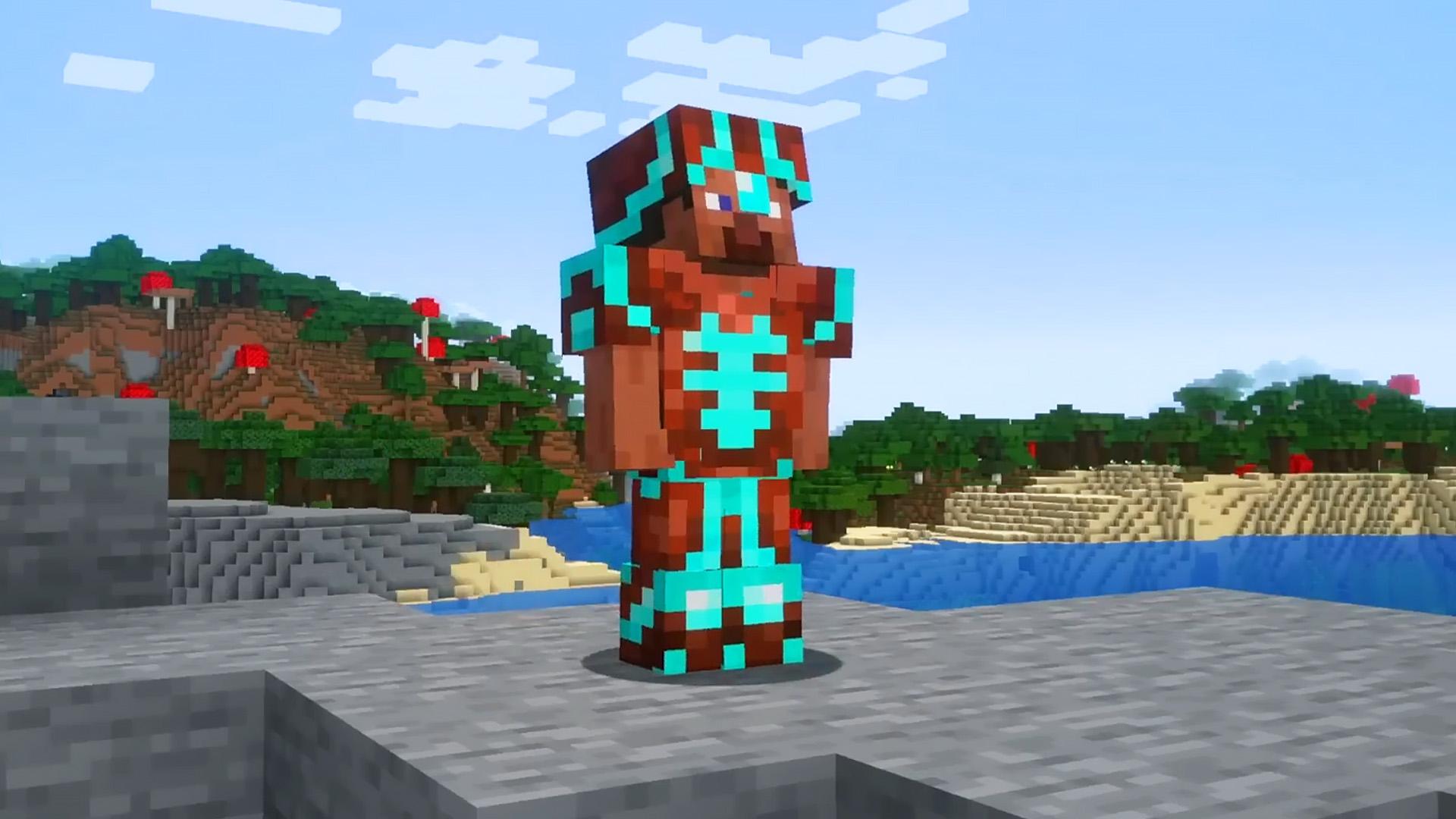
How do Minecraft armor trims work? During your Minecraft journey, you'll likely stumble upon smithing templates, rare items that can be used to add unique accents to your armor. If you're getting bored with your plain-looking armor sets, armor trims give you a way to customize your equipment to suit your style.
Armor trims and smithing templates were added to Minecraft in the Trails and Tales update back in June 2023, and if you haven't been paying close attention, you may not know there's a host of personalization options at your fingertips. Join us as we break down all the Minecraft armor trims in the survival game, including how to find smithing templates, what to do with them, and more.

Smithing templates cannot be crafted and can only be found in specific locations that pertain to their design. You need one template for each item you wish to add a trim to, with a total of four needed for a full set of armor.
A full list of every smithing template and its location:
| Template | Location |
| Bolt | Trial Chamber Vaults |
| Coast | Shipwreck |
| Dune | Desert Pyramid |
| Eye | Stronghold |
| Flow | Trial Chamber Vaults |
| Host | Trail Ruins (suspicious blocks) |
| Raiser | Trail Ruins (suspicious blocks) |
| Rib | Nether Fortress |
| Sentry | Pillager Outpost |
| Shaper | Trail Ruins (suspicious blocks) |
| Silence | Ancient City |
| Snout | Bastion Remnant |
| Spire | End City |
| Tide | Ocean Monument (Elder Guardian drop) |
| Vex | Woodland Mansion |
| Ward | Ancient City |
| Wayfinder | Trail Ruins (suspicious blocks) |
| Wild | Jungle Pyramid |
| Netherite Upgrade | Bastion Remnant (guaranteed in treasure rooms) |
Minecraft armor trims
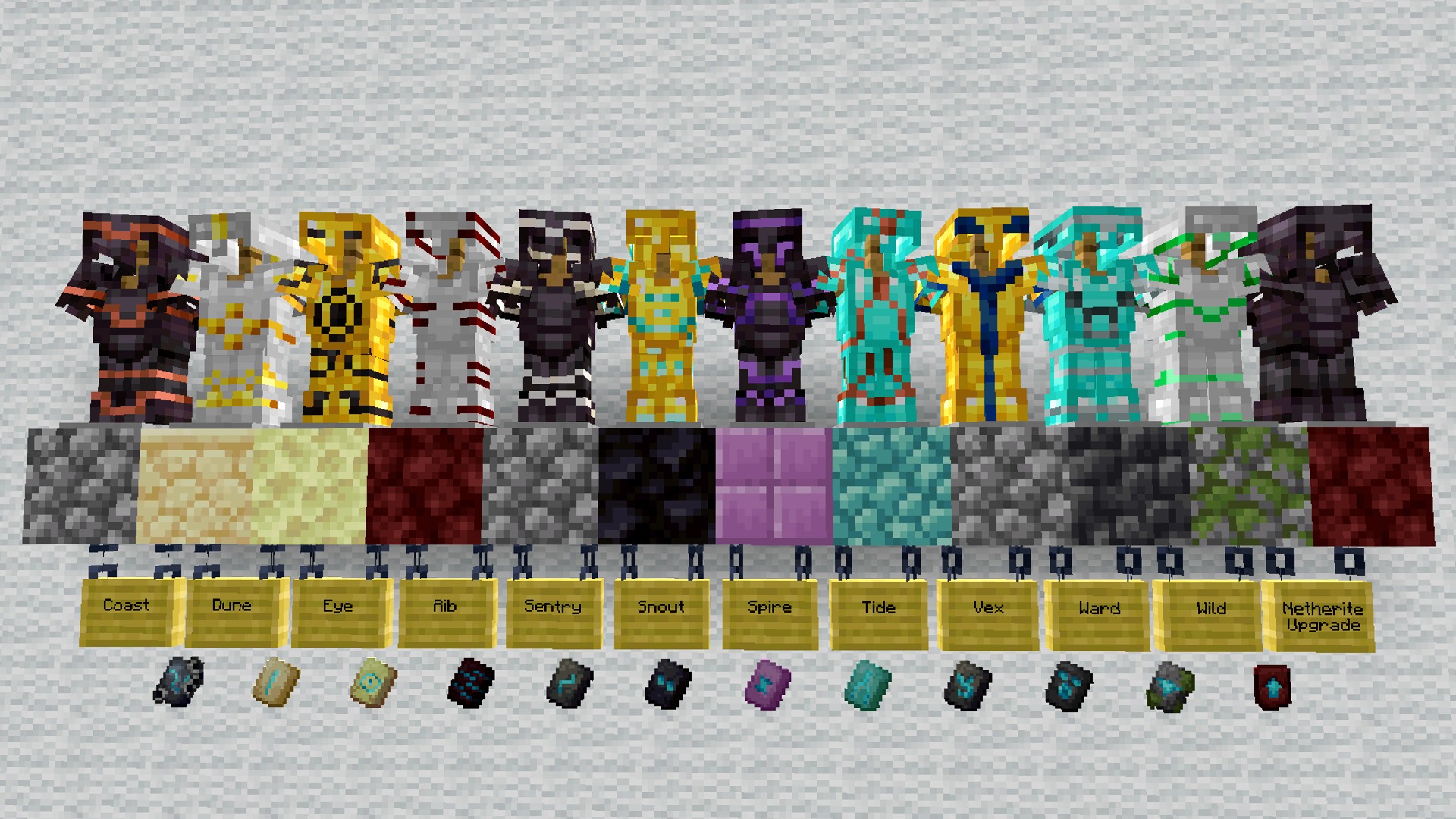
Minecraft armor trims add different patterns to your armor, giving your outfit an altered look. There are 18 armor trim smithing templates to discover, and they have all been designed purely for decorative purposes, serving no in-game benefit.
You can use armor trims to identify your armor sets at a glance, a particularly helpful feature if you have multiple sets with different Minecraft enchantments. They also serve as decorative items to place around your Minecraft house, allowing you to place them on full display on armor stands.
Armor trims are made from precious materials such as Minecraft copper, amethyst, or lapis lazuli, and the color of the trim matches that of the resource used.
How to add Minecraft armor trims
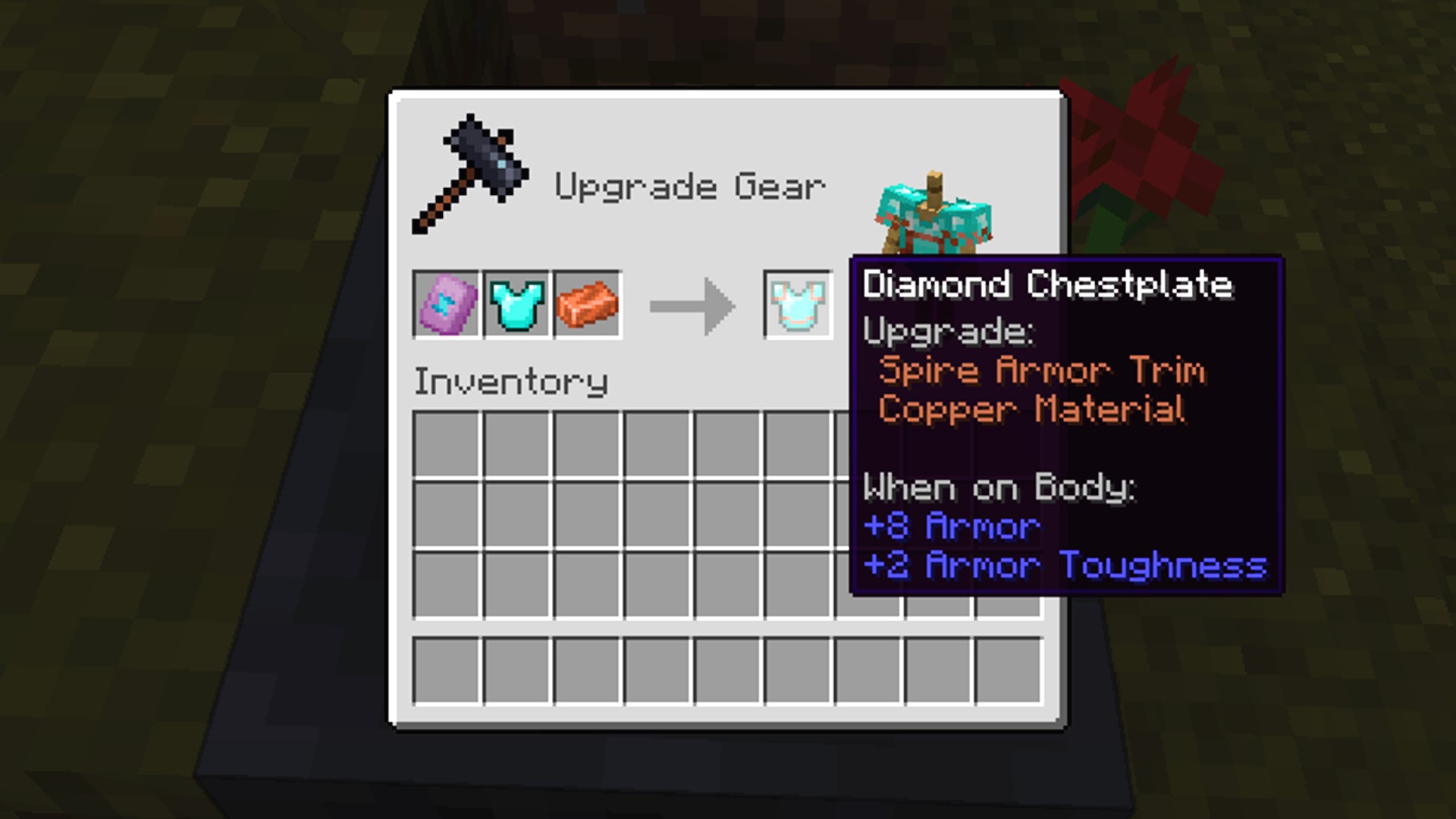
Here's what you need to customize your equipment with Minecraft armor trims:
- With a smithing table at the ready, open it up to view the smithing interface.
- Place a smithing template in the first slot.
- Put your chosen piece of armor into the second box.
- Insert an ingot or crystal into the third item slot.
You're able to see the result of your work before you officially craft the armor at the smithing table, just in case you're cautious about spending the resources. The material you use in the third slot determines what color the trim ends up being, so if you're after a specific look, you'll want to track down the resources we've listed below.
All Minecraft armor trim resources and their corresponding colors:
- Amethyst - purple
- Copper - copper
- Diamond - cyan
- Emerald - green
- Gold - gold
- Iron - silver
- Lapis Lazuli - blue
- Netherite - slate
- Redstone - red
- Quartz - white
How to duplicate smithing templates
Smithing templates are difficult to come by, with the majority of these items featuring a drop rate of less than 20%. Fortunately, you can duplicate smithing templates to ensure your entire armor set matches perfectly.
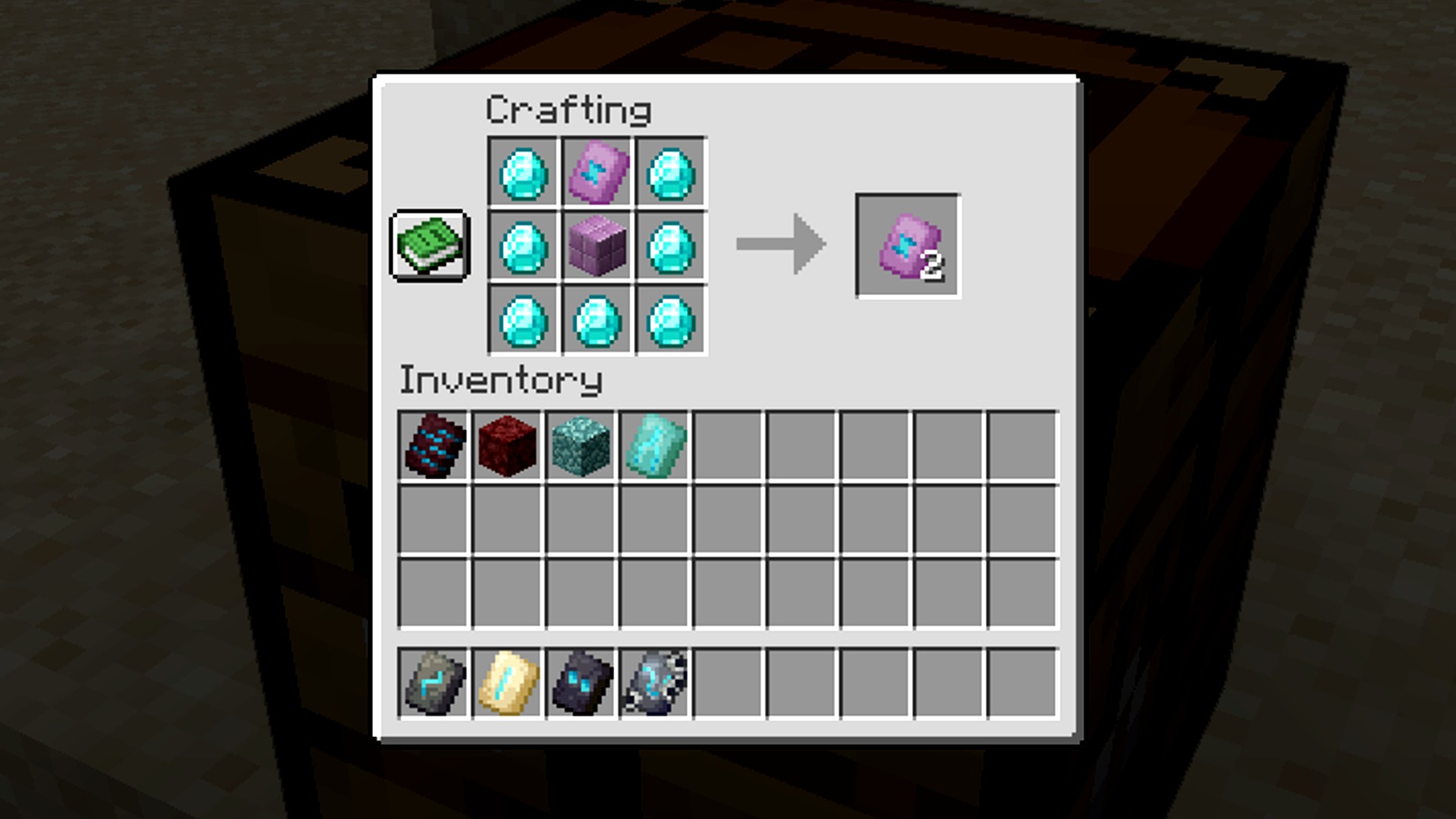
Here's what you need to duplicate smithing templates in Minecraft:
- Build a crafting table and open up the interface.
- Place your base material in the middle of the crafting grid.
- Above your base material, place the smithing template you wish to duplicate.
- Insert diamonds into the remaining slots on the crafting grid.
Every Minecraft smithing template and its base material:
| Smithing Template | Base Material |
| Bolt | Copper Block |
| Coast | Cobblestone |
| Dune | Sandstone |
| Eye | End Stone |
| Flow | Breeze Rod |
| Host | Terracotta |
| Raiser | Terracotta |
| Rib | Netherrack |
| Sentry | Cobblestone |
| Shaper | Terracotta |
| Silence | Cobbled Deepslate |
| Snout | Blackstone |
| Spire | Purpur Block |
| Tide | Prismarine Block |
| Vex | Cobblestone |
| Ward | Cobbled Deepslate |
| Wayfinder | Terracotta |
| Wild | Mossy Cobblestone |
| Netherite Upgrade | Netherrack |
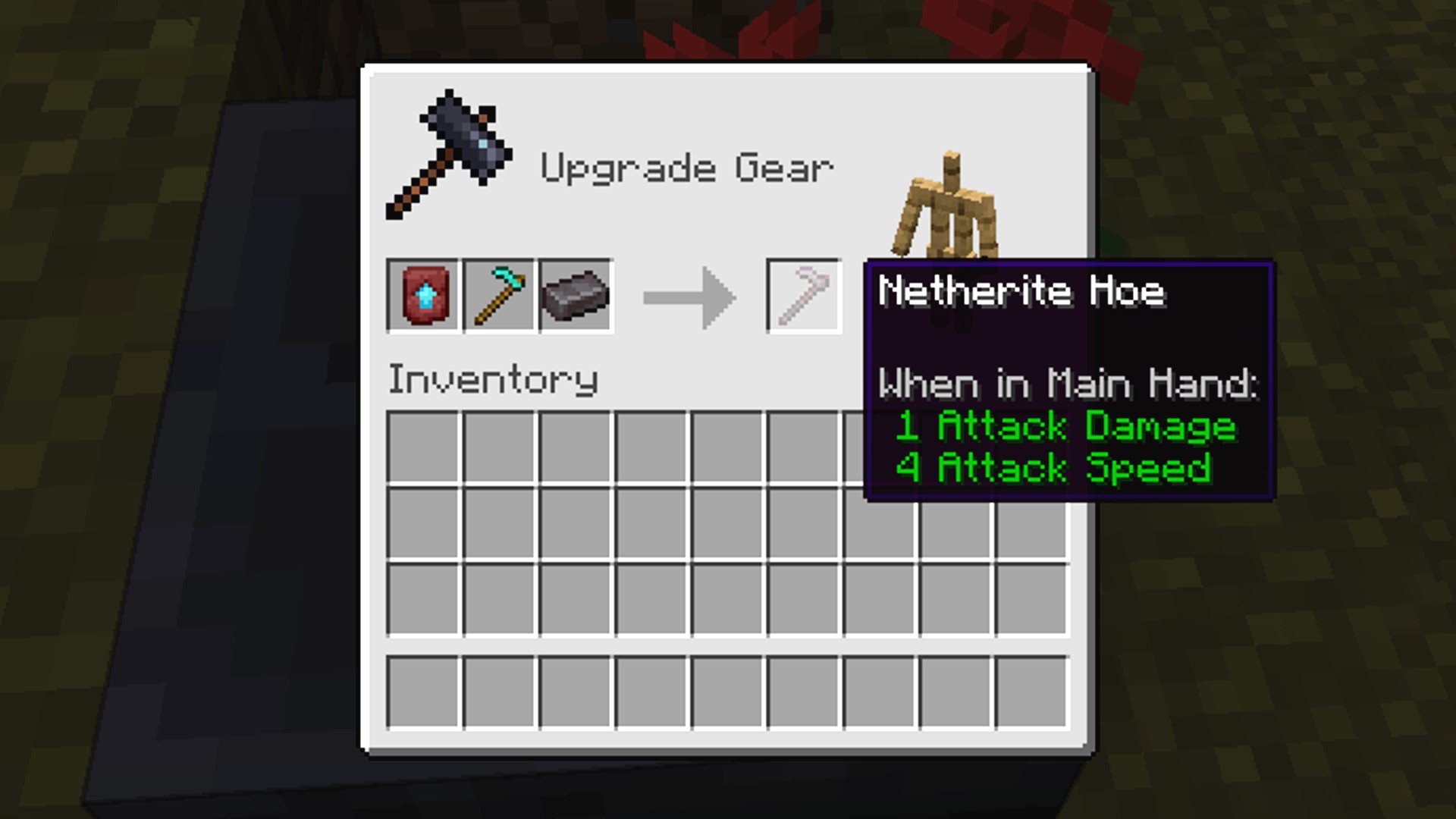
How to craft Netherite items
To turn a diamond tool, weapon, or piece of armor to Netherite, combine that item in a Smithing Table with a Netherite ingot and a Netherite Upgrade Smithing Template.
And that's everything you need to know about how Minecraft armor trims work. To ensure you look your best at all times, check out our guide to the best Minecraft skins. We also have a list of the most incredible Minecraft seeds to provide you with starting experiences like no other.
Original article by Danielle Rose.

 English
 French
 Spanish
 Portuguese
 Deutsch
 Turkish
 Dutch
Dutch
 Italiano
 Russian
 Romaian
 Portuguese (Brazil)
 Greek
Greek