


Best gaming PC 2026
Best gaming PC 2026
What is the best gaming PC? That depends on your needs and budget. Maybe you're after a system that spares no expense to deliver the ultimate gaming experience, or perhaps you're on an ultra-tight budget and just want to achieve playable frame rates in your favorite esports games. Whether you find yourself at either of these extremes or somewhere in between, we've got a gaming PC recommendation for you.
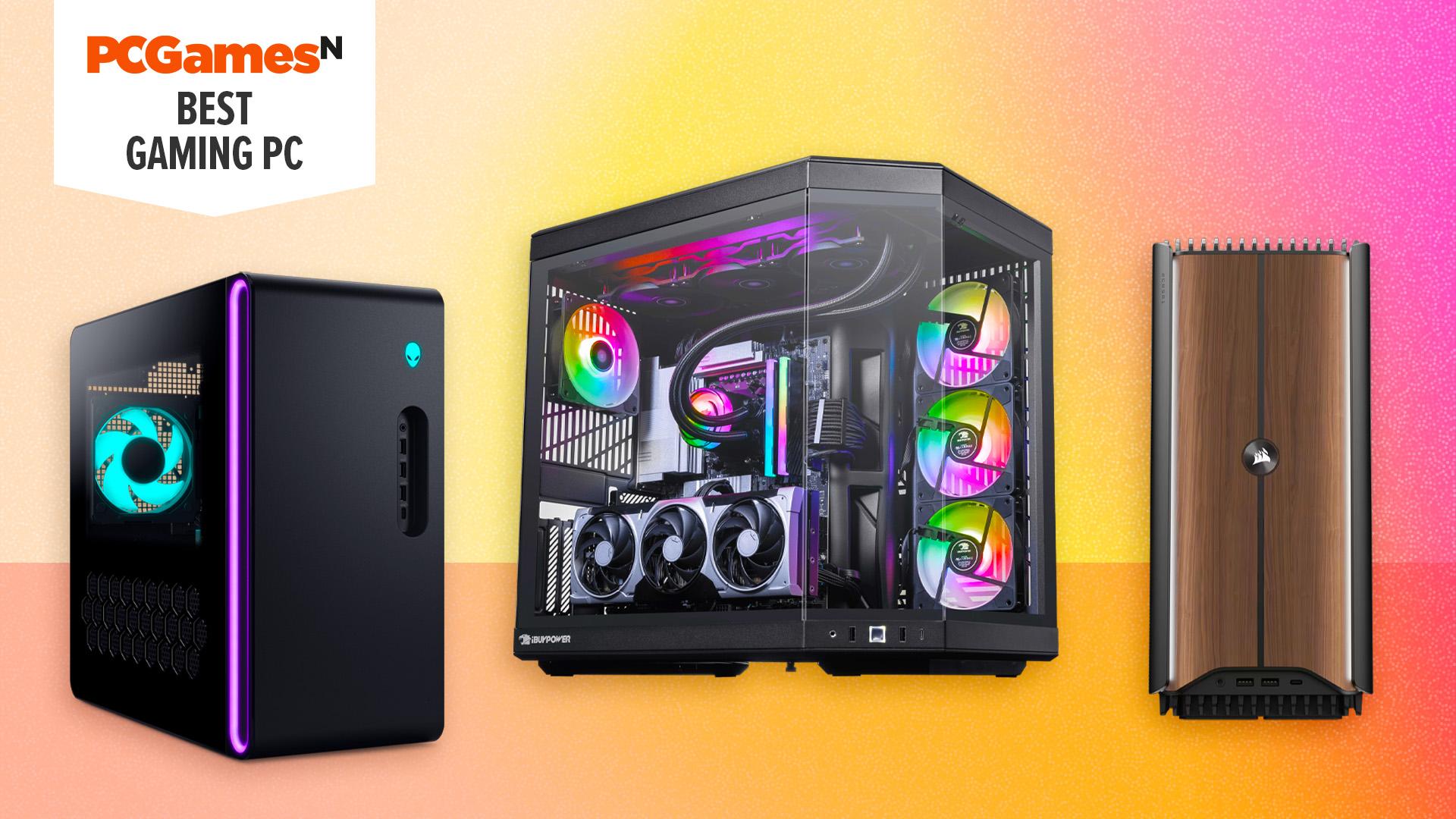
Of the systems we've tested, the best gaming PC is the iBuyPower RDY Y70 R17. It's a pricey system but ultra powerful, stylish, and competitively priced for its specs. For a more affordable and funky-looking mid-range option, check out the Alienware Aurora, while the best small form factor PC is the Corsair One i500. For more options at a range of prices, check out the list below, and don't miss the "Also tested" section that includes PCs we've reviewed that didn't quite make our top choices. Meanwhile, if you need more guidance on how to pick your perfect PC, see the "How to choose" section of this guide, along with the FAQ that answers all your gaming PC questions.
Best gaming PC 2026:
1. iBuyPower RDY Y70 R17 - best gaming pc overall
2. Alienware Aurora - best mid-range
3. iBuyPower RDY Scale Valorant R03 - best for esports/1080p
4. Corsair One i500 - best small form factor
5. Cyberpower PC Hyper Liquid - water-cooled option
iBuyPower RDY Y70 R17
Best gaming PC overall

iBuyPower RDY Y70 R17 specifications:
| CPU | AMD Ryzen 7 9800X3D |
| GPU / graphics card | Nvidia GeForce RTX 5080 |
| Motherboard | MSI Pro X870-P Wifi |
| RAM | 32GB (2 x 16GB) DDR5 6,000MT/s |
| Storage | 2TB Lexar NQ7A1 M.2 2230 PCIe 4.0 NVMe SSD |
| Case | Hyte Y70 |
| Warranty | Three-year labor, two-year parts |
Pros
- Hyte Y70 case looks great and cools superbly
- Fantastic gaming performance
- Great all round performance
- Loads of upgrade potential
Cons
- Case is very large
- CPU fans initially loud, need BIOS tweaks to turn down
- Arrived with some slight shipping damage
The iBuyPower RDY Y70 R17 is the best gaming PC available right now, thanks to its balance of performance, style, upgradability, and value. It's a powerful, high-end PC with a fairly high price to match. However, for the components it includes, it's very competitively priced, and it absolutely delivers the sort of performance you'd hope for from such a machine.
Equipped with an Nvidia GeForce RTX 5080, it powers through our gaming tests, delivering smooth gaming performance at 4K in most of our tests. In F1 24 and Indiana Jones and the Great Circle, you're getting well over 80fps. Running Cyberpunk 2077 with ray tracing and Ultra detail settings, it only delivers 34fps, but this is a particularly demanding scenario. Meanwhile, at 1080p, frame rates vary between 105 and 227fps in our test games, which again are running at Ultra detail settings. Fire up Fortnite or CS2 at medium settings, and you'll be getting 300fps+ easily.
Aiding in gaming performance is the choice of an AMD Ryzen 7 9800X3D CPU - the second fastest option you can buy for gaming, and this chip also delivers excellent overall performance, thanks to its eight CPU cores. With 32GB of RAM and a 2TB SSD, this PC is all set for basically anything you can throw at it.
The big downside here - other than its fairly high price - is the size of this case. The Hyte Y70 looks great, but it's a big option that's about 50% wider than a typical desktop PC tower case. This allows it to very easily cool all the powerful components inside, though.
Our test system also arrived with the case fans running too fast for our liking, resulting in them making a lot of noise. However, this was easily fixed by entering the BIOS and turning down the fan speeds.
Find out more in our iBuyPower Y70 R17 review.
Alienware Aurora
Best mid-range gaming PC

Alienware Aurora specifications:
| CPU | Intel Core Ultra 7 265KF |
| GPU / graphics card | Nvidia GeForce RTX 5070 Ti |
| Motherboard | Alienware 01CVX5 Intel Z890 |
| RAM | 32GB (2 x 16GB) Kingston Fury 6,400MT/s 44-40-40-80 |
| Storage | 1TB Micron OEM M.2 2230 PCIe 4.0 NVMe SSD |
| Power Supply | Alienware 1,000W 80 Plus Platinum |
| Case | HP Omen 40L |
| Warranty | One-year parts and labor |
| Dimensions | 7.75 x 18.05 x 16.46 inches / 197 x 458.4 x 418mm |
| Weight | 33.89lb / 15.37kg |
Pros
- Superb GPU performance
- Great-looking RGB lighting
- Small desktop footprint
- Easy-access interior
Cons
- Not much storage space
- Needs a better CPU
- Messy internal build
The latest Alienware Aurora gaming PC has a lot to like about it, with a great case design that looks fantastic, keeps the system cool, and yet is surprisingly compact too. It's also impressively quiet even under full load.
The $2,349.99 configuration we tested was powered by an Nvidia GeForce RTX 5070 Ti, which was ample for providing reliable 1440p gaming performance, with it able to stretch to 4K gaming in plenty of games too. This powerful GPU is backed by a plentiful 32GB of RAM, too.
However, the CPU used here actually holds back performance a little. Dell (owner of Alienware) is currently partnering only with Intel for CPUs on this system, and the Intel Core Ultra 7 265KF used here was as much as 13% slower than when using the RTX 5070 Ti with an AMD Ryzen 7 7800X3D. The meager 1TB of SSD storage is a bit weak for this price of machine, too.
However, Intel has since shown impressive improvements to its CPU performance, so frame rates should have improved since we tested this PC. What's more, this is still a solid option for a gaming PC, with that CPU having far less of an effect on performance the higher you push your resolution and graphics settings (because then your GPU becomes the performance-limiting factor) and still being very powerful for workloads aside from gaming.
What's more, Dell regularly offers discounts on its systems. It's reasonably fairly priced as is, but if you can spot a deal on this PC, it's going to be a great buy.
Read our Alienware Aurora review for more details.
iBuyPower RDY Scale Valorant R03
Best budget gaming PC
iBuyPower RDY Scale Valorant R03 specifications:
| CPU | AMD Ryzen 7 8700F |
| GPU / graphics card | Nvidia GeForce RTX 5060 |
| Motherboard | Asus B650EM Max Gaming |
| RAM | 16GB DDR5-5200MHz RAM |
| Storage | 1TB M.2 SSD |
| Power supply | 600W 80 Plus Gold |
| Case | iBuyPower Scale VCTA Edition |
| Warranty | Three-year labor, two-year parts |
Pros
- Great value
- Lots of upgrade potential
- Solid 1080p gaming performance
Cons
- Default config only has 1 x 16GB stick of RAM
- Valorant-branded case
Packing in an Nvidia GeForce RTX 5060, the iBuyPower RDY Scale Valorant R03 gets you plenty enough performance to run competitive esports games and other slightly less graphically demanding titles, at 1080p at decently high frame rates. Even if Valorant isn't your go-to game, this system will be great for everything from Apex Legends to DayZ.
Crucially, the RTX 5060 has access to all of Nvidia's latest DLSS tech, which means you can use its excellent quality upscaling to boost frame rates or get playable frame rates at higher resolutions. Access multi-frame generation is also available, and though we wouldn't recommend using it in many competitive games, it can be useful for again smoothing our frame rates at higher resolutions and in more graphically rich games.
Based on an AMD Ryzen 7 8700F, which is a decently-capable eight-corer CPU in and of itself. However, crucially, it also gets you started with AMD's AM5 platform. That means you can easily drop in one of the fastest gaming CPUs around - such as the Ryzen 7 9850X3D - at a later date.
With RAM prices currently so high, it's no surprise you're limited to 16GB here, rather than the 32GB we'd have recommended seeking out this time last year. However, until RAM prices settle down, that's just a compromise you'll have to make to get a PC for under $1,300.
The case of this PC is nothing special - and you may not be into its Valorant-themed styling - but if you're happy to just ignore that and stick this PC under your desk, it's a great performer for a great price, and iBuyPower has an excellent three-year warranty for peace of mind.
Corsair One i500
Best small gaming PC

Corsair One i500 specifications:
| CPU | Intel Core i9 14900K |
| GPU / graphics card | Nvidia GeForce RTX 4080 Super or RTX 4090 |
| Motherboard | MSI B760M Mortar WiFi |
| RAM | 32GB (2 x 16GB) Corsair Vengeance 6,000MHz DDR5 |
| Storage | 2TB Samsung PM9A1 SSD |
| Power supply | 1,000W Corsair SF1000L |
| Warranty | Two years parts and labor return to base |
Pros
- Gorgeous looking and well-built
- Small footprint
- Superb gaming pace
Cons
- CPU can run hot under load
- Very high price
- Noisy fans during gaming
Corsair has outdone itself with the design of the super-compact One i500. With a footprint of just 187 x 300mm, it's gorgeous, with wooden panels flanked by strips of RGB lighting and superb build quality.
There's a serious PC beneath this small form factor (SFF) exterior, too, with an Intel Core i9 14900K CPU and a choice of either an Nvidia GeForce RTX 4080 Super or RTX 4090 GPU. That's about as serious as you can get when it comes to specs, and Corsair has even managed to water-cool both the CPU and GPU inside this compact case.
This mini PC shows that there's no need to sacrifice gaming performance in your mission to cut down on desk space. We tested the RTX 4080 Super version, which happily ran Cyberpunk 2077 at 2,560 x 1,440 with the Ultra ray tracing preset at 106fps, thanks to some help from the frame-generation tech in Nvidia DLSS 3. You can even run F1 23 at 4K with Ultra High settings on this rig, which averaged 94fps in our tests.
There are a couple of caveats. The 120mm AIO cooler on the CPU doesn't have enough cooling power to enable the Core i9 14900K to hit its peak boost speeds, though it still runs quickly enough for gaming. It can also make quite a lot of fan noise when running games. Otherwise, this is a fantastic mini machine with amazing gaming performance under its wooden hood.
Read our Corsair One i500 review.
Cyberpower PC Hyper Liquid
Best water-cooled gaming PC
Cyberpower PC Hyper Liquid specifications:
| CPU | Up to Intel Core Ultra 9 Processor 285K |
| GPU / graphics card | Up to Nvidia GeForce RTX 5090 |
| Motherboard | Intel: Z690, AMD: X570 |
| RAM | Up to 64GB (2 x 32GB) DDR5 6,400MHz |
| Storage | Up to 4TB Samsung 990 Pro or 8TB WD SN850X SSD |
| Power supply | Up to 1,350W |
| Case | Lian Li O11 Dynamic Evo RGB |
| Warranty | Three-year full-coverage |
Pros
- Powerful water cooling
- Stunning design
- Quiet
Cons
- High price
- Water cooling prone to shipping damage
If you're really looking to make a statement with your gaming PC and money is no object (or only a small object) then a custom water cooled gaming PC is the way to go, and the Cyberpower PC Hyper Liquid range is a fantastic choice. Available with a huge range of custom options, from cases to CPUs, graphics cards, and of course water-cooling components, you can have the Cyberpower team put you together a stunning system.
Systems are only available with Intel CPUs but you can choose either AMD or Nvidia graphics cards including up to an RTX 5090. You can also choose whether to have the water cooling cover just the CPU or the GPU as well.
These systems do cost a lot, with prices starting from just under $3,000. However, you get an amazing-looking system for that money without any of the hassle of cutting, fitting, and leak testing a water-cooling loop. Plus, you get a lengthy three year full coverage warranty, so you can have true peace of mind for far longer than you typically get with a gaming PC.
Also tested - gaming PC reviews
Acer Predator Orion 7000
 The Acer Orion 7000 is a great-quality gaming PC with a sturdy chassis, tidy interior, and reasonably slick design. Acer has also balanced cooling and noise really well. Its specs are also impressive, with a great GPU that can deliver reliable 4K gaming. There are two issues, though. One is the choice of an Intel CPU, as AMD's X3D chips are far better options for a high-end PC like this. The other is the price, which is considerably higher than the cost of a similar-spec PC from either Alienware or an independent system builder. It's worth a look if you can find it discounted, though. Read our full Acer Predator Orion 7000 review for more details.
Acer Predator Orion 5000
 The Acer Predator Orion 5000 is a great gaming PC simply because it offers a sensible balance of components for a very competitive price. Other systems might look slicker and offer other extra features, but the Orion 5000 does the basics - while still having plenty of RGB - for a great price. However, its core design and hardware are a couple of years old now, so it's less of a relevant option. With a 20-core Intel Core i7 14700F, 32GB of DDR5 RAM, and an Nvidia RTX 4070 Super, though, it's still a capable option if you can find one on sale. Read our Acer Predator Orion 5000 review.
MSI MEG Trident X2 14th
 This PC was one of the most powerful available at launch, thanks to its Intel Core i9-14900KF processor and Nvidia GeForce RTX 4090 graphics card. However, its top-tier specs are a couple of years old now, so its sheen has dulled. It's still a striking-looking and powerful machine that will be a great choice if you can find one of the last remaining pieces on sale. Otherwise, the gaming PC world has simply moved on. Read our MSI MEG Trident X2 14th review to learn more.
HP Omen 40L
 With its suitably demonic look to match its name, this dark and moody PC with its eerily glowing rings of RGB lighting on the front packs a performance punch. Available in a wide range of specs, it delivers reliably solid performance from its compact, stylish chassis. It's not a flashy or particularly customizable option, but you can often find these systems with healthy discounts, and they're well worth snapping up. Read our HP Omen 40L review for more details.
Recent updates:
04/13/26 My recent review of the iBuyPower RDY Y70 R17 immediately shook up our best gaming PC guide, as it's now the best system we've tested overall. Some of the older PCs on this guide were also now either no longer available or not as relevant, so I've updated the whole list to better reflect current choices. Some of the old recommendations can be found in the "Also tested" section while some have been removed entirely.
How to choose the best gaming PC
There are two questions you might want to answer first before choosing a new gaming PC. The first is deciding whether to get a console or gaming PC (we, of course, recommend PC) and then whether to build a PC yourself or buy one of the pre-built systems highlighted in this guide.
Building PCs is surprisingly easy, and we've got a comprehensive guide on how to build a gaming PC that takes you through the process step-by-step. However, there's no denying that it takes extra time and effort, and there is a chance you'll either pick components that don't work together or you can break something. On the other hand, buying a pre-built PC comes with the reassurance that it will just work, and you generally get a warranty of typically one to three years. You just pay a little extra for that privilege (typically 5-10% more than buying separately).
With those choices out of the way, your next step is deciding whether to opt for a custom-built system or a completely off-the-shelf model. Custom-built systems allow you to configure your components, ensuring you get just the right style and performance you need. Companies such as Cyberpower PC, iBUYPower, NZXT, and Origin PC in the US, or Overclockers and Scan in the UK, let you choose almost every component of your build. You can find more places to shop on our best websites for custom PC builds guide.
The downside to a custom build is that you generally pay a little more, you'll have to wait a few weeks for the system to be built, and there's a chance your component choices won't be well-balanced. Completely off-the-shelf options, meanwhile, can often come with great discounts (especially if they're a little old) and can generally be delivered next day or in just a few days.
Next to decide is whether you want a more traditional large PC or a very compact system. The likes of the Corsair One i500 offer a stunning-looking and powerful system with a very small footprint. However, upgrading later on can be tricky compared to a more traditional case design, like with the iBUYPower RDY Y70 R17 or Acer Predator Orion 5000. Meanwhile, the best mini gaming PCs, such as the Geekom AX8 Pro, are very restricted in how you can upgrade them, but they're absolutely tiny.
Finally, we come to the nuts and bolts of picking a gaming PC, which is finding the right components for your budget and needs. For gaming, the most important part of your PC is the graphics card or GPU. The GPU is the chip that does the grunt work of processing the 3D graphics of games, and these chips can either be integrated into the same package as the CPU (as on the Ryzn 5 8600G CPU, for instance), mounted on a separate part of the system (such as tthe GPUs included in many gaming laptops), or available mounted inside a graphics card.
Many cheaper and older gaming PCs will have a graphics card powerful enough to deliver playable frame rates (60fps or higher) at a 1080p resolution in older or less graphically intensive games - ideal for getting started in Roblox and Fortnite. Meanwhile, some integrated GPUs (GPUs built into CPUs), such as in the Geekom AX8 Pro, are powerful enough that you can skip buying a graphics card altogether and get a PC for well under $600.
However, if you're looking to turn up the details in the latest games and run at 1440p or higher resolutions, you'll need a more modern, powerful graphics card. We recommend an Nvidia RTX 5060 Ti 16GB (~$475) or AMD Radeon RX 9060 XT (~$320) or above to hit high frame rates at 1080p in most games and playable frame rates in less demanding titles at 1440p.
Meanwhile, for consistently high frame rates in modern games at 1440p, you'll need to be spending well over $600 for a graphics card alone and around $1,200 - $1,500 on a PC. The Nvidia RTX 5070 or AMD Radeon RX 9070 are our top choices in this price range. And if you're looking to play at 4K, you'll be looking at spending well over $2,000 on a PC using cards such as the AMD Radeon RX 9070 XT, Nvidia RTX 5080, or RTX 5090.
Gaming PC Frequently Asked Questions (FAQs)
Console or gaming PC?
Modern games consoles and gaming PCs are getting ever closer in terms of the core gaming experience they can offer. So, if you mainly play controller-based games, rather than using a mouse and keyboard, there's no doubt that a console is going to be the more affordable option. That's especially true right now, as RAM prices are so high for PCs.
However, console games tend to be more expensive, so the long-term cost can balance out if you do play a lot of different games. Plus, the sheer number of games that can easily and affordably be accessed on PC far outstrips those available on console.
There's also the fact that PCs can be far more powerful than a console. In terms of graphical power and fidelity, the very best, latest consoles are competing with PCs equipped with mid-range graphics cards, able to natively play at high settings at 1080p, but often relying on upscaling or running at low frame rates such as 30fps to hit 4K resolutions. However, a high-end PC will have the power to natively play games at 1440p and 4K at far higher frame rates.
Plus, if you at all see value in being able to also use your gaming PC for other tasks, such as web browsing, video watching, work, and much, much more, then a gaming PC is a fantastic option. They're incredibly powerful and endlessly versatile, especially if you buy a PC that's easy to upgrade.
What's more, once you've got over the initial hit of buying a PC, future upgrades can be far more cost-effective than consoles. The best power supply and best PC case options can last decades, as can case fans, coolers, and more.
Buy or build a gaming PC?
If you're just starting out in the world of gaming PCs, it does make a lot of sense to buy a pre-built system like the ones highlighted in this guide. They'll come ready to roll and with a warranty to cover any issues for at least the first year of use. However, building a PC isn't as hard as you might think. Check out our how to build a gaming PC guide to see just how relatively simple it can be.
Why buy a prebuilt gaming PC?
Prebuilt PCs provide convenience and security that can't be matched when building a system yourself. As the components are all pre-assembled ahead of delivery, your new rig will be ready to go as soon as it arrives at your doorstep. You'll also be entitled to additional warranties and potentially technical support if something goes wrong.
Is $1,000 enough for a gaming PC?
Yes, anything from $600 upwards is typically enough to get started in the world of PC gaming. This sort of budget will get you an entry-level PC that uses integrated graphics on a CPU, such as the AMD 5600G, or uses a very basic, old graphics card. The performance of such a machine will be quite limited - you'll be playing games at 1080p or lower with medium or lower graphics settings, and may not have access to the latest graphics tech, such as DLSS - but this still opens up access to a playable experience in thousands of games.
However, we would recommend stretching your budget to closer to $1,000. Spend around $800-$1,000, and you'll be able to include a more powerful dedicated graphics card for more reliably high frame rates in a wider range of games, and have a better chance of your PC being compatible with future upgrades.
Gaming PC or gaming laptop?
A desktop PC isn't for everyone. If you need portability, a gaming laptop is the obvious alternative. However, if your main concern is having a small gaming PC setup because of limited space, or you mainly game at home and only need to travel with your setup on occasion, a small form factor gaming PC could work for you. You can get tiny PCs, such as the Geekom AX8 Pro, that are hardly bigger than a hardback book. If you have a portable monitor, keyboard, and mouse, you can get close to the same portability as a laptop with much more upgradability. You can find a wide range of small PCs in our best mini gaming PC guide.
That said, there's no doubt that the best gaming laptop options offer a wide variety of ways to get a complete gaming PC setup in one convenient device. Just be aware that the biggest downside with gaming laptops, other than them generally being less powerful overall, is that they're far less upgradable. Once your CPU, GPU, or RAM is holding you back, you can't just swap that one component, unlike with most desktop PCs. Instead, you'll have to buy a whole new laptop.
How we test gaming PCs
When testing the best gaming PCs, we'll carry out benchmarking and consider the design, build quality, components, and noise generated by the system. A PC should look clean and attractive on the outside and inside, where cables should be neatly tidied out of sight, and access to key components shouldn't be obstructed.
We love to see innovative designs that work to improve cooling, looks, and access to components. While we expect the fans in a PC to make some noise when running it at full load, we also expect this to be well-tuned in line with temperatures. A well-built PC will have a carefully considered airflow system that keeps your components cool under load but remains quiet at other times.
When benchmarking a gaming PC, our primary tests are games. We benchmark games such as Cyberpunk 2077, Indiana Jones and the Great Circle, and F1 24 to test each PC's performance at 1080p, 1440p, and 4K, with the game's detail settings generally set to Ultra. If the PC is a lower-end option, we may also test these games, or others, at lower settings to give a realistic picture of the performance you can achieve on these systems when not trying to make games look their absolute best.
Each test is run at least three times, and we discard any anomalous results before calculating the average. We report the average and minimum results and work on the principle that a game is smoothly playable if the PC can generate a 60fps average and at least a 45fps minimum in these titles.
Of course, no one buys a PC just for gaming, so we also run Cinebench and Geekbench to give you an idea of how the CPU performs in each system. This gives you a multi-threaded result, where you can see how a CPU with loads of cores performs in hardcore content creation scenarios, such as video encoding and 3D rendering. A single-threaded result represents single-core CPU usage, which is important for most basic Windows software and many games, too.
Our final score and conclusion balance the performance in our benchmarks with the general design and build quality, upgradability, as well as the price and warranty package compared to the competition.

 English
 French
 Spanish
 Portuguese
 Deutsch
 Turkish
 Dutch
Dutch
 Italiano
 Russian
 Romaian
 Portuguese (Brazil)
 Greek
Greek