


Corsair Sabre V2 Pro Ultralight Wireless review - a nearly perfect ultra light gaming mouse
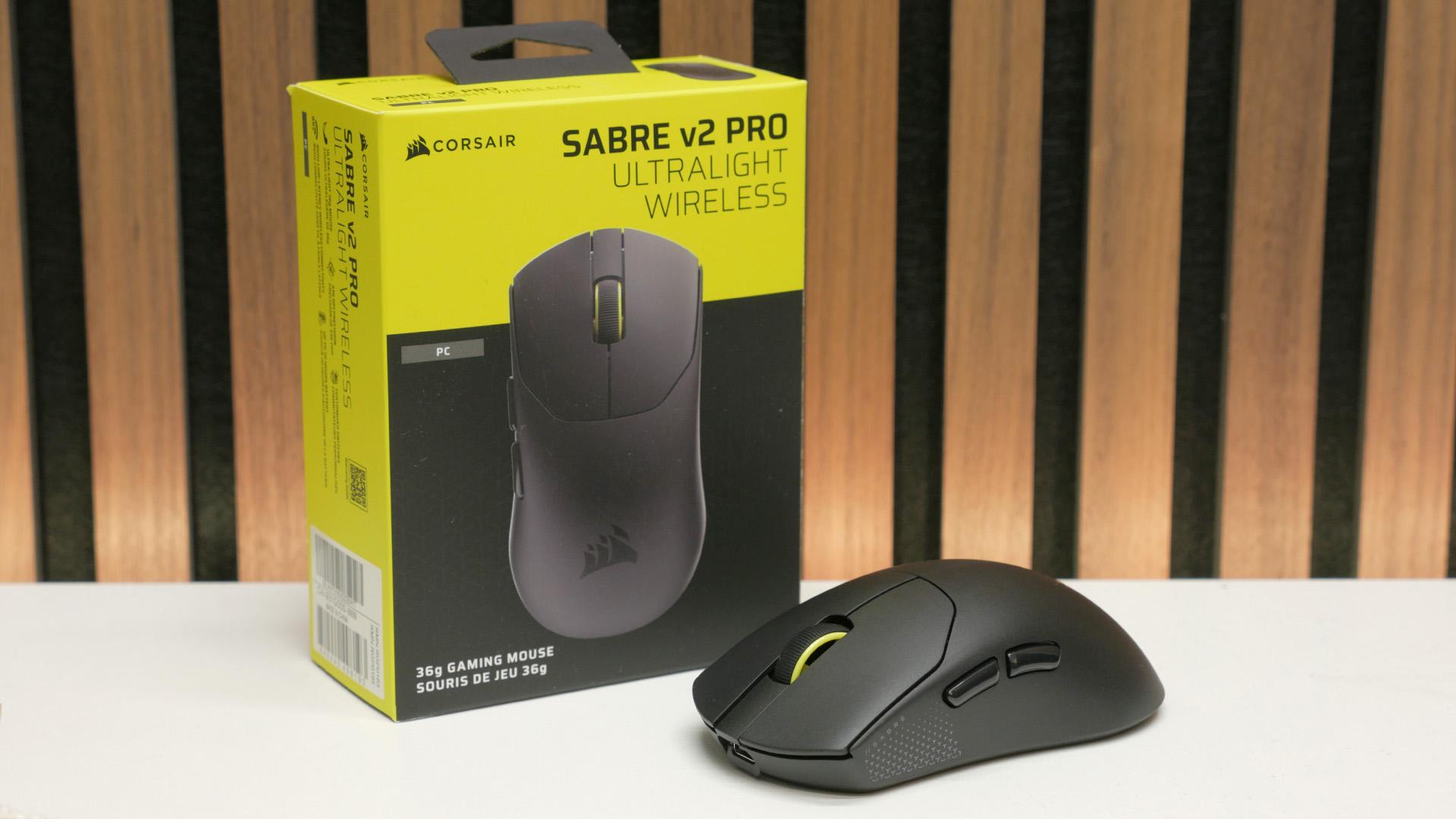
Corsair Sabre V2 Pro Ultralight Wireless review - a nearly perfect ultra light gaming mouse
Verdict

Now that's what I call an ultra-light gaming mouse. At just 36g, the Corsair Sabre V2 Pro Ultralight Wireless is an incredibly easy mouse to fling around at high speed, and its shape feels great too. Reliable sensor and wireless performance, and a decent price also stand it in good stead. However, a few factors such as slightly loose-feeling and high-latency left/right buttons/switches put a dent in this otherwise fantastic gaming mouse.
Pros
- Incredibly light without compromised build
- Simple but effective shape/design
- Excellent sensor and wireless performance
- Spare skates and extra grips included
Cons
- Not the snappiest left/right button click
- No extra buttons/features
- Online-only configuration software
The Corsair Sabre V2 Pro Ultralight Wireless is a surprise entry from Corsair, as the company has generally been quite slow to embrace the trend for very light gaming mice. It caught up to the competition with the M75 Air, but the Sabre V2 Pro Ultralight Wireless takes things to another level, nearly halving the weight of that mouse and creating one of the lightest mice in the world.
The result of this weight saving is easily one of the best gaming mouse options around, if low weight is your top priority. There's plenty of competition from more boutique/niche brands in this ultra-light space, but if you're looking for a big-name brand to trust, Corsair stands apart from the likes of Logitech, Razer, and SteelSeries - none of their best is anywhere near as light. All that and it's relatively cheap, too. However, there are a few factors that take the shine off this mouse.
Specs
| Corsair Sabre V2 Pro Ultralight Wireless specs | |
| Sensor | Corsair Marksman S |
| Buttons | Five |
| Switches | Not specified |
| DPI | 33,000 |
| Weight | 36g |
| Connections | 2.4GHz wireless, USB-C |
| Polling rate | Up to 8kHz (wired and wireless) |
| Battery | Up to 70hrs at 1kHz polling rate |
| Extras | USB-C wireless dongle, USB-A to USB-C cable, spare skates, side grip pads, alcohol wipe |
| Price | $99.99 / £89.99 |
Features
Like many ultra-light gaming mice, the Sabre V2 Pro Ultralight Wireless doesn't have much in the way of features. It has just five buttons with three on top - left, right, middle/scroll - and the two side buttons for back and forward. There are no buttons on the underside or elsewhere for changing DPI levels (or any other features of the mouse) on the fly or triggering any other actions. There's just a slide switch on the underside for the power.

Up front is a USB-C port for charging and connecting to your PC for up to 8kHz polling rate play, and inside the mouse, there is an LED that glows red momentarily when you power the mouse on and briefly shows green when it's connected.
Also inside is Corsair's Marksman S sensor, which can deliver up to 33,000 DPI and maintain tracking at up to 750 inches per second with up to 50g of acceleration. Corsair doesn't specify the switches used in this mouse, and doesn't provide easy access for me to check - unlike the Endgame Gear OP1, the screws to dismantle this mouse are hidden beneath its skates. Corsair does say they are "custom-tuned mechanical switches rated for 100 million clicks."

More impressive, when it comes to features, is what you get in the box with this mouse. It has a standard cable and USB-C dongle (though not an adapter to convert the USB-C socketed dongle for use directly in a laptop - you'll need to plug in the cable) but Corsair also throws in a second set of glide skates (that are larger than the thin ones installed by default) along with some textured, rubber grips that you can stick to the back and sides of the mouse. The company even throws in a little disposable alcohol wipe to ensure the surfaces of your mouse are clean before trying to fit the grips or skates.
Design and comfort
Corsair has finally learned from the rest of the market and moved away from the likes of the awful M65 to a mouse design that is actually comfortable and versatile, with the Sabre V2 Pro Ultralight Wireless. It's very reminiscent of the latest Razer Viper, with a symmetrical shape, slightly flared front, and a fairly low-angled back. That's as opposed to the slightly more rounded overall shape and fuller back of the Logitech G Pro X Superlight range. Regardless of its similarities, it's simply a great shape that works for a wide variety of grip styles and hand sizes.

Talking of grip, Corsair hasn't employed a soft-touch coating to aid grip, like on the Be Quiet! Dark Perk, for instance, so it isn't quite as immediately grippy to hold. However, this is where the incredibly light weight of this mouse really shows its value. Forget slapping on those extra side grips. The sheer fact that this mouse weighs nearly half that of some of the other options mentioned above means it's incredibly easy to pick up and fling around, even despite its modest grippiness.

What's more, this lightness doesn't come at the cost of compromised build quality. The body of the mouse doesn't creak or flex at all, and, whether you like them or not, Corsair hasn't had to resort to drilling holes in the outer case to get it this light.
Performance
Overall sensor performance of the Sabre V2 Pro Ultralight Wireless is excellent, with accurate tracking and the ability to keep up with the most extreme movements I could provide, all without any sense of it missing a beat or erroneously correcting my movements.
Likewise, the wireless performance was fantastic, and the ability to crank up the polling rate to 8kHz meant that extreme movement with very fast refresh rate monitors provided a smooth result. As ever, I wouldn't necessarily recommend running the mouse at 8kHz that often, as it puts extra strain on your CPU and kills battery life, meaning you'll run this mouse dry in just 16 hours.

At 1kHz, though, which is entirely sufficient for all desktop use and most gaming, battery life lived up to Corsair's claimed 70 hours. That's not incredible longevity, but it should get you a week between charges.
So, overall performance is solid, but there are a few issues that could be a deal breaker for some. The first is that click latency on this mouse is a little higher, at around 8ms. This is thanks to Corsair needing to add a bit of extra debounce delay to stop the switches unintentionally double-clicking. Corsair has created a tool for adjusting this setting, but it's not publicly available yet, and even if it were, reducing the latency could result in those double-clicks. I didn't notice this latency in general gaming, and wasn't able to put into numbers the effect of this latency using any aim trainers or other mouse testing tools, but in theory, there's the chance that a little bit extra could throw off your click timing, compared to other top mice with sub-3ms latencies.

Added to this, the left and right buttons don't feel very tight. There's quite a lot of play (compared to other top gaming mice) to the buttons before they trigger the switch, making them feel a touch unresponsive. Gently press the front edge of the button plate down, and there's around 0.8mm of movement before the switch is triggered (as best as I could measure). This compares to around 0.5mm for the G Pro Superlight and effectively no perceptible movement from the MZ-1.
The buttons are also a little loose on the upstroke, with around 0.7-1mm of upward movement compared to 0.5mm for the Superlight and no perceptible movement for the MZ-1. Those might all sound like small numbers, but if you're sensitive to these things, you can feel the difference. It doesn't help that I'm testing this mouse alongside the revolutionary adjustable-click Logitech G Pro X2 Superstrike, but the difference compared to the other two mice mentioned above is obvious, too.
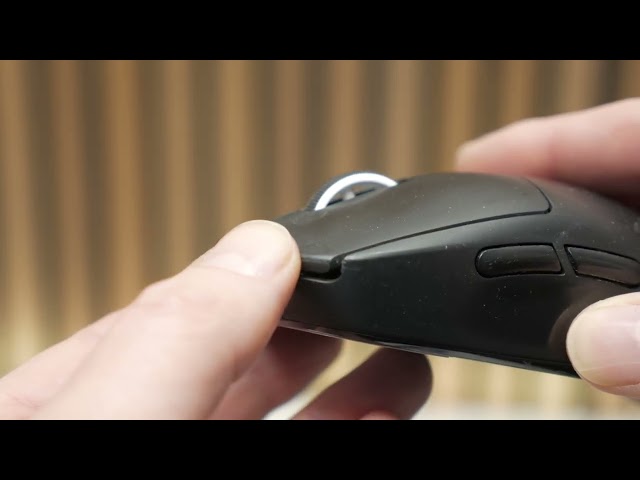
For most gaming, this isn't much of an issue, but if you rely on fast clicking - such as for playing League of Legends - it can disrupt your ability to click and re-click very quickly. I put this into numbers by using the clicks-per-second test on cpstest.org and, using a two-fingered jitter clicking technique, I averaged 6.7cps on the Sabre V2 Pro Ultralight Wireless. That compares to 7.7cps for the Superlight and 8.5cps for the new Superstrike tech.
What's more, moments where I felt like the switch had got 'stuck' in a down position and I had to consciously lift my finger up further in order to start jittering again were more frequent. Again, we're talking fine margins here, but if a high click rate is important to you - or you just like mouse buttons to have a really precise, tight feel - this won't be the mouse for you.

All that said, playing the likes of CS2 and Apex Legends on this mouse, I thoroughly enjoyed using it. Its incredibly low weight, great shape, and solid sensor and wireless performance meant it felt effortless and accurate to use. Moreover, when alternating between this and the Logitech G Pro Superstrike, there wasn't a single time I wasn't pleased to be returning to the lighter Corsair mouse, for this style of fast-mouse-movement-focused game. In contrast, for general desktop use and RTS games, I preferred the Superstrike.
However, there are a couple more issues to discuss. The penultimate issue is that Corsair has only made this mouse compatible with its new Web Hub interface for adjusting settings, with its iCUE app not supporting the model. This means you don't need to load software onto your system to adjust the mouse's settings, but also means you can't quickly adjust those settings via a system tray app. Seeing as the mouse doesn't have any extra buttons for adjusting features such as DPI, this can feel a little limiting.

Finally, there's the fact that there is a near-identical version of this mouse available that is reported to have the same shape, essentially identical specs, is 1g lighter, has software to adjust its debounce, and is $20 cheaper. Indeed, some people have speculated that the Sabre V2 Pro Ultralight Wireless is made by the same company as this other mouse. Called the Dareu A950 Wing, it's not a mouse we've tested yet, and we can't vouch for the company, but the similarities are striking, and its price makes it a tempting alternative that I, for one, am very interested in trying.
Price
One of the best features of this mouse is that the Corsair Sabre V2 Pro Ultralight Wireless price is just $99.99 / £89.99, and it's already discounted by Corsair to just $79.99 / £69.99. Even with strong competition from that Dareu mouse, this is still a very reasonable price for the performance you get with this mouse. Certainly, any slight quibbles about the feel of its buttons can be forgiven, assuming they're not a deal-breaker for you.
Verdict
The Corsair Sabre V2 Pro Ultralight Wireless was shaping up to be a smash hit, 10/10 product, especially at its current price. For Corsair to suddenly drop such a light mouse that has a great shape, includes a few nice accessories, and offers mostly fantastic performance is a very pleasant surprise. So, for many gamers who really value an ultra-light mouse above all else, it is still a good buy.
However, the web interface, the debounce delay, and the fact that the buttons feel a tad mushy are enough to take the shine off, especially when there's stiff competition from an admittedly untested alternative from an also unfamiliar brand. It's still a good option if movement and fast tracking are your priorities for a great gaming mouse, but if click speed and feel matter, you might find a compromise on mouse weight is worth it for better-feeling switches/buttons.

 English
 Arabic
 French
 Portuguese
 Deutsch
 Turkish
 Dutch
Dutch
 Italiano
 Russian
 Romaian
 Portuguese (Brazil)
 Greek
Greek