


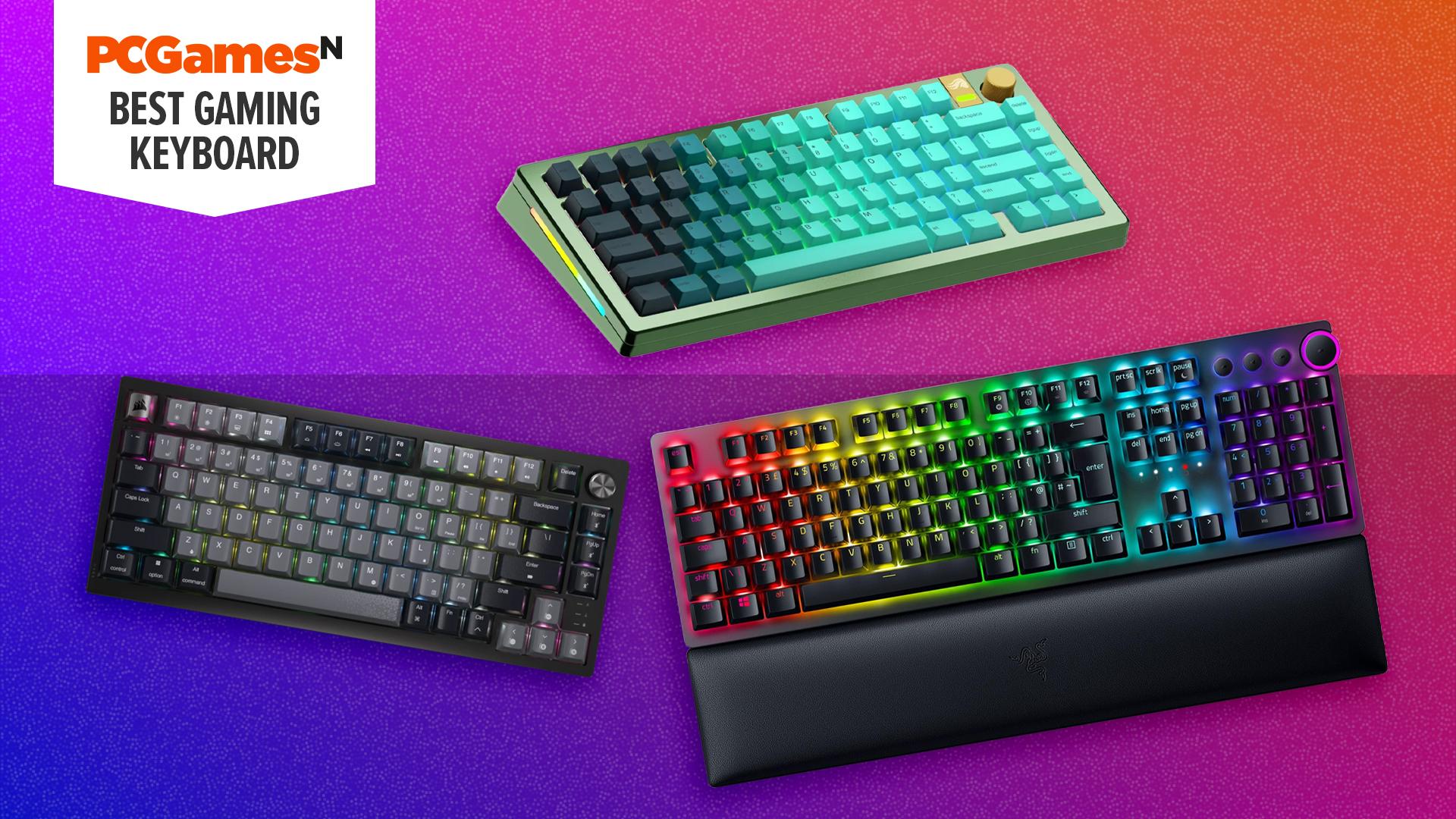
Best gaming keyboard 2026: full-size, TKL, mini, and wireless options
Best gaming keyboard 2026: full-size, TKL, mini, and wireless options
What is the best gaming keyboard? Whether you're into first-person shooters, epic RPG adventures, or just need a reliable typing tool, equipping yourself with a good gaming keyboard can transform your setup. With options such as ultra-fast switches for peak competitive gaming response, extra macro keys to perform extra functions at the touch of a button, or extra noise dampening to create a whisper-quiet typing experience, there are all sorts of ways to up your game.
After testing dozens of options, we've found the best gaming keyboard overall to be the Glorious GMMK3 Pro, thanks to its incredible versatility. Meanwhile, the best budget gaming keyboard is the Corsair K55 Core, and the best gaming keyboard for streamers is the Corsair Galleon 100 SD. There are loads more options listed below, plus, if you're not sure what to look for, you can read the How to choose a gaming keyboard and FAQ sections to help guide you. You can also find more reviews in the Also tested section of this guide.
Why you can trust our advice ✔ At PCGamesN, our experts spend hours testing hardware and reviewing games and VPNs. We share honest, unbiased opinions to help you buy the best. Find out how we test.
Best gaming keyboard 2026:
1. Glorious GMMK 3 (Pro HE) - best overall
2. Corsair K55 Core - best budget
3. Corsair Galleon 100 SD - best for streaming
4. Corsair K70 Core - best budget mechanical board
5. Corsair K65 Plus Wireless - best wireless
6. Be Quiet! Dark Mount - best modular and quiet
7. Drop CSTM80 - best for modding
8. Lofree Flow 100 - best compact/low-profile
9. Razer Blackwidow V4 75% - best 75% layout
10. Monsgeek Fun60 Ultra - best mini keyboard (60%)
11. Be Quiet! Light Mount - best RGB and low noise
12. Corsair K100 Air RGB - best low profile wireless
13. Royal Kludge RK61 - best mini budget mechanical
14. Monsgeek M1W SP - best value aluminum board
15. Logitech Signature Slim Solar+ K980 - longest battery life
Latest updates
02/04/26: I've added the Corsair Galleon 100 SD as the best gaming keyboard for streamers/streaming, as its in-built Elgato Stream Deck makes it an ideal choice for streamers wanting stream deck functionality in a compact form factor. It's also actually cheaper than buying a premium keyboard and stream deck separately.
Glorious GMMK 3 (Pro HE)
Best gaming keyboard overall

Glorious GMMK 3 (Pro HE) specifications:
| Size / form factor | 65%, 75%, and 100% |
| Number of keys | 65 to 104 |
| Connectivity | USB-C or USB-C with Bluetooth and 2.4GHz wireless |
| Switches | Glorious Cherry MX style or Hall Effect |
| Extras | Multimedia knob, highly upgradeable design |
Pros
- Near endlessly customizable
- Fantastic build quality and design
- Low cost of entry
- Analog-capable thanks to Hall Effect switches
Cons
- Full custom units are expensive
- Entry-level plastic option is flimsy
- Cable is almost too chunky
- Can't upgrade wired version to wireless
The Glorious GMMK 3 sits at the top of our best gaming keyboard list for one simple reason: you can design it to be what you want. This is easily the most customizable off-the-shelf gaming keyboard you can buy, with you able to spec up your own version of it, choosing everything from the outer case to the internal gasket mounts, switchplates and of course the switches and keycaps. You can also just buy a standard-spec version then upgrade parts over time.
What's more, the core design of the GMMK 3 and GMMK 3 Pro is great, with a clean overall look that you can make your own. Build quality generally is excellent and the starting price of the range is reasonable, at $120. That rises a lot, though, when you really start speccing these keyboards up, with the priciest units made with solid aluminum cases costing north of $500. But that's still cheaper than most truly custom-built boards.
Crucially, with the option to add Hall Effect switches, these keyboards can offer the rapid trigger and analog functions so coveted by many gamers these days, making these high performance keyboards, as well as versatile ones. They also come in wired or wireless and in a range of sizes, though there are no extra keys or other multimedia features, other than a volume knob.
There are a few factors to note before ordering one of these keyboard - so check our full review to get the full picture - but if you're after a high-quality custom keyboard without the hassle and extreme cost, this is the way to go. A quality alternative that isn't quite as customizable is the Drop CSTM80.
Read our full Glorious GMMK 3 review.
Corsair K55 Core
Best budget gaming keyboard

Corsair K55 Core specifications:
| Size / form factor | Full-size |
| Number of keys | 110 |
| Connectivity | Wired |
| Switches | Rubber dome |
| Extras | Media controls, Windows key lock and backlight brightness buttons |
Pros
- Valve for money
- Simple, clean design
- Supported in iCUE
Cons
- Membrane keys
- No gaming specific features
If you're strapped for cash and want a dependable gaming keyboard, look no further than the Corsair K55 Core. While it's a budget board, it has a handful of crucial features that make it a better option than even cheaper boards.
For a start, it has a 1000Hz polling rate for a fast response and, although it doesn't have N-key rollover, it has 12-key rollover, which means you can press 12 keys at once and it won't drop any key presses.
It's also reasonably well built for a for thin, plastic board - it doesn't flex, wobble or rattle too much. It's also a full size board, so while many gamers prefer a compact board, you do at least get lots of keys for your money with this option.
You also get RGB backlighting for easy readbility in the dark and a fun lightshow. It's only ten-zone RGB rather than per-key, but that still allows for some fun effects. What's more, crucially, it is fully supported in Corsair's iCUE software, so you get full access to syncing your keyboard's RGB lighting with the rest of your system, plus you can program some aspects of the board and program game-specifics functions.
All this and you get a few multimedia keys for adjusting volume, muting, play/pausing your media and there are dedicated keys for adjusting the backlight brightness and turning off the Windows key. The latter is considered a crucial addition for some gamers that want to ensure an accidental tap of the Windows key doesn't send them to the desktop mid-game.
Read our Corsair K55 Core review for more.
Corsair Galleon 100 SD
Best gaming keyboard for streaming

Corsair Galleon 100 SD specifications:
| Size / form factor | Full-size / TKL |
| Number of keys | 84 |
| Connectivity | USB-C (with second USB passthrough) |
| Switches | Corsair MLX Pulse |
| Extras | Elgato Stream Deck instead of numpad |
Pros
- Stream Deck built right into the keyboard
- Great overall performance
- Highly versatile
Cons
- Stream Deck buttons not great substitute for numpad
- Only as useful as how much you use the Stream Deck
The Corsair Galleon 100 SD is a potentially ideal keyboard for streamers. If you've ever been tempted by a stream deck - those programmable buttons interfaces that let you dedicate a single button to muting your mic or firing off emojis - but not wanted to spend on a dedicated device, well this keyboard has one built in. You can read more about what they do in our best stream deck guide.
Sitting in place of a conventional numpad, the Elgato Stream Deck in the 100 SD can be used as a numpad or programmed to perform the wide range of functions that a stream deck can do. Whether you want to be able to change your RGB lighting, performing multiple app commands, write out a standard block of text, send emojis to your feed, or bleep yourself mid-stream, it can do it all.
With two programmable dials also on hand, you can also program these to adjust different volumes - one for game sound, one for voice, for instance - and much more.
Crucially, this is also a great keyboard, with excellent build quality and fantastic-feeling linear switches that are not the quietest but have a pleasant sound to them - Corsair describes it as 'thocky'. What's more, while this keyboard is expensive, it's less than a premium keyboard and a 12-button/two-dial stream deck.
Just be aware that if you don't really make the most of the stream deck portion, it does just end up being a worse-than-usual numpad.
Find out more in our Corsair Galleon 100 SD review.
Corsair K70 Core
Best budget mechanical keyboard
Corsair K70 Core specifications:
| Size / form factor | Full-size |
| Number of keys | 105 |
| Connectivity | USB-A |
| Switches | Corsair MLX Red (linear) |
| Extras | Wrist rest, RGB lighting, media controls |
Pros
- Competitive price
- Highly customizable RGB backlighting
- Includes media controls and wrist rest
Cons
- Basic build quality
- Permanently attached cable
The Corsair K70 Core offers the essentials of a mechanical gaming keyboard while being super affordable. Priced at under $90, it provides a full-size layout and includes RGB lighting, media control, a wrist rest, and is supported by Corsair's iCUE software so that it's easy to program its buttons and sync its lighting with the rest of your system.
Unsurprisingly, it does come with some compromises, though. Build quality is basic and you get only one choice of switch, which is Corsair's own MLX Red linear switches. They're absolutely fine but aren't hot swappable and don't offer any analog control and all the associated features that come with that control.
However, you do get full per-key RGB backlighting and the choice of black, steel gray, or white color schemes, plus you can easily swap the keycaps to get the look you want. The cherry blossom set is particularly charming.
The other fairly sizeable compromise here is that this is a wired keyboard with a fixed cable, so if it breaks, you'll have to get a replacement board or break out the screwdriver and soldering iron. However, all this is reflected in a really competitive price that makes this keyboard a great entry into the world of mechanical gaming keyboards.
Read our full Corsair K70 Core review for more details.
Corsair K65 Plus Wireless
Best wireless gaming keyboard
Corsair K65 Plus Wireless specifications:
| Size / form factor | 75% |
| Number of keys | 81 |
| Connectivity | Bluetooth, 2.4GHz, Wired |
| Switches | Corsair MLX Red |
| Extras | Programmable media knob |
Pros
- Highly customizable
- Long battery life
- Tactile typing feel
Cons
- Can be expensive to customize
The Corsair K65 Plus Wireless is our pick for the best wireless gaming keyboard as it offers great styling, decent customization, several extra features, and great value.
This compact, 75%-size board is ideal for those that want to maximize desktop space for other uses yet it doesn't compromise too much on day-to-day usability or learnability, which can be the case with some even smaller board types that have a steep learning curve. So, you don't need to learn a key combination to access cursor keys and F1-F12 keys like you do on some boards.
You also key a multi-function dial in the top right for controlling media and other features, all of which can be controlled via Corsair's iCUE software.
What's more, this board can be customized to a reasonable degree thanks to swappable switches and keycaps. The only caveat is it lacks support for analog switches so you can't use Snap Tap/Rapid Trigger type features.
Finally, it's wireless with up to three saveable Bluetooth profiles and a steady 2.4GHz connection possible. All this is backed up by a super long battery life, that can be extended if you disable the delightfully muted backlighting.
Read our Corsair K65 Plus Wireless review for more.
Be Quiet! Dark Mount
Best modular gaming keyboard
Be Quiet! Dark Mount specifications:
| Size / form factor | Full-size / TKL in one |
| Number of keys | 104 keys, eight display keys |
| Connectivity | Wired |
| Switches | Swappable, Cherry MX-style, Be Quiet linear or tactile |
| Extras | Display keys, detachable media dock, modular design |
Pros
- Hugely useful modular design
- Quietest keyboard we've tested
- Lots of programmable buttons
Cons
- Expensive
- No analog key functions (Snap Tap/actuation height adjust)
- Drab design
The Be Quiet! Dark Mount takes over from the Mountain Everest Max as our favorite modular keyboard and also takes the crown for the quietest keyboard we've ever tested too. If you want a keyboard that provides the functionality of a full-size keyboard but the compactness of a TKL board, this is the board for you.
Be Quiet! actually bought the company Mountain in order to use its clever modular keyboard tech and it's used to great effect in this keyboard. You can simply pull the numpad section off to make a TKL board and gain loads of extra space for your mouse. You can even attach the numpad to the left side of the board. Meanwhile, a detachable multimedia section also provides a volume wheel and lots of extra buttons, and can also be attached in two different positions on the main keyboard.
Programmable OLED-backlit buttons on the numpad section also provide loads of customizable quick-access functions and add a way to customize the look of this otherwise fairly simple-looking keyboard.
The Dark Mount also uses three layers of sound deadening and custom Be Quiet! keyswitches to make this the quietest keyboard we've ever tested. The Razer Huntsman V2 is a cheaper alternative if you only care about low noise and not all the other features of this board, but the Dark Mount is actually even quieter.
The key thing you miss out on with this keyboard, other than wireless, is analog keyswitches. The switches here are swappable but they can't offer the actuation height adjustment or Snap Tap features of other gaming performance-focused boards.
Read our Be Quiet! Dark Mount review.
Drop CSTM80
Best gaming keyboard for modding
Drop CSTM80 specifications:
| Size / form factor | TKL |
| Number of keys | 88 keys |
| Connectivity | Wired |
| Switches | Gateron Brown or Yellow |
| Extras | N/A |
Pros
- Gateron switch choices at point of purchase
- Highly customizable without costing over the odds
- Incredible typing feel
Cons
- Gaming performance is nothing spectacular
The Drop CSTM80 is a great-looking compact gaming keyboard with plenty of customization and gaming features. It's a very close contender to the Glorious GMMK3 but with a little less overall customization available to it but a cheaper price if you're looking for a metal-built mid-range option.
The design here is super clean, with a 75% layout and a frame system that keeps the edges of the board looking tidy - no exposed switches here - and lets you swap the top plate of the board. Along with lots of different color options you can choice from metal ones, and there's even one that's goldplated.
Like the GMMK3, this board uses a gasket mount for its keys, which allows the board to incorporate small cushioning pads around them to just slightly soften their landing. The effect is that you still get a board that feels rigid and responsive but with a slightly softer, gentler feel and sound than board that mount the switches directly to the top of the board.
We're also a big fan of the the fact that this board doesn't need a driver. You can plug the CSTM80 in without needing to download any additional software. Should you wish to customize the inputs, you can download software, but it is not required under any circumstances.
Read our Drop CSTM80 review for more.
Lofree Flow 100
Best compact gaming keyboard
Lofree Flow 100 specifications:
| Size / form factor | Compact full-size or compact TKL |
| Number of keys | 100 or 88 |
| Connectivity | Wireless (Bluetooth) or Wired (USB-A) |
| Switches | Kailh Full POM Switches |
| Media keys | None |
Pros
- Wonderfully smooth to use
- Nice and compact
- Stylishly minimalist
Cons
- Lacks dedicated media keys
- Wired connection not great
- Awkward CTRL key placement
If you prefer a low-profile and minimalist keyboard, the Lofree Flow 100 is a fantastic choice. Not only is it thin but despite offering a full-size set of keys, it uses a compact layout that makes it significantly smaller than a typical full-size keyboard.
This does immediately come with some compromises, though, with the compressed layout sometimes making some of the keys feel like they're getting in the way of each other. We didn't find it too much of a problem but if you're a bit more casual with how you fling your hand towards the Del or Backspace keys, for instance, you may get frustrated at finding you've just hit the Home or Num Lock button instead.
Otherwise, this board offers a great balance of clean, compact convenience but solid build quality and performance. Its frame it made from aluminum and under those low-profile keys are proper low-profile mechanical keyswitches (Kailh Full POM).
Read our full Lofree Flow 100 review.
Razer Blackwidow V4 75%
Best 75% gaming keyboard
Razer Blackwidow V4 75% specifications:
| Size / form factor | TKL |
| Number of keys | 82 |
| Connectivity | Wired |
| Switches | Razer Orange Tactile |
| Extras | Two media keys plus scroll wheel |
Pros
- Sleek, compact design
- Easy to customize and swap switches
- Responsive gaming performance
Cons
- Can get expensive when adding switches and keycaps
- No analog/magnetic/optical switch options
- Wired-only connection
If you're after a premium 75% gaming keyboard that's fairly easy to modify but doesn't cost the earth, the Razer Blackwidow V4 75% is a great option. Its compact layout and sleek design, which uses an aluminum top plate, has much of the premium feel of a custom keyboard but without starting at a ludicrous price.
The board also features a few convenient media controls, is available in silver or black anodized finishes and, crucially, is easy to modify. Razer has equipped the board with swappable switches with sockets that are compatible with other non-Razer 5-pin switches. Plus, you can easily dismantle the board to tweak its internals. There aren't that many compatible upgrades available but the option's there to tinker.
All this and the Blackwidow V4 75% starts at a reasonable price. It's still fairly expensive but this is a board with a premium build. The main downside here is a lack of wireless and no option for analog switches, with all their clever adjustable actuation and rapid trigger features. If you're not an ultra competitive gamer, though, the latter doesn't matter much.
Read our Razer Blackwidow V4 75% review for more.
Monsgeek Fun60 Ultra
Best mini gaming keyboard (60%)
Monsgeek Fun60 Ultra specifications:
| Size / form factor | 60% |
| Connectivity | USB-C, Bluetooth, 2.4GHz wireless |
| Number of keys | 61 |
| Switches | Akko Glare |
| Extras |
Pros
- Ultra fast response switches
- Includes rapid trigger and snap key modes
- Low price for its features
Cons
- Default keyswitches have very light action
- Middling battery life
- No option for lower than 8kHz polling rate
The Monsgeek Fun60 Ultra is absolutely packed with the latest in gaming keyboard switch tech. It uses magnetic switches with a tunneling magnetoresistance (TMR) sensor to provide ultra-accurate analog switch response that can then be used to provide all sorts of clever functions.
For instance, you can adjust the actuation distance of each key, plus you can setup rapid trigger, where you can retrigger a keypress the moment you slightly let go of a key, instead of needing to let the key come all the way back up. Then there's snap key, which lets you alternate between two keys without having to press each individually - just hold down one and tap the other. The latter is so transformative for fast strafing in games that it's even banned in CS2.
All this and you can also swap the switches in this keyboard and even mix and math analog magnetic switches with standard mechanical switches. So, you can maintain a normal typing feel for most and just retain the really rapid response for the WASD keys, for instance.
With wireless and Bluetooth support, up to 8kHz polling and some really nice color gradient keycap designs (including south facing legends) and you have one killer mini keyboard, all for under $100. With the polling rate forced to 8kHz right now (potentially fixed with a future firmware update) and subsequently very short battery life, there's a little room for improvement but this is still the ultimate mini gaming keyboard right now.
Read our full Monsgeek Fun60 Ultra review to learn more.
Be Quiet! Light Mount
Best RGB and quiet gaming keyboard
Be Quiet! Light Mount specifications:
| Size / form factor | Full-size |
| Number of keys | 109 |
| Connectivity | USB-C |
| Switches | Be Quiet! silent linear or tactile 5-pin swappable |
| Extras | Volume knob/mute button, five extra gaming keys |
Pros
- Loads of RGB lighting
- Quiet keys
- Great overall typing feel
- Extra gaming keys and volume knob
Cons
- Slightly dull design
- Not as quiet as Be Quiet! Dark Mount
- Not many in-built lighting effects
- No analog switch option
The Be Quiet! Light Mount fits an interesting niche that may be precisely the type of keyboard you want. It delivers both lots of RGB, thanks to full per-key backlighting and three lighting strips round the edges of the board, and very quiet operation thanks to lots of sound dampening.
If that's a combo that appeals - bright lights but low noise - then the Light Mount delivers the goods for a decent price.
Where this keyboard is less capable is in cutting-edge gaming features. Because it's only available with conventional - though swappable - mechanical switches it can't offer all the clever analog switch features that have been taking over competitive gaming keyboards. Features like adjustable actuation distance, snap tap, and rapid trigger simply can't be done with this board.
If you're not into getting the very last competitive advantage in your gaming, though, the Light Mount otherwise delivers a great typing experience and is a very dependable and quiet gaming keyboard too, though if you want the absolute quietest board, the Be Quiet! Dark Mount is even quieter!
Find out more in our Be Quiet! Light Mount review.
Corsair K100 Air RGB
Best low profile wireless mech board
Corsair K100 Air RGB specifications:
| Size / form factor | Full-size |
| Number of keys | 108 |
| Connectivity | USB-C, Bluetooth, Slipstream wireless |
| Switches | Cherry MX ultra low profile |
| Extras | RGB backlighting, media buttons and wheel |
Pros
- Slim and light design
- Plenty of media keys
- Smooth typing response
Cons
- Expensive
- Flat keys aren't for everyone
- Keys are a bit flimsy
Small and compact, stylish, and oh-so-satisfying to type on, the Corsair K100 Air RGB is our recommendation for anyone who likes the low and slim look.
This is one of the lightest mechanical keyboards we've ever come across, and we're impressed that it still feels so good to use. The keys could still be better though, as over time you'll notice that they are a bit rattly, even flimsy, but this is a somewhat unsurprising features of having such low-profile key switches.
On which, we know some people will be a little less keen on the flat key design. It lacks the easy of feeling your way around a keyboard that comes with large, more distinct keycaps. Nontheless, ff you're happy enough typing on a laptop, you'll have no issues here.
Despite drawbacks, this is a really compelling package, if you're not into the heavy, clunky style of more traditionally mechanical gaming keyboards.
Read our Corsair K100 Air review.
Royal Kludge RK61
Best mini budget mechanical keyboard
Royal Kludge RK61 specifications:
| Size / form factor | 60% |
| Number of keys | 61 |
| Connectivity | Bluetooth, 2.5GHz wireless, USB-C |
| Switches | Hot-swappable mechanical |
| Extras |
Pros
- Real mechanical keyboard for under $45
- Neat compact design
- Plenty of features for the price
Cons
- No analog switch options
- No "big-name" RGB software support
- Basic plastic build
The Royal Kludge RK61 is our favorite ultra-compact 60% gaming keyboard for a few reasons, but the core of its appeal is its incredibly low price for what is still a proper mechanical keyboard. That means you get reliably typing feel and response and the option to swap the switches and keycaps, all for under $45.
This is also a great-looking board, even despite its lack of premium build materials. It's just clean, simple, and of course takes up hardly any desk space. That's doubly true if you use it in wireless mode. Yes, this board is even wireless, with Bluetooth and 2.4GHz via an included dongle available.
The main downside is that the 60% layout takes some getting used to. Some gamers swear by such boards - and purely for gaming, it's fine - but for typing and day-to-day other tasks, the lack of cursor keys, F-keys, and a numpad can be quite disruptive until you learn all the key combinations (layers) that can trigger these features.
Still, for its price, this is a great board that's available in black and white with several switch options too.
Monsgeek M1W SP
Best value aluminum gaming keyboard
Monsgeek M1W SP specifications:
| Size / form factor | 75% |
| Number of keys | 82 |
| Connectivity | USB-C, 2.4GHz wireless, Bluetooth |
| Switches | Various Monsgeek Cherry MX style (swappable) |
| Extras | Multi-function knob |
Pros
- Fantastic build quality for the price
- Sleek design
- Swappable switches and caps
Cons
- Awkwardly-placed mode switch
- Default keycaps awkward to read
- Very heavy!
The Monsgeek M1W SP remains arguably the fanciest-looking keyboard we've ever reviewed, thanks to an incredibly sturdy and heavy aluminum case. At 4.3lbs (1.9kg) we guarantee you that despite reading that number you will still be surprised at how difficult this keyboard is to pickup.
It's also a board with a great typing experience, thanks to its gasket mounted switch setup. Plus, you can swap the switches to whichever type you prefer, though analog switches aren't supported.
As Monsgeek's Amazon listing puts it, the M1W is not only an aluminum keyboard but a "75% aluminum keyboard with a knob." Yes, you get a volume/mute knob in the top right of the board, though that's it for dedicated media controls on this compact 75% layout.
Our only major gripe with this board is that it's not the quietest - though we gather the upgraded version has improved sound dampening - and the default keycaps aren't very legible. They look great, with their south-facing layout and gray gradient but I ended up swapping to more conventional keycaps using this board long term.
Read our Monsgeek M1W SP review for more information.
Logitech Signature Slim Solar+ K980
Longest-battery life keyboard
Logitech Signature Slim Solar+ K980 specifications:
| Size / form factor | Full-size |
| Number of keys | 108 |
| Connectivity | Bluetooth |
| Switches | Low-profile scissor |
| Extras | Solar charging |
Pros
- Battery lasts for years
- Sleek, slim, and subtle design
- Great typing feel
- Easy to connect to multiple devices
Cons
- No key backlighting
- Keyboard angle not adjustable
- No gaming features
Let's face it, the Logitech Signature Slim Solar+ K980 isn't really a gaming keyboard: it's an office keyboard. However, if you like to use a super-compact 60% keyboard for gaming and want a convenient second keyboard, or perhaps you travel a lot and need a quality keyboard, the Signature Slim Solar+ K980 could be ideal.
Its standout feature is its solar charging. A strip across its top edge can top up the internal rechargeable battery so that this keyboard can last up to 10 years (possibly more, but that's Logitech's official figure) without ever needing a battery top-up. It will even last for four months in complete darkness.
Such extreme battery needs are niche, but there's no doubting how nice it is just not to have to think at all about charging your keyboard. So long as it gets a little more than just the glow of your monitor once in a while, it will just keep going and going.
The typing action is classic laptop-style scissor switch, so it's great if you like that sort of ultra-low-profile feel. As these sorts of keyboards go, it's a touch on the stiff side, but mostly in a way that just makes it feel like it avoids accidental presses without being too much effort to press.
The lack of backlighting on its keys limits its use in really dark environments, and there are no gaming features to speak of, so while it will work for most games perfectly happily, you're not going to get the ultra-fast response or analog customization of other boards on this list.
Read our full Logitech Signature Slim Solar+ K980 review for more info.
Also tested - more gaming keyboard reviews
How to choose the best gaming keyboard
When looking for the right keyboard (either among those on this list, or elsewhere), we recommend considering all the following points before making a decision.
Start with price. If you're on a tight budget, you can find some decent gaming-focused keyboards for around $30 (£25), but going much lower than that can bring too many compromises. At around $30, the main compromise is that you'll have to miss out on mechanical keyswitches. That means the keys can tend to not feel quite as snappy and responsiv,e and definitely won't last as long as mechanical ones, but that's why they're so cheap.
At around $50, you can get mechanical keyboards from less well-known brands, such as the Royal Kludge RK61. These are solid options, but aren't going to fit into wider gaming peripheral apps from bigger brands - such as Logitech G Hub and Razer Synapse - that allow for syncing all your lighting and macros. For a bigger brand, you'll be looking at $80+ for mechanical boards, while premium models built from metal and with swappable parts easily push north of $200.
Next to consider is size. Perhaps the biggest trend in keyboards right now is for smaller sizes - known as form factors - such as tenkeyless (TKL), 75%, 65%, and 60%. These all refer to the size of the keyboard in relation to a traditional full-size keyboard with 105 keys. TKL chops off the number pad section, and 75% does the same but squishes the cursors and Home/End cluster closer to the other keys. 65% and 60% are even smaller, often losing the cursor and F1-12 keys for a really small keyboard. Smaller keyboards look great and leave you lots of extra room for your mouse to move, but learning to live without the removed keys can be frustrating.
Gaming keys are the next factor to consider. They were originally one of the main features that defined a gaming keyboard. They give you extra buttons to press to fire off macros or other commands, without needing to reassign other standard keys to these functions. These days, there's less focus on them, but some people still prize having dedicated extra keys.
Media keys may also interest you. These are the volume wheels, mute buttons, and play/pause/skip track buttons with which some keyboards are equipped. You can also find some keyboards that come with screens and multi-function dials. They're all super-useful features, though more for general desktop use than actual gaming.
When it comes to typing feel and build quality, membrane or mechanical keys should be next on your choices list. We outline the difference between mechanical vs membrane switches below in the FAQ section, but the main difference is between a longer-lasting, better-feeling but more expensive board (mechanical) and a cheaper, shorter-lasting board (membrane).
With those choices out the way, RGB is, of course, also a factor. Is it an essential addition, or simply a flashy extravagance? That's for you to decide but some form of backlighting is often useful for seeing keys easily in darker environments. Some cheaper boards have only zones of lighting, while others have per-key lighting for highly programmable light shows.
As for wired or wireless, it used to be the case that wireless technology wasn't responsive enough for reliable gaming performance, but these days it works great. Wireless keyboards are more expensive, though, and you need to charge them once a week. A simple wired board won't ever suffer a disconnect or need charging, though, and unlike a mouse or headset, it's not like you often move a keyboard.
Finally, the very latest big deal in gaming keyboards is the ability for keys to respond in a tunable way. This means you can have keys act like analog triggers or set up clever functions such as rapid trigger and Snap Tap. The former of these lets you re-press a key far quicker than usual, while the latter lets you switch between two keys - left and right strafe, for instance - far more quickly than usual.
Gaming keyboard frequently asked questions (FAQs)
What is a gaming keyboard - do I need a gaming keyboard?
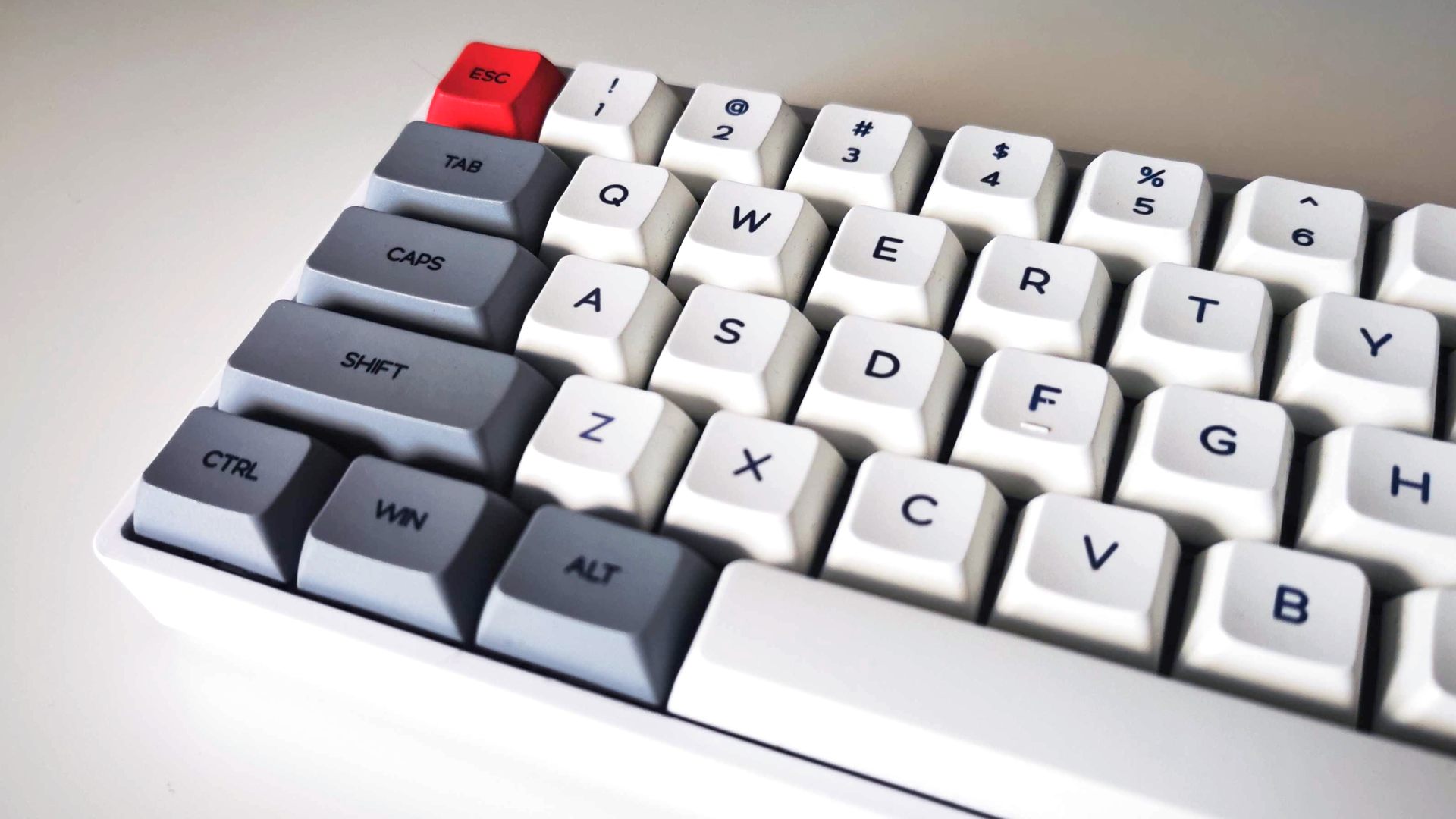
The line between a gaming keyboard and just a decent quality keyboard has blurred in recent years. It used to be that a gaming keyboard was one with extra gaming keys and a certain style, but these days it's far less obvious. Some of the best gaming keyboards, according to some gamers, look very plain and have fewer keys than a normal keyboard.
Some of the criteria that define a gaming keyboard are that its response is optimized for gaming. So, for instance, while the Logitech MX Keys mini is a lovely compact keyboard for office work, its Bluetooth connection isn't optimized for ultra-fast gaming inputs. Meanwhile, some gaming keyboards have high polling rates and make a point of tweaking latency so that your keyboard inputs are delivered as rapidly as possible to your PC.
Another factor is RGB lighting and styling. We don't see as many wacky "gamer" styled boards these days as we used to, but RGB lighting that flashes in all sorts of fun patterns or that sometimes can be configured to react to the games you're playing is another indicator.
Programmable extra gaming keys and multimedia buttons are also associated with gaming boards. Having dedicated extra G keys that can be programmed to perform all manner of functions, from triggering multiple other button presses to mimicking mouse inputs, means you get loads of extra functionality without having to remember lots of strange button combinations.
Mechanical gaming keyboards also tend these days to focus less on a satisfying keyswitch feel for typing and instead have fast-moving linear switches with a programmable response so that gamers can get the ultimate fast feel for competitive gaming.
Ultimately, it comes down to your preferences. If you do care about a reasonably fast-feeling board that isn't going to have trouble with a high latency or having the keyboard become unresponsive when too many keys are pressed at once (the key rollover of the board indicates how many keys can be pressed at once) then make sure the board you're looking at mentions that it's reasonably fast-responding and has at least 6-key rollover (six keys can be pressed at once) and ideally N-key rollover (all keys can be pressed at once - sometimes styled as NKRO).
Otherwise, it's entirely down to you whether you want the satisfying typing feel of a clicky or tactile switch or a smooth linear switch, if you prefer a clean style to a more outlandish design, whether you want all the RGB, or if you need a full-size board or an ultra-compact model.
What are mechanical switches - mechanical vs membrane?
PCGamesN has a comprehensive guide on mechanical keyboard switches for a more complete picture of what these switches are and can do. In a nutshell, though, there are two main types of keyboard switches: mechanical and membrane.
&l
 English
 Arabic
 Spanish
 Portuguese
 Deutsch
 Turkish
 Dutch
Dutch
 Italiano
 Russian
 Romaian
 Portuguese (Brazil)
 Greek
Greek