


Your tablet can do it all so why not turn it into your personal library, too?
By

Samantha Mangino
Shopping Reporter
Boston-based Shopping Reporter, Samantha Mangino, covers all things tech at Mashable, rounding up the best products and deals. She’s covered commerce for three years, spending extensive time testing and reviewing all things home, including couches, steam irons, and washing machines. She thoroughly vets products and internet trends, finding out if those cozy gamer chairs are really as comfortable as TikTok claims.
on
All products featured here are independently selected by our editors and writers. If you buy something through links on our site, Mashable may earn an affiliate commission.

Credit: Samantha Mangino / Mashable
Table of Contents
In a world full of endless specialty devices, do you really need one more thing? For readers, the answer is often yes. E-readers like Kindles and Kobos are devices that bridge the gap between a physical book and a tablet. They're extremely portable, hold thousands of books at once, and are gentle on the eyes. But what if you already have a tablet?
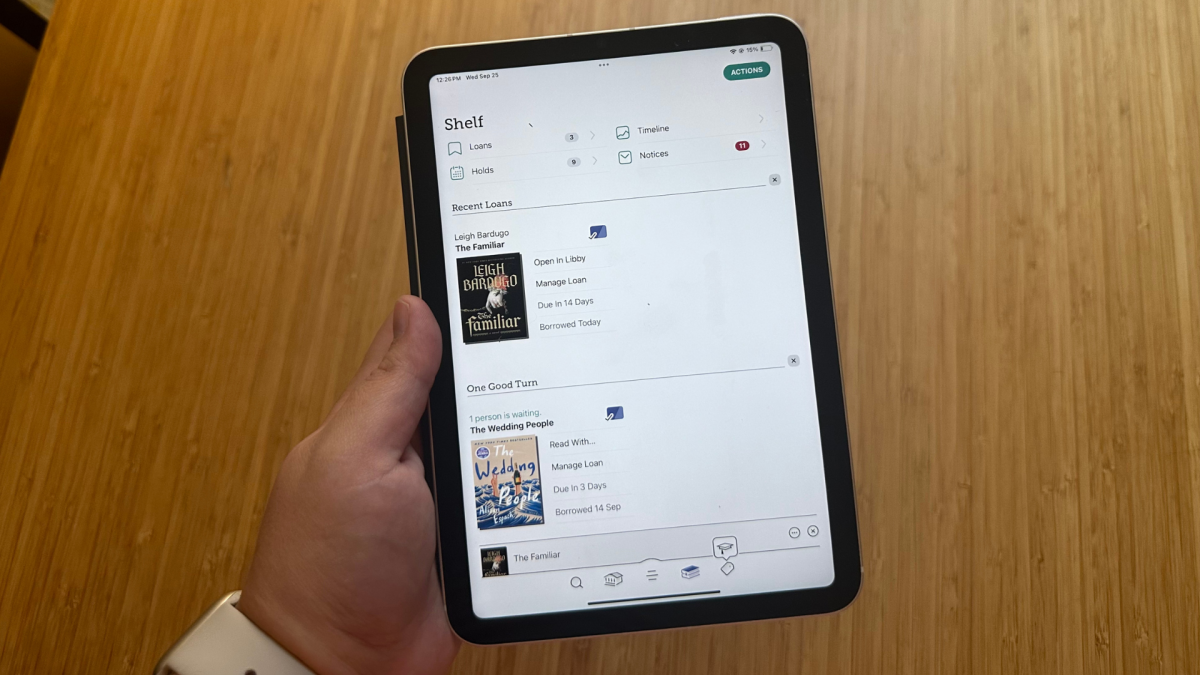
Tablets and e-readers aren't exactly the same — you can do a lot more on a tablet — but both let you read digital books. I've read dozens of books on my iPad and think it makes a perfectly good e-reader — as long as you make a few changes. Here's how to turn your tablet into an e-reader.
Anti-glare screen protectors
When I first read on my iPad, I experienced some eye fatigue. The glare and bright light of the screen were often too much, even when I turned down the brightness and turned up the display warmth. The solution was easy: a screen protector that adds a matte finish. Paperlike's screen protectors immediately tone down the screen, making it gentler on the eyes. As a bonus, if you're using a stylus or Apple Pencil with a tablet, these screen protectors emulate the feel of writing on paper rather than a slick screen.
Download the essential apps, Libby, Kindle, Apple Books

The essential apps for reading on your tablet. Credit: Google / Libby / Apple / Mashable
To read on your tablet, you'll need access to books. For iPad users, Apple Books comes pre-installed, and for Android users, there is Google Books. The Kindle app is also available across devices, which provides access to all the e-books you've purchased through Amazon.
Probably our favorite reading app is Libby, which connects to your local library and allows you to borrow e-books. Plus, it's totally free, whereas on Apple Books, Google Books, and the Kindle app, you'll have to purchase books.
Mashable Light Speed
Turn on grayscale
Color is new to the world of e-readers, and previously, everything was black and white. If that's part of the appeal of an e-reader, you can adjust the settings on your tablet.
To move to grayscale on your iPad, navigate to Settings > Accessibility > Display & Text Size. Within Display and Text Size, navigate to Color Filters. In Color Filters, turn on grayscale.
On an Android tablet, navigate to Settings > Accessibility > Color and motion > Color correction. Once you're in color correction, you can select grayscale.
Turn on do not disturb
Another perk to e-readers — they're distraction-free. There's no internet to browse or texts to pop up. With tablets, there will be distractions, and the best you can do to avoid them is to turn on do-not-disturb modes, which should be available on most tablets.
Accessorize with a grip, stand, or remote
E-reader users are a devoted bunch who love to personalize their devices, and why shouldn't that be the same with a tablet? Lots of users like a clear case paired with a PopSockets for their e-reader, something you can easily replicate on a tablet.
$7.95
at Amazon
$9.99
Save $2.04
Another favorite in the e-reader community? A page-turning remote so you don't actually need to hold your e-reader. Thanks to the world of the endless scroll, there are a variety of page-turning remotes compatible with iPads. Yes, these remotes scroll through your social media, but they also turn the pages on your e-book. Since you don't won't want to hold your tablet either, you'll need a stand, too. This could be as simple as a folio-style case, or maybe you want to go all out with a floor stand.
$13.99
at Amazon
$19.99
Save $6.00
$55.99
at Amazon
$69.99
Save $14.00

Boston-based Shopping Reporter, Samantha Mangino, covers all things tech at Mashable, rounding up the best products and deals. She’s covered commerce for three years, spending extensive time testing and reviewing all things home, including couches, steam irons, and washing machines. She thoroughly vets products and internet trends, finding out if those cozy gamer chairs are really as comfortable as TikTok claims.


 English
 Arabic
 French
 Spanish
 Portuguese
 Deutsch
 Turkish
 Italiano
 Russian
 Romaian
 Portuguese (Brazil)
 Greek
Greek