


Table of Contents
It's no secret I love the Brick, a device that single-handedly cut my screen time in half. In fact, as I'm writing this, my phone is currently Bricked. Instagram, TikTok, and Substack, you will not distract me from my work today. The physical barrier that Brick adds makes it the best choice for those whose built-in screen limits just don't work.
However, there's one big barrier with the Brick — its price. At $59, it's a steep cost for the sake of cutting screen time, unless you get one sale (which, btw, it's currently 20% off.) But there's one thing that I think makes it an even better value — you can share it with your whole household.
$47.20
at Brick
$59
Save $11.80
Can multiple people use the same Brick?
When I first started using the Brick, a few things happened. My screen time plummeted, I rediscovered how to be bored again, but most surprisingly, my wife wanted in on the Brick life.
Our days look very different. I work from home, typing away on my laptop, and hunting the internet for the latest tech and shopping news. Meanwhile, my wife is a high school teacher, instructing and working with students in the classroom. But despite how different our days look, we both fall into the trap of scrolling when we have downtime or a free period.
Mashable Light Speed
Plus, at the end of the day, when we're finally home together, our nights usually culminate in turning on our current binge of the moment, but end with us looking at our phones rather than the TV. All this to say, we both needed some help with screen time.
Luckily, more than one person can use a Brick. In fact, according to Brick's support site, there's no limit to how many people can use the same Brick. All you need to connect to a Brick is access to the app and to make your own account — you can't share accounts.

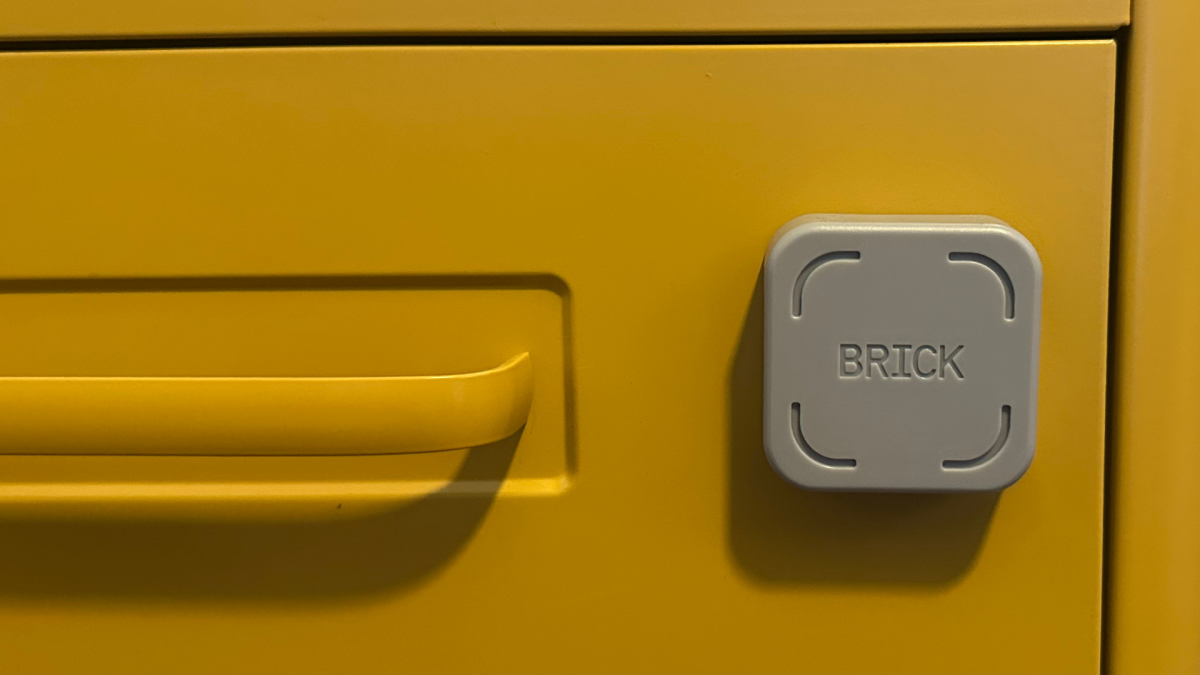
Make sure to keep the Brick in a spot everyone in your house can access. Credit: Samantha Mangino / Mashable
So to go in on a Brick with one other person cuts the cost in half. Sharing it with a whole house of roommates, well, you can do the math. But before you share your Brick, remember this isn't like sharing a streaming subscription (because we definitely don't do that...). You need physical access to the Brick to use it, so you can only share it with people in your household.
And a word of caution on sharing your Brick with other people — agree to keep the Brick in one spot. You don't want to go to block (or unblock) your phone and find that it's been moved — you want to avoid using an Emergency Unbrick.
So if you've been holding out on buying a Brick, consider splitting the cost with a partner or roommate because we could all use some help getting offline.
$47.20
at Brick
$59
Save $11.80

 English
 Arabic
 French
 Spanish
 Portuguese
 Deutsch
 Turkish
 Dutch
Dutch
 Italiano
 Romaian
 Portuguese (Brazil)
 Greek
Greek