


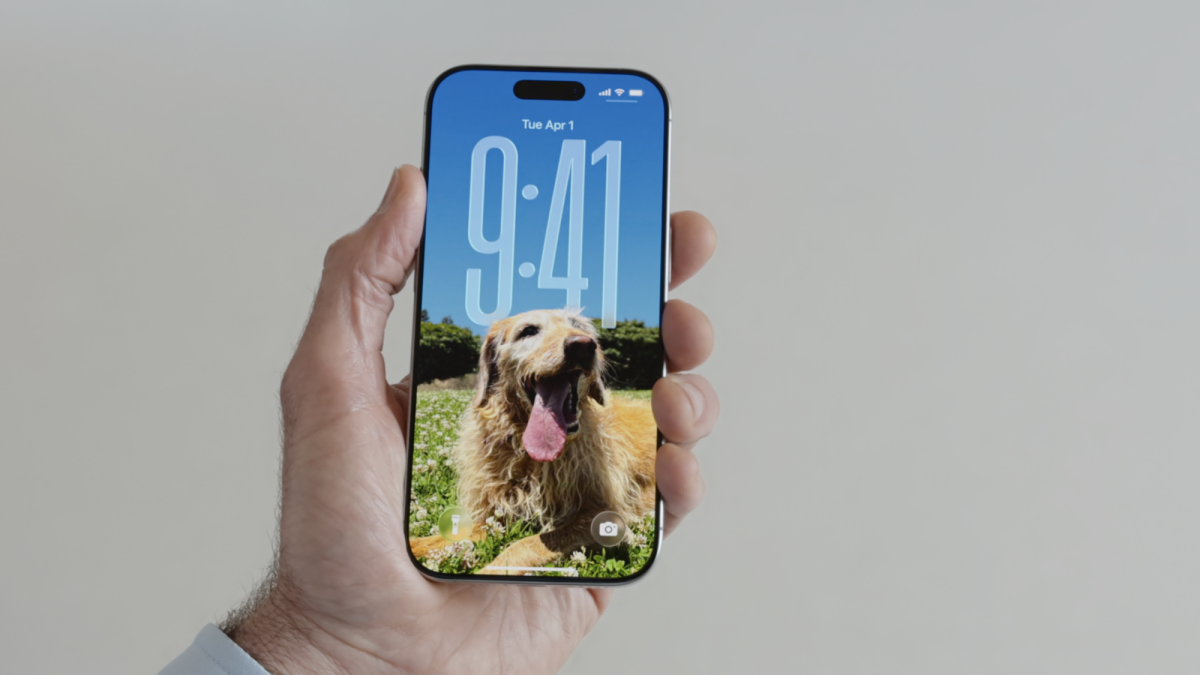
You just got a new iPhone 17, or you're planning on getting one imminently. Or, maybe you installed iOS 26 on your older iPhone. Either way, you need one of those awesome new custom lock screens to match the Liquid Glass vibe, pronto.
The good news is that iOS 26 has some easy-to-use ways to create a custom lock screen with whatever images, fonts, and widgets you like. Here's how it works.
Option 1: Set a wallpaper in settings
There are multiple simple ways to set up a new wallpaper and customize your lock screen on iOS 26. The easiest method is to go into your phone's settings
Go to Settings
Go to Wallpaper
Hit "Add New Wallpaper"
Select either one photo or a Photo Shuffle option
Once you've selected a photo, you'll see a customizable version of the lock screen. Swipe to apply different filters to your photo, and pinch and drag to zoom and crop the photo as you like. In the widgets section, you can tap and select which widgets to add to your lock screen. Options include tools like the flashlight and calculator, as well as apps such as Gmail or Instagram.

Credit: Timothy Beck Werth / Mashable

Credit: Screenshot: Apple/Tim Werth
Finally, you can drag down the clock so that it partly disappears behind the object in the center of the photo (this happens automatically). If you tap on the clock, you can also change the typeface, size, and color of the clock.
Mashable Light Speed
Pro tip: The fewer widgets you add to your lock screen, the cooler it will look! We recommend sticking with just the flashlight and camera, the default options.
Option 2. Go to Photos

Credit: Timothy Beck Werth / Mashable

Credit: Timothy Beck Werth / Mashable
If you already know which photo you want to set as your new wallpaper, you can also set a wallpaper in the Photos app. To do this, hit the share button, swipe down, and select "Use as Wallpaper."
From there, you can customize the lock screen in the same way as before.
Option 3. Customize via the lock screen
Lastly, you can simply hold down on the lock screen and hit "Customize" if you want to change everything on the lock screen all at once. From here, you can adjust how large the clock readout is, change the font for it, add or remove widgets, and even swipe left and right to change between different color filters for the wallpaper. It's pretty straightforward once you find it.
What are you waiting for? Go out there and put together the coolest lock screen you can.

A custom lock screen. Credit: Timothy Beck Werth

Need iPhone wallpaper inspo? Try this. Credit: Mashable

 English
 Arabic
 French
 Spanish
 Portuguese
 Deutsch
 Turkish
 Dutch
Dutch
 Italiano
 Russian
 Romaian
 Portuguese (Brazil)