


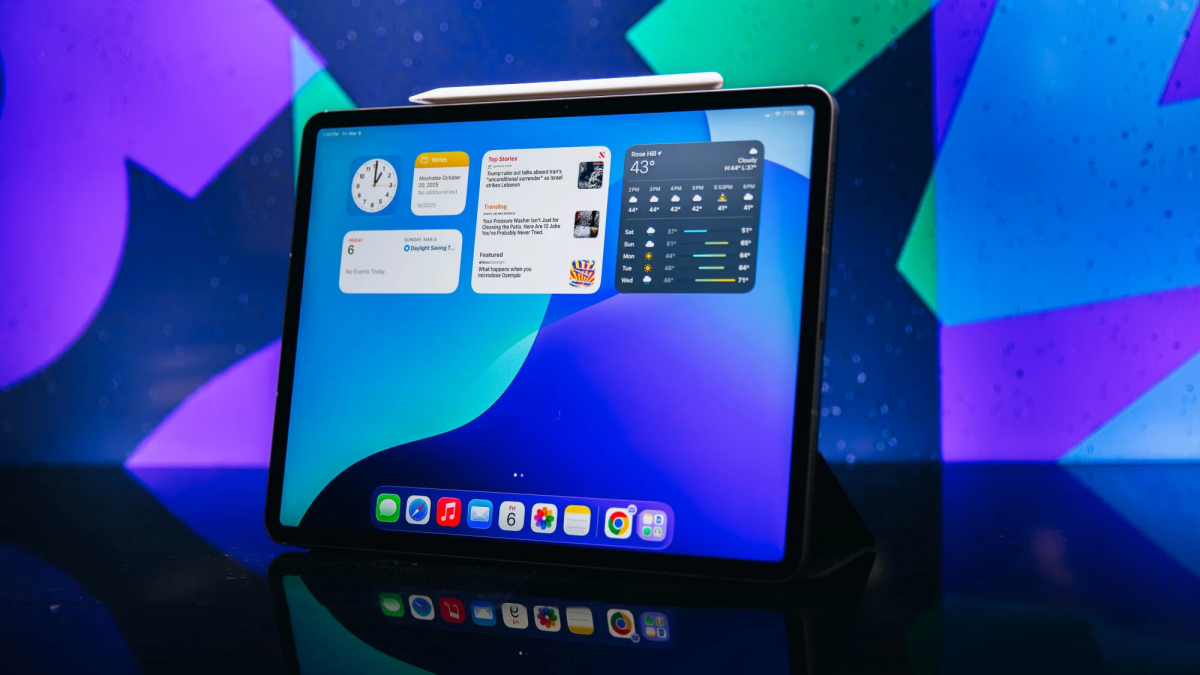
Yes, we love iPads, but there are great alternatives out there.
By

Leah Stodart
Senior Shopping Reporter
Leah Stodart is a Philadelphia-based Senior Shopping Reporter at Mashable where she covers and tests essential home tech like vacuums, TVs, beauty devices, and eco-friendly hacks. Her ever-evolving experience in these categories helps her make thoughtful recommendations for how to spend your money during shopping holidays like Black Friday, which Leah has been covering for Mashable since 2017.
,

Timothy Beck Werth
Tech Editor
Timothy Beck Werth is the Tech Editor at Mashable, where he leads coverage and assignments for the Tech and Shopping verticals. Tim has over 15 years of experience as a journalist and editor, and he has particular experience covering and testing consumer technology, smart home gadgets, and men’s grooming and style products. Previously, he was the Managing Editor and then Site Director of SPY.com, a men's product review and lifestyle website. As a writer for GQ, he covered everything from bull-riding competitions to the best Legos for adults, and he’s also contributed to publications such as The Daily Beast, Gear Patrol, and The Awl.
, and

Samantha Mangino
Senior Shopping Reporter
Boston-based Senior Shopping Reporter, Samantha Mangino, is an e-reader expert. She's tested all the Kindle and Kobo e-readers, diving into the buzziest models. Her love of reading extends beyond the e-reader beat, covering books and authors, too. In the tech space, she also covers tablets, smart rings, and headphones. She thoroughly vets products and internet trends, willing to dig into what everyone is currently talking about.
on
All products featured here are independently selected by our editors and writers. If you buy something through links on our site, Mashable may earn an affiliate commission.

Credit: Joe Maldonado / Mashable
Even if you have a very capable smartphone and a nice laptop, a tablet can still be worth adding to your tech arsenal. A touchscreen that can be carried anywhere makes for a portable studio for creatives, a crucial sidekick for frequent travelers, and an e-reader for book lovers. These days, tablets are basically just laptops anyway.
Overview

These are the tech, tools, and products — from laptops to e-readers, from earbuds to robovacs, and more — that Mashable ranks best in class.
Table of Contents
Whether you're looking for a kid-friendly tablet or a compact laptop replacement, there are plenty of excellent options out there. If you're not exactly sure which tablet you should buy, we've got one simple question to help narrow down your search: Are you an Apple person? We tested the entire iPad lineup, and though iPads are our preferred tablets in 2026, we also love some of the best tablets from Samsung, OnePlus, and Microsoft. So, whatever your preferences, we've got a tablet to recommend.
Our Pick

The Good & The Bad
- Thin and lightweight body
- Gorgeous Liquid Retina displays
- Fast performance powered by M4
- Comes in 11- and 13-inch models
- RAM upgrade capable of handling AI tasks
- Very similar to previous generation
- Touchscreen display still collects fingerprints
Our review
Read our full review of the Apple iPad Air 2026 (M4).
Who it's for
The iPad Air is not just the best iPad, it's the best tablet. It will be your new go-to device for streaming, reading, or creative projects. And if you plan on using your tablet as a substitute for a laptop, it'll work for that, too, especially when paired with the new Magic Keyboard for iPad Air or Apple Pencil. It's fast, moves smoothly between apps, and has a stunning high-definition display.
While we prefer the iPad Pro for creatives, the iPad Air is a more budget-friendly option that will still handle tough design jobs, and it's compatible with the Apple Pencil Pro.
For all the power this tablet provides, it's an exceptional value. In 2026, while the iPad Air upgraded to the M4 chip, it didn't receive a price increase, meaning the iPad Air still starts at $599 for the 11-inch model and $799 for the 13-inch model.
Why we picked this
To kick off 2026, Apple upgraded the iPad Air to include the M4 chip. While the update didn't feel necessary in light of the already powerful iPad with M3 chip, we'll never say no to more computing power, especially with no price increase.
The iPad Air bridges the gap between tablet and laptop, yet it still remains affordable and user-friendly. With the M4 chip upgrade, the iPad Air got a performance boost, now scoring 13,176 on the Geekbench 6 test, up from its previous score of 11,464.
While the iPad Pro is technically slightly thinner and lighter, the iPad Air still lives up to its name. It's a great tablet to bring on the go due to its light weight, which helps avoid wrist strain when holding the device.
It has a crisp display for brilliant graphics, and one of its most surprising upgrades in the 2026 model is more memory. Now with 12GB of RAM, it's better equipped as a gaming device, too. For creatives too, the extra memory makes it even more capable of creative tasks, whether that be in Final Cut Pro or while doing design work with the Apple Pencil.
Essentially, it gives you everything you'd want in a starter MacBook, but it costs you just $599 and has a touchscreen.
Details

The Good & The Bad
- Comes with case, keyboard, and stylus
- Bright, high-resolution display
- Solid computing power
- Expensive when not on sale
- The cover is a little wonky
Who it's for
Looking for an Android tablet? Our pick is the Lenovo Yoga Tab. It's an exceptional value that performs on par with Apple's iPads. It's a fast-moving tablet, delivering laptop-quality speeds, and almost feels like one with the included keyboard and pen.
If you think you need an iPad for writing and drawing on a tablet, think again. The Lenovo Yoga Tab is the best writing experience on any tablet we've tested.
Why we picked this
Right off the bat, I liked the Lenovo Yoga Tab. Setting it up is a breeze, and the apps downloaded quickly. After an initial charge, the Lenovo Yoga Tab's battery life lasted nearly an entire week when I used it a couple of hours per day.
Its performance was undeniable, and the Geekbench 6 confirmed that. The Lenovo Yoga Tab's multi-core score was 5,799, on par with the iPad's 6,233 score and nearly double the OnePlus Pad Go 2's 3,030 score.
What I like best about the Lenovo writing experience is the haptic feedback. While the screen is smooth and glossy like any tablet, the pen has a roughed tip that makes it feel like an actual pen on paper. It's easily the best writing experience I've had on a tablet, and that's not to mention Lenovo's built-in note-taking app has a better user interface than both Apple and Samsung.
Each Yoga Tab includes a keyboard case and pen, so you're getting more than just a tablet. On Lenovo's site, it's given an estimated value of $619.99, but I've never seen it priced higher than $419.99. That's an amazing deal, considering an iPad with equivalent accessories will run you $677.
I should say, I don't love the case on the Lenovo Yoga Tab, finding it stiff and not the most well-balanced. The keyboard and stylus, though, are far superior in design.
Details

The Good & The Bad
- Great, compact screen size
- Clear resolution
- Extremely affordable
- Tinny speakers
- Screen could be brighter
- A little laggy
Who it's for
Amazon Fire tablets aren't our favorite, but they get the job done. Having tested several models, the best one also happens to be the cheapest. The Amazon Fire HD 8 is great if you just want the basics, like access to social media and streaming services. Just keep in mind that the Amazon Appstore doesn't have the most extensive app selection.
Why we picked this
The 8-inch screen on the Fire HD 8 is the ideal tablet size. It's comfortable to hold for hours of reading, but still has plenty of space for watching shows. However, the screen brightness on the HD 8 was surprisingly dim even at its max.
Since the HD 8 is the newest model among Amazon's Fire tablets, it's also the fastest, despite being the most affordable. Compared to more technically advanced models like the Amazon Fire Max 11, the HD 8 was even faster, experiencing little lag time when downloading and switching between apps.
Don't expect the Fire HD 8 to handle large tasks, though. Compared to the iPad 11th generation, which has 6GB RAM, and the Lenovo Yoga Tab with 12GB RAM, the Fire HD 8 just has a measly 3GB or 4GB. Not to mention, as an Amazon device, it's loaded with ads, especially on the home and lock screens.
Details

The Good & The Bad
- Well-priced
- Plenty of storage space
- Decent processor and multitasking capabilities
- Touch ID
- Compatible with iPadOS 26
- No M-series chip
- Cameras are so-so
- No 1 TB storage option
Who it's for
If you prefer saving money over splurging on the latest tech, the Apple iPad (11th generation) gets the job done. It's the base model, meaning it won't have the fastest processor like the iPad Air's M4 chip or the latest features like Apple Intelligence. However, it is the most affordable Apple tablet. With the M4 iPad Air and M5 iPad Pro models, this iPad's price dropped to $349 — a real steal for Apple.
Even though its tech is basic compared to the advanced iPad Air and Pro, it's great for someone who wants a portable screen for streaming, playing games, and reading. It's also a nice choice if you're interested in using your tablet as a laptop, but don't want to spend a ton of money. It's compatible with the Magic Keyboard Folio and together costs $598 — the same price as the iPad Air.
Plus, it's especially great for kids if you want to get them a tablet but don't want to spend a fortune on it.
Why we picked this
Most of Apple's iPads now have the M-series of chips; however, the classic iPad has the A-series, typically found in iPhones. That being said, the 11th-generation iPad still offers enough processing power for everyday use thanks to its A16 Bionic chip. You'll be able to multitask without the system sputtering out, whether you're watching YouTube videos, playing your favorite high-res games, or just have a habit of leaving your apps running in the background. It also packs a decent amount of storage space. The base model starts at 128GB, so there's no need to pick and choose what apps and pictures you want to keep. Speaking of, it sports 12MP front and rear cameras with Center Stage, a feature that keeps you in frame during FaceTime calls.
Combine all these features with the functionality of iPadOS 26 (yes, the A16 iPad is compatible with iPadOS 26), and you have an iPad that looks unassuming but is anything but — and all for a pretty unbeatable price point. It's a fine choice if you're just dipping your toes into tablets; however, creative professionals might prefer the power of the iPad Air or Pro.
Details

The Good & The Bad
- Quick processing
- Stylus included
- Features split screen
- Insanely long battery life
- Large screen is a little overkill
Who it's for
If you're an Android user who's seeking out a tablet that is well-equipped to handle all the tasks of a laptop, let us point you in the direction of the Samsung Galaxy Tab S11 Ultra. It has a beautiful display and syncs automatically with Google accounts. Plus, it can handle multiple apps at a time, allowing you to split the screen between apps. It even comes with a stylus for illustration or note-taking.
Why we picked this
The Samsung Galaxy Tab S11 Ultra is one of the largest tablets out there, with a 14.6-inch screen. The screen size admittedly feels overkill, making it difficult to use when you're just trying to watch a show or browse the internet. But on the upside, with that giant screen, you can use multiple apps at once, allowing you to watch and play games at the same time. However, reading on the S11 Ultra is difficult, simply because the device is just so oversized that it's hard to hold, and there's just too much screen size unless you shrink the window.
But it's built for much more than reading. It starts with 12GB of RAM and 256GB of storage, but goes up to 16GB of RAM and 1TB of storage. The S11 Ultra tablet has a MediaTek Dimensity 9400+ processor and a Geekbench 6 multi-core score of 8,797. That makes it not quite as powerful as Apple's iPad Pro or Air, but the most powerful Android tablet we've tested. Not to mention it scores higher than the standard iPad's Geekbench 6 score.
Its battery life is extremely impressive. When conducting a battery rundown test, it lasted 16 hours and 6 minutes, potentially allowing you to work on it for two days before needing a charge.
The stylus comes included with the S11 Ultra, and it's a lightweight pencil with a button to control the settings with a simple click. It writes beautifully and allows for a lot of precision, though some might prefer something with a bit more heft behind it.
If you are going to do work on the device, I recommend getting a keyboard and cover that doubles as a stand. Since the tablet is just so large, it's awkward to hold and type on. The keyboard and stand, however, make it feel like a great laptop while still maintaining the convenience of a tablet.
Details

The Good & The Bad
- Contains Apple's powerful M5 chip
- Extra-long battery life
- Razor-thin design
- Impressive performance
- Brilliant XDR display (can play HDR video)
- Nano-texture glass costs extra
- Starting price of $999
Our review
Read our full review of the iPad Pro (M5).
Who it's for
Professionals looking for an iPad should go for the iPad Pro with M5 chip. Released in 2025, the new iPad Pro is loaded with Apple's fastest M5 chip, giving it way more power than the average user really needs. Graphic designers can store all of their creative work on the device, which has up to 2TB of storage. It's also a smart choice for video editors, though the premium nano-texture glass, which prevents glare while working in any environment, even full sun, will cost extra. Plus, the XDR Retina display lets you play back HDR video and use this tablet as a reference monitor.
For creative professionals, the Apple iPad Pro is a dream come true. It's also compatible with the Apple Pencil Pro, a tool that features a unique squeezable design and a barrel roll feature, enhancing precision and control in design work.

 Arabic
 French
 Spanish
 Portuguese
 Deutsch
 Turkish
 Dutch
Dutch
 Italiano
 Russian
 Romaian
 Portuguese (Brazil)
 Greek
Greek